Knowing just how resounding this name is and its many associated qualities, we couldn’t pass up the opportunity to do a full NordVPN review. As of 2026, this is the largest VPN, with millions of satisfied users. This VPN was built by Nord Security and first appeared in 2012, more than a decade ago.
Since then, Nord Security’s focus has been on online security through a phenomenal suite that includes NordVPN, NordLocker, NordPass, and NordLayer. Recently, NordVPN joined forces with Surfshark. While the companies merged, they continued to operate separately, but both followed a very similar pattern.
That pattern is ironclad security, fast speeds, uncompromising privacy, and some of the most impressive streaming capabilities. In this NordVPN review 2026, you’ll learn why it’s one of the best VPNs on the market. In short, it’s our #1 VPN, but keep reading for all the details from our NordVPN test for 2026.
NordVPN Review: A Quick Look
| 📋 Overall Ranking | #1 |
| 💸 Starting Price | $3.09 per month (September 2026) |
| 🧑⚖️ Money-Back Guarantee | 30 days |
| 🥷 No-Logging Policy | Yes (audited by Deloitte and PwC) |
| ⚙️ Protocols | NordLynx, NordWhisper, OpenVPN, IKEv2 |
| 🌎 Server Locations | 210+ |
| 🛑 Ad Blocker | Yes (with malware protection) |
| 📺 Does it Work With Netflix? | Yes (with over 25 catalogs) |
| ♻️ Does it Allow Torrenting? | Yes, on all servers |
| 📱 Supported Platforms | Windows, macOS, Linux, Android, iOS, routers, web browsers, streaming devices |
| 🏚️ Simultaneous Connections | 10 |
| ☎️ Customer Support | 24/7 live chat and email |
NordVPN Pros and Cons
Pros
- Wide server network
- Fast connection speeds
- Solid streaming performance
- Allows torrenting
- Compatibility with all devices
- Audited zero-logs policy
- Advanced security features
- Affordable introductory prices
Cons
- Slightly confusing app UI
- Higher renewal costs
NordVPN User Experience and Device Support
To start our NordVPN review and analysis, we will first discuss user experience and device support. After all, once you subscribe to the service, the application is the first thing you’ll see.
📱 Desktop and Mobile Apps Reviewed
NordVPN works on a variety of desktop and mobile systems. Windows, macOS, and Linux computers and laptops are supported. Similarly, you can use NordVPN on Android and iOS phones and tablets. However, browser extensions are also available, making NordVPN the best VPN for Edge, Chrome, and Firefox.
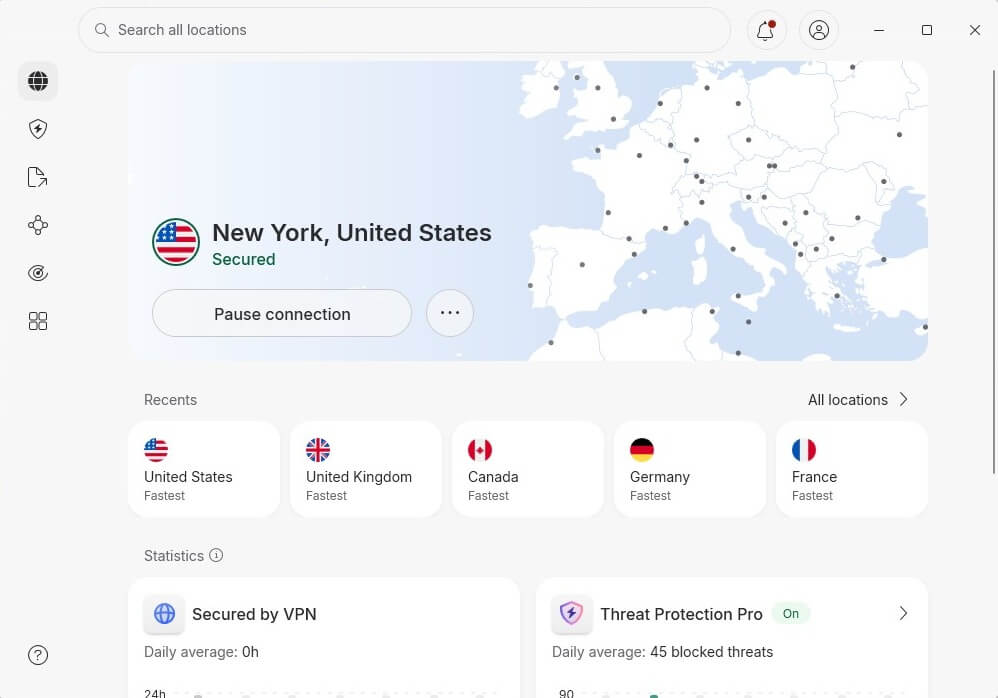
NordVPN supports 10 simultaneous connections. Unlimited concurrent connections are available in Surfshark and Private Internet Access for those who need them. NordVPN looks sleek and modern, although beginners may find it intimidating. The app connects with a single click, and connections are swift.
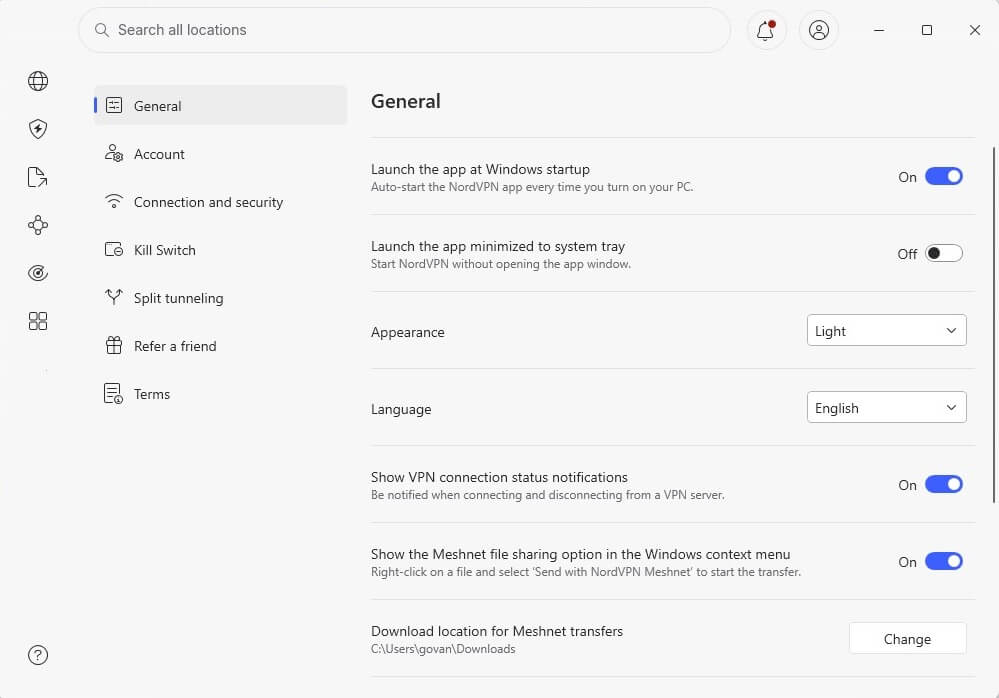
You also get the Secured message up top to see that it works. The revised interface lets you access advanced features on the left. To go to Settings, click the Profile icon and pick that option. To access the server list, click Search All Locations. In this NordVPN review, we were satisfied with the UI.
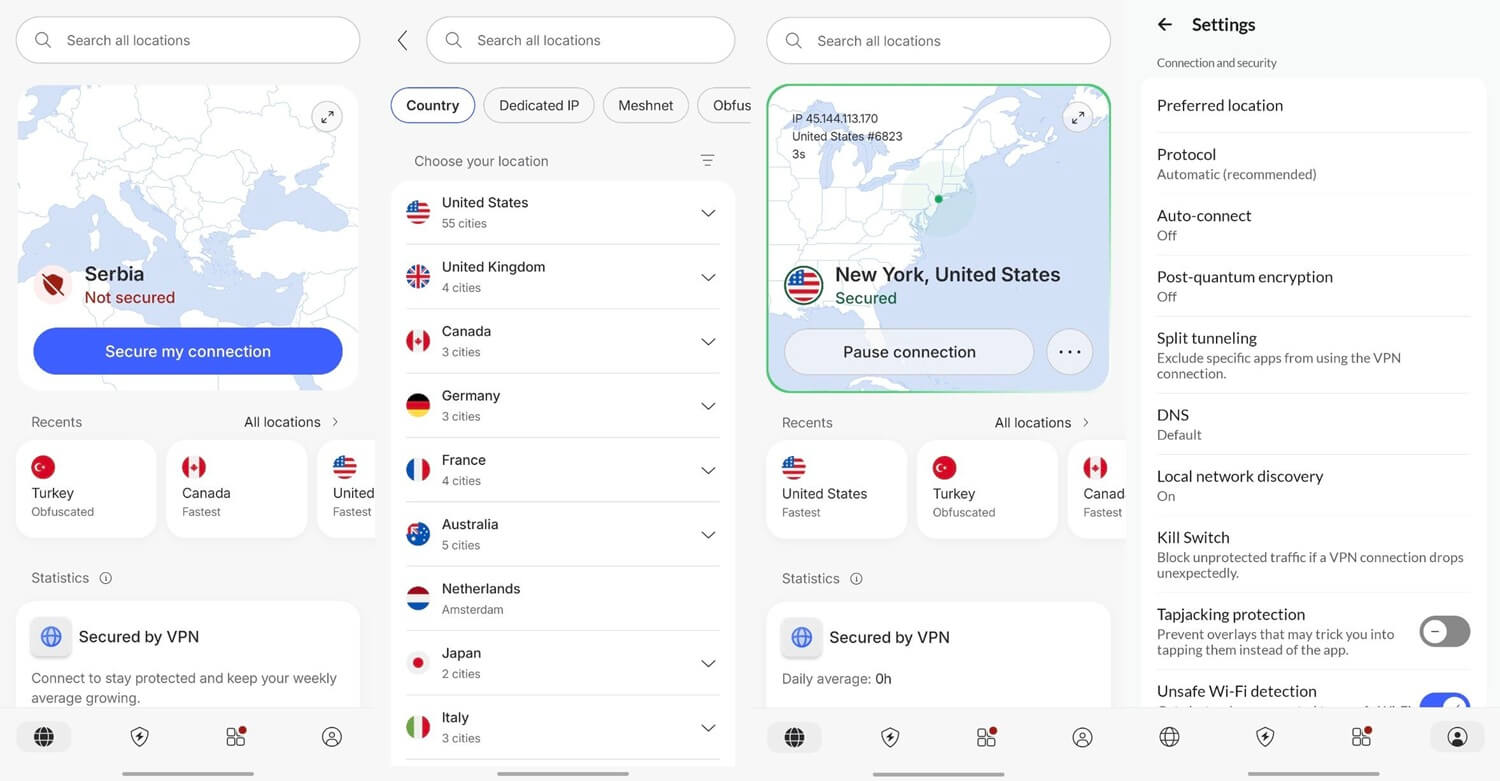
It’s the same story on mobile devices. The apps look eerily similar, and an improved design makes NordVPN shine brighter than ever. Though for beginners, there are slightly more user-friendly VPNs like ExpressVPN or PrivadoVPN. Simultaneously, NordVPN is way more advanced, so it’s a small trade-off.
🌐 NordVPN Browser VPN Review
NordVPN offers browser extensions for Chrome, Edge, Firefox, and Brave. The extension is a full-fledged VPN, actually. It offers access to all 9,200+ servers and has location spoofing, WebRTC leak protection, and more. In our experience, it’s one of the top VPN choices for Chrome and other popular browsers.
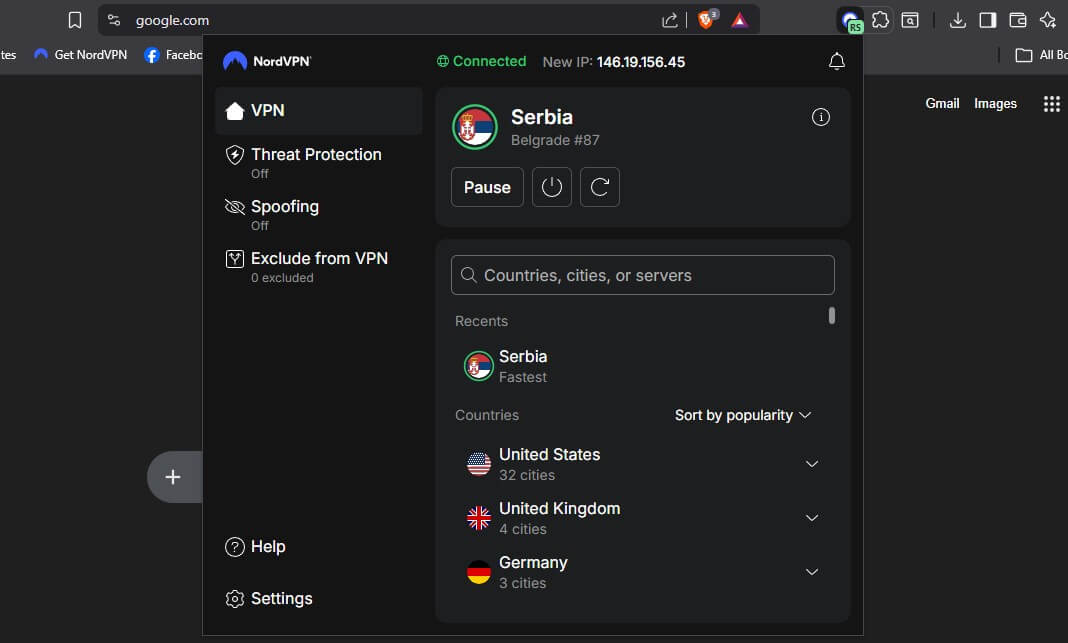
The extension is also easy to use. Download it from your browser’s plugin store, sign in, and enjoy. You can connect with a click and explore its settings through the Gear icon displayed above. However, you must have an active NordVPN subscription to use it. It’s not a free VPN for Chrome, Firefox, and other browsers.
📺 TV and Streaming Device Apps
In this NordVPN review, we should mention its TV support. Streamers will like that the VPN covers everything that has TV in it. By that, we mean Samsung Smart TV, Android TV, Apple TV, Fire TV Stick, Chromecast, etc. Users with Android TV use Google Play to download NordVPN’s app as they would on their phones.
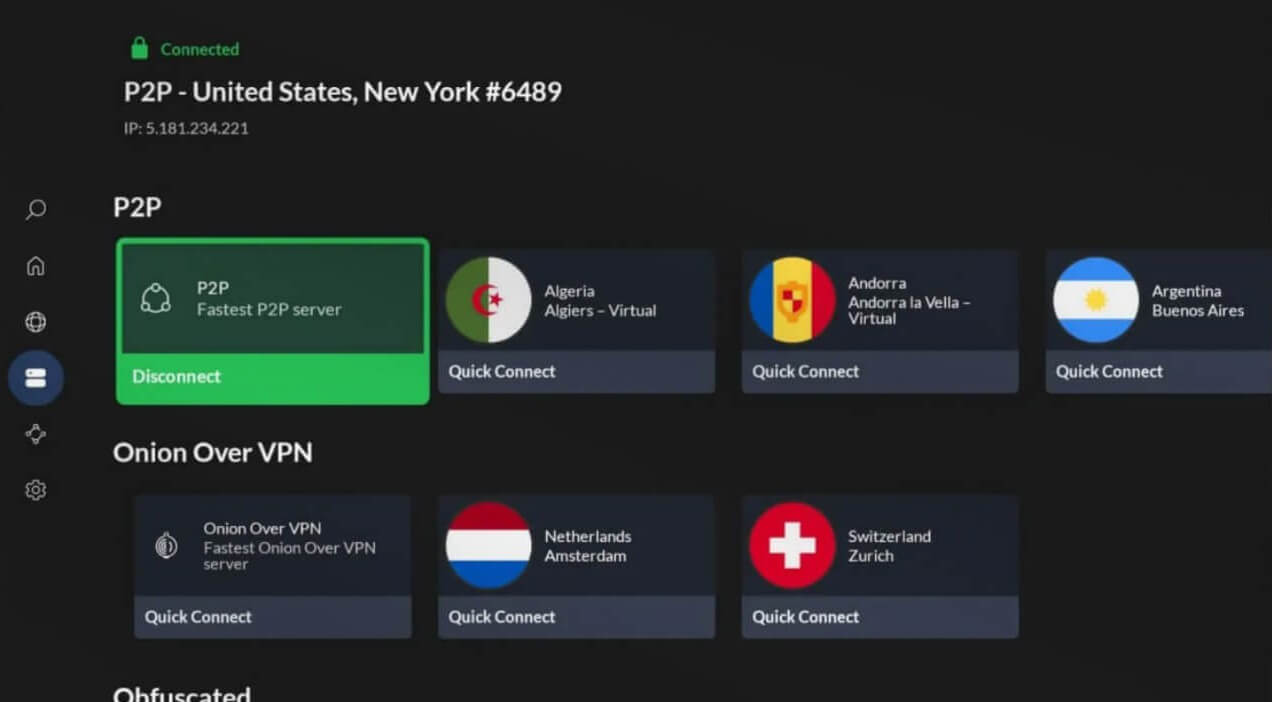
Besides, the app looks the same on a TV, so if you use it on your phone, the transition to your TV will be seamless. We’re fans of this VPN for Apple TV, as it offers a native tvOS app with one-click installation. So, if you use it for streaming, you’ll still be able to unblock geo-restricted content no matter your location.
🎮 Gaming Console Support
We tested its gaming prowess in this NordVPN review for 2026. Needless to say, we set it up on our Nintendo, Xbox, and PlayStation consoles in minutes. Since it’s our favorite VPN for a router, we went this way, but we also tested SmartDNS, which allowed some benefits (such as streaming), but without a complex setup.
However, NordVPN makes life easier by allowing you to share your internet with a LAN cable from your PC to the console. It’s effortless and is fully explained on NordVPN’s website.
🛜 Router Support
NordVPN’s router support is comprehensive, and we expected this from the famous VPN. While it works on DD-WRT, Tomato, OpenWRT, Merlin, and ASUS routers, it doesn’t mean you can’t install it on others. That is, if you flash your firmware. For each router on this list, NordVPN offers full setup guides.
As of late 2018, the VPN supports only OpenVPN and NordLynx for router connections, with no L2TP/IPsec and PPTP support. If you use a router from Cisco, Tenda, Netgear, Huawei, or Linksys with their native firmware, NordVPN will not work. Again, you have to flash it, but do so at your own risk.
NordVPN Pricing Review: Is It Affordable in 2026?
At the start of our NordVPN review 2026, let’s discuss its pricing. This is the most popular VPN, which should mean it’s expensive. Well, if that’s what you thought, you’re wrong. NordVPN is cheaper than its main competitor, ExpressVPN (see NordVPN vs ExpressVPN duel), but by how much?
The biennial Basic plan starts at $3.09 per month, although NordVPN’s prices change, and it often goes for as little as $2.99 per month. Our favorite is the Plus plan at $3.59 per month, with Threat Protection and NordPass. Through our NordVPN discount coupon, you can make even greater savings.
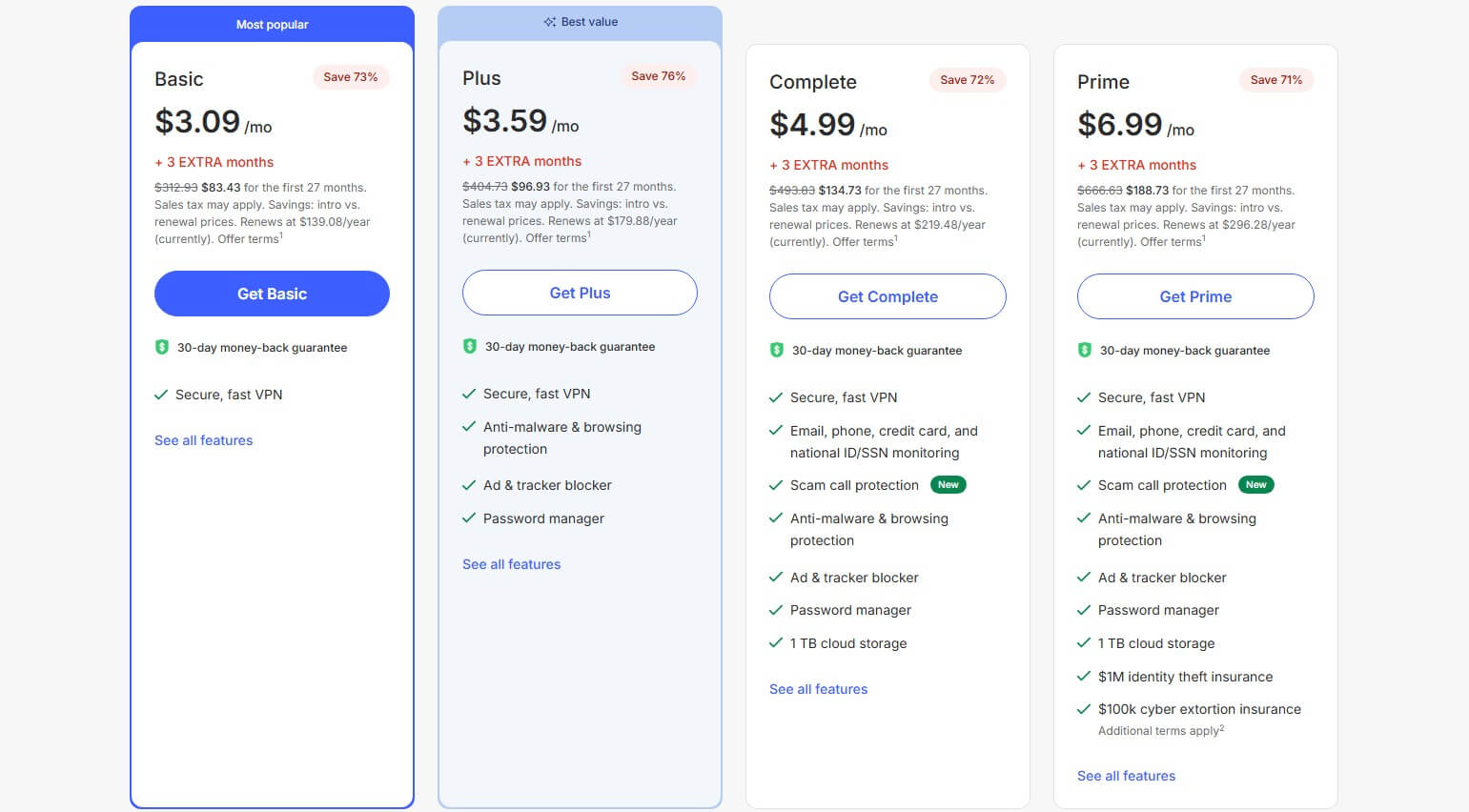
NordVPN’s Complete plan includes NordLocker, with 1 TB of cloud storage (one of the best online storage options). The Prime plan introduced NordProtect for additional data theft protection in the USA. All plans have a 30-day money-back guarantee if you want a refund, even if you no longer need it.
You should also know that NordVPN usually offers a special deal for Black Friday, Cyber Monday, Halloween, Christmas, and so on. All these can be explored and obtained below.
💳 Available Payment Methods
NordVPN offers enough payment methods to make your purchase simpler. They are credit and debit cards, PayPal, Google Pay, and cryptocurrencies. All payment methods are great, but we prefer PayPal and Google Pay for ease of use. Crypto payments are welcome, but they’re slower to process and refund.
Speaking of refunds, the provider can reimburse you in the first 30 days. You need to contact its customer support, ask politely, and obtain your money the same day. It’s effortless and takes a few minutes.
Is NordVPN Safe? Security Features Examined
When using a VPN, you expect all the security and privacy. While it’s not the case with every VPN, in this NordVPN review, you’ll see that this is a textbook example of what a 100% safe and secure VPN is. Let’s review all of its security features and see why they’re some of the best around.
🧬 Military-Grade Encryption
Encryption is one of the most important things in this NordVPN test and review. It serves as protection against online nasties. NordVPN uses 256-bit GCM encryption, and as of recently, supports post-quantum encryption with its NordLynx protocol. It’s the best way to gain protection against quantum computer attacks.
Also, banks use this encryption to secure your private information and prevent hackers from stealing your money. In other words, once you connect to NordVPN, no one can track your connection or see which websites you visit. This grants you complete anonymity when you watch porn, browse, or download torrents.
🔀 Double VPN Servers
Double VPN is a feature that doubles your encryption and makes your connection twice as secure. As its name implies, it routes traffic through two servers, doubling your encryption and making it impossible for anyone to track it. It’s easy to enable through Specialty Servers and a single click on Double VPN.
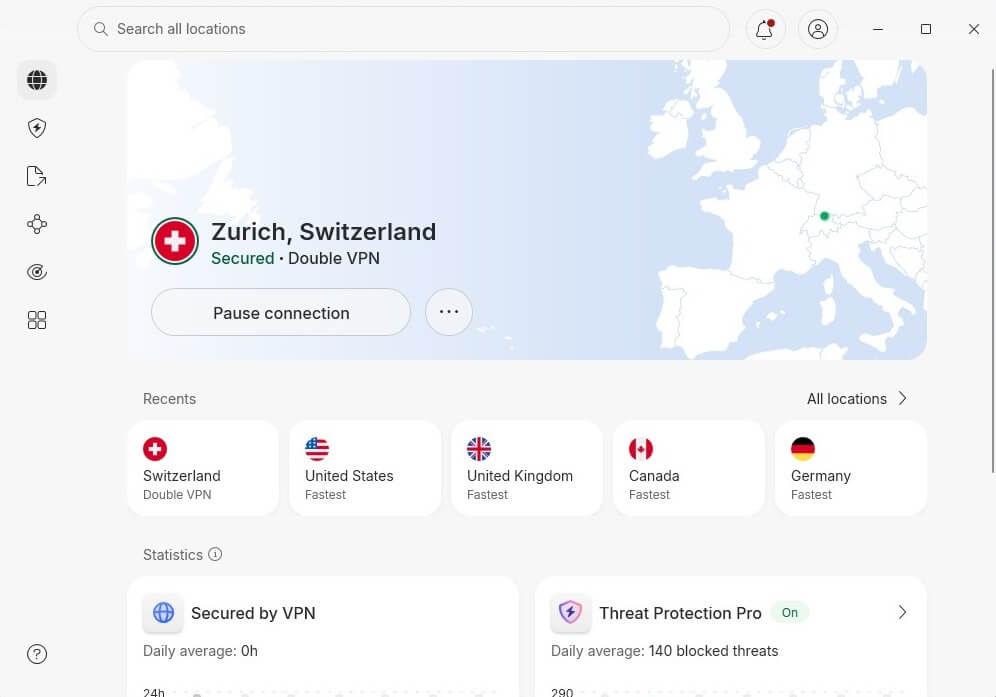
Bear in mind that it will impact your internet speed due to double encryption. However, you will get the maximum level of security, essential for censored regions and for those who wish to stay anonymous online.
💯 NordLynx and NordWhisper Protocols
In this NordVPN 2026 review, we must discuss NordLynx. NordLynx is a proprietary protocol based on WireGuard. Unlike WireGuard, NordLynx has no privacy issues, given the provider’s solutions that quickly rectified these problems. WireGuard is known for exceptionally brief connection times and leading speeds.
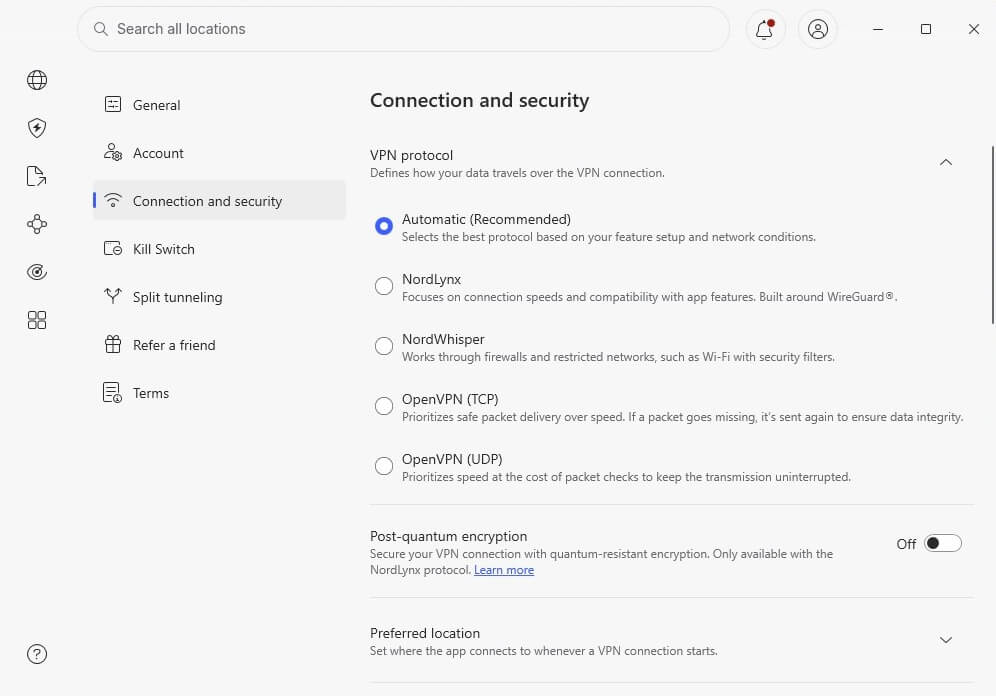
Here, in its upgraded version called NordLynx, it’s the best VPN protocol. With NordVPN’s improvement, it offers both blazing-fast performance and rock-solid security. While it’s a default protocol in the app, users can choose OpenVPN or make NordVPN automatically decide which protocol is best.
You’ll also find NordWhisper among NordVPN’s protocols. It’s exceptionally helpful for overcoming network filtering and combating various network restrictions.
🦠 Threat Protection (Pro)
Threat Protection is a multi-tool that allows you to block ads, trackers, malicious sites, and malware in real-time. NordVPN used to offer CyberSec, an ad-blocker, but an ad-blocker is not part of the entire Threat Protection. package. We think this ad-blocker is better than CyberGhost’s version.
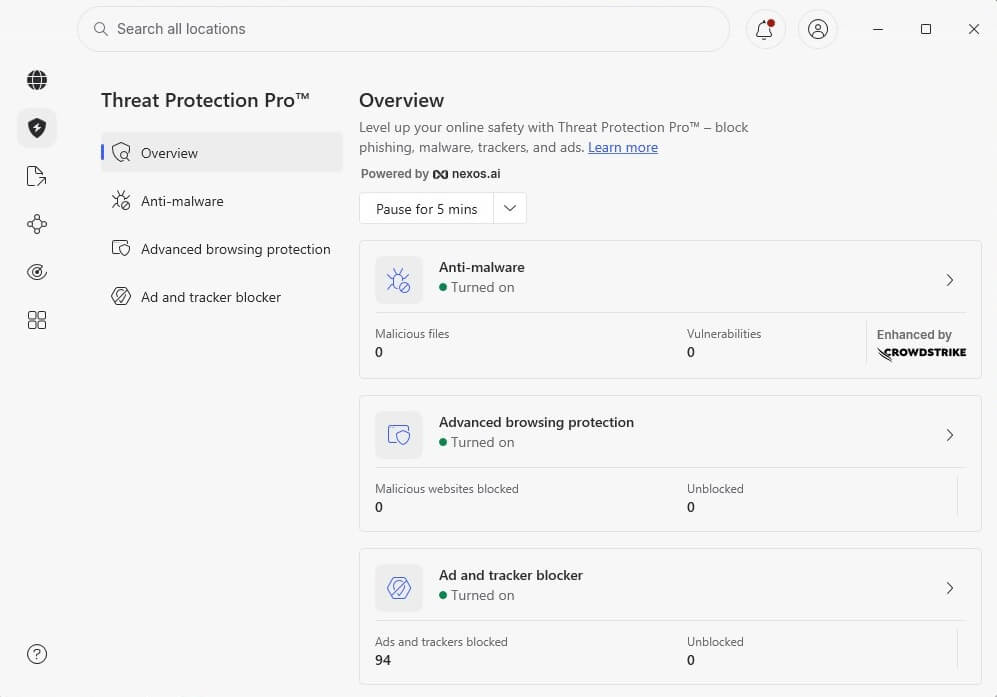
Real-time protection is a huge advantage. You can stop each threat as it tries to enter your space and prevent damage before it occurs. Very few VPNs offer advanced features like these, except for Surfshark, which includes an antivirus. Threat Protection is available only in the Plus plan or above.
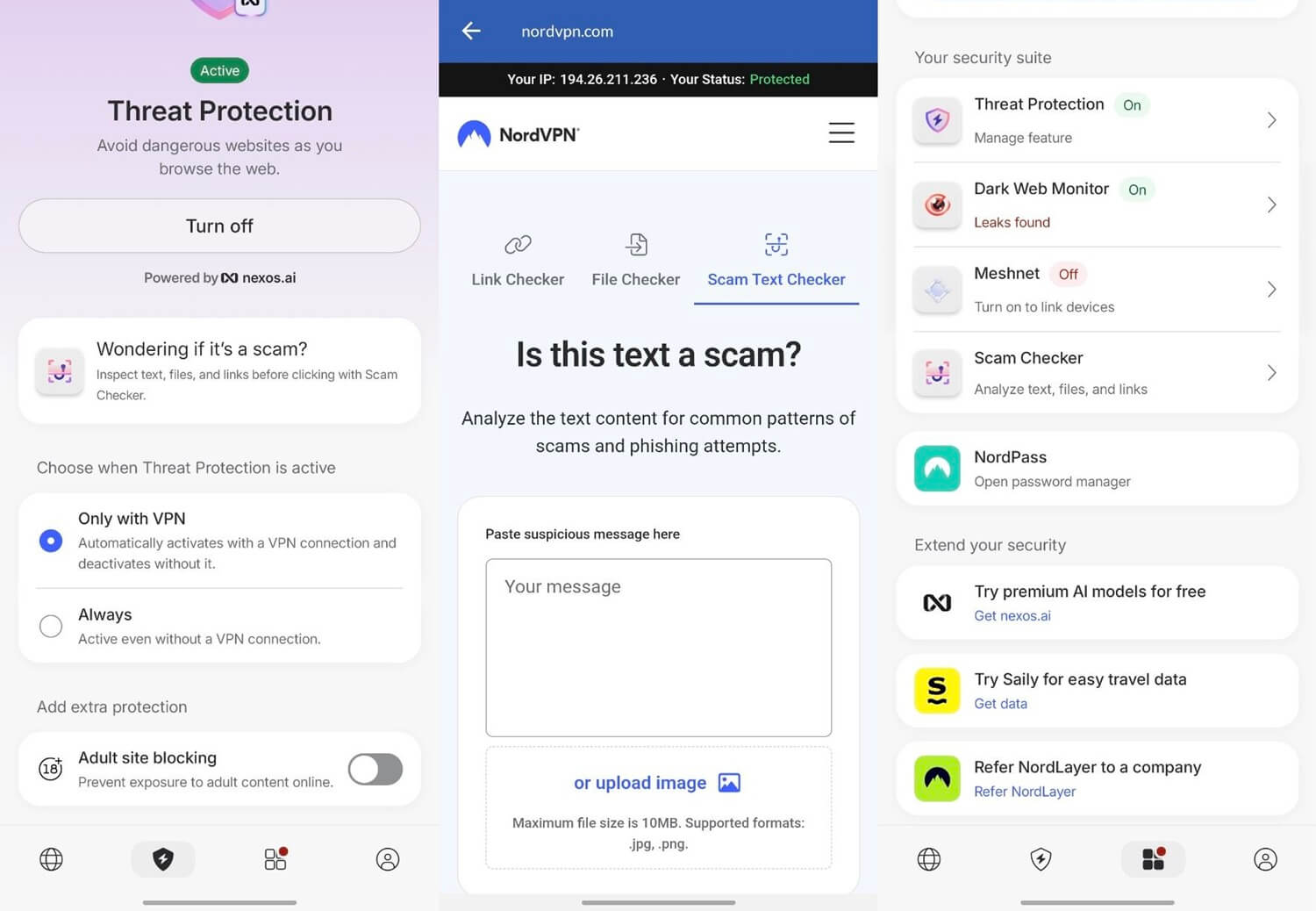
If you’re on Android or iOS, NordVPN includes Threat Protection Lite (often called Threat Protection) that also blocks malicious actors equally efficiently. In this package, the VPN also includes spam Call Protection and Adult Site Blocking, offering solid parental control for people with children.
🕹️ Internet Kill Switch
A kill switch is another crucial feature of NordVPN. It shuts down your internet connection if you lose the connection to a server. Doing so prevents your true IP and DNS address from leaking into the public. NordVPN went out of its way to provide two options. You have the Internet Kill Switch and the App Kill Switch.
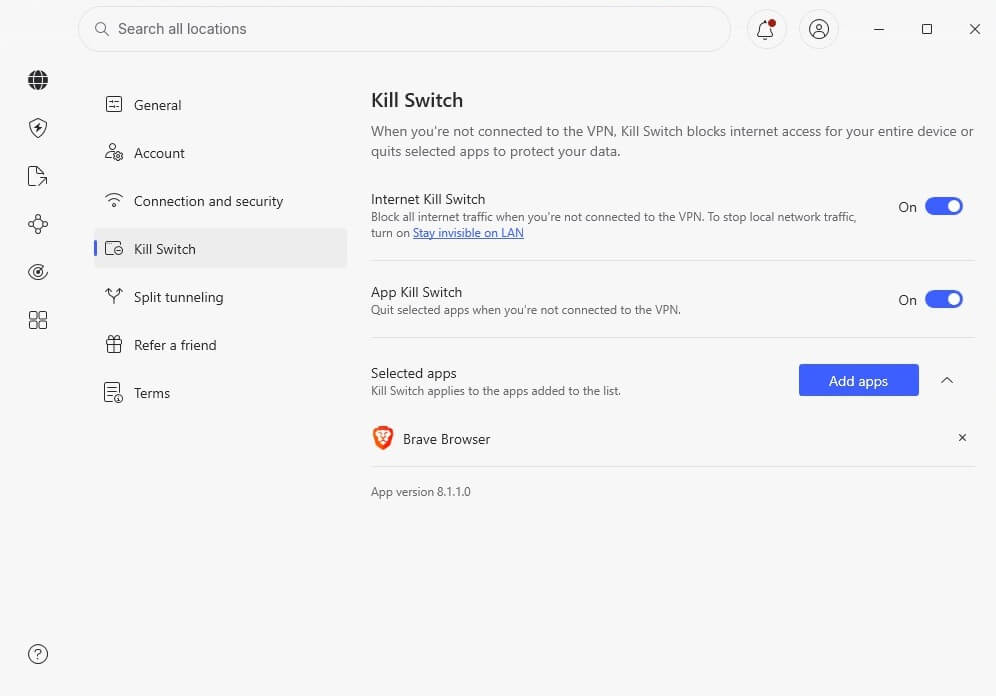
The first one blocks internet traffic when not connected to a VPN. We tested this by shutting down the VPN forcefully, and it worked; we couldn’t go online unless we connected to this VPN. The App Kill Switch does the same, but only for the apps you’ve chosen. This was simple to set up by adding apps to the list.
🥷🏻 Obfuscated Servers
In our NordVPN test, we thoroughly tested its obfuscated servers. To enable them, go to the Specialty Servers menu and click Obfuscated on the list. NordVPN then switches to OpenVPN TCP and prepares your connection for censored regions. In short, obfuscated servers mask a VPN connection and make it look regular.
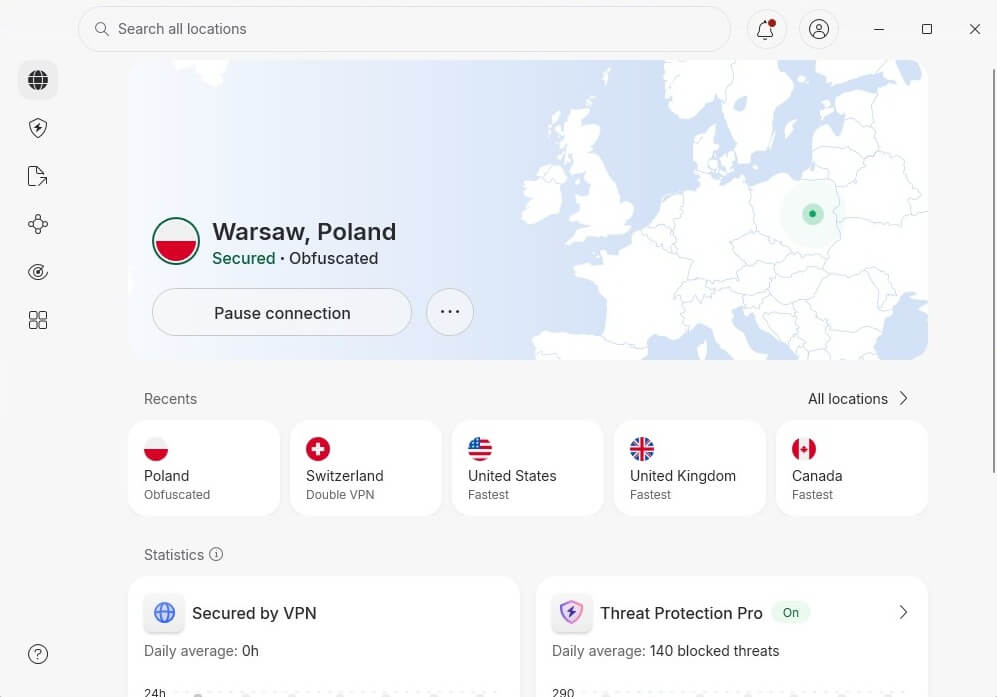
You can use them in China or any censored country to bypass DPI (Deep Packet Inspection). As such, they make NordVPN usable even in countries with the highest level of censorship and VPN blocks.
🔐 Private DNS (+ Custom DNS Option)
Having private DNS is crucial for a VPN’s security. Many providers protect your IP address, but your DNS requests still go through a free DNS. These free DNS options aren’t secure, and through them, your online activities can still be traced. In the case of a private DNS, all your requests are handled by NordVPN.
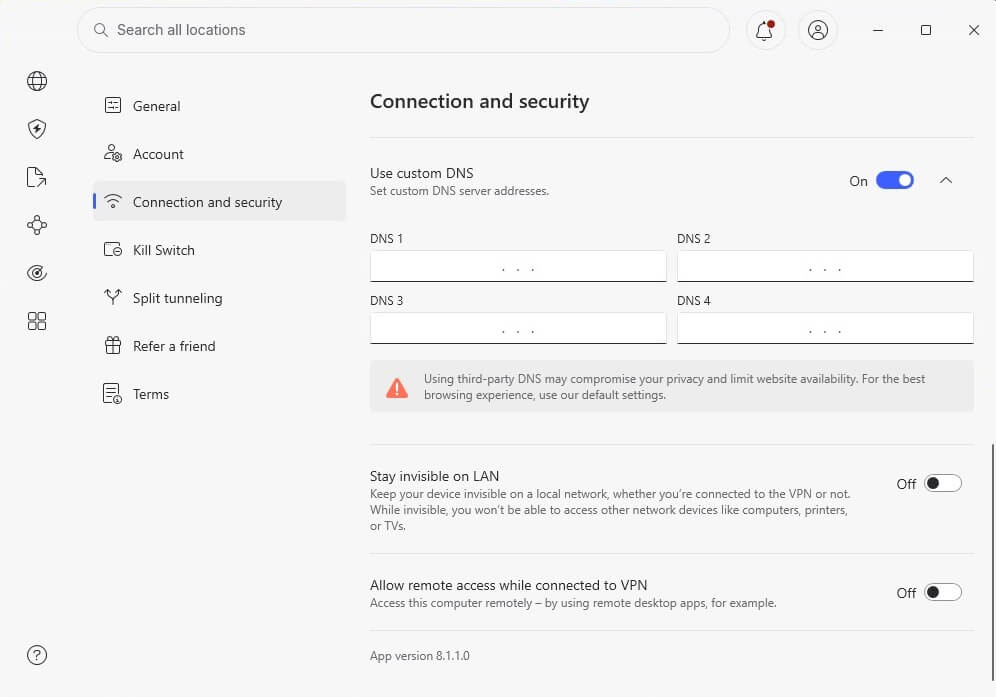
Since NordVPN operates on a no-logging policy, as addressed in this NordVPN review, it means your DNS requests (queries) aren’t monitored or stored. Plus, NordVPN even lets you use a custom DNS if you want.
🔁 Meshnet: NordVPN’s Unique Feature
We left Meshnet for last because it deserves a spotlight. It’s unique to NordVPN and can be used for many purposes. It uses the in-house NordLynx protocol to allow for smooth remote connection, control, and file transfer. Meshnet is powerful, allowing you to control another device and access its files remotely.
It lets you connect up to 60 devices and communicate with all. In addition, Meshnet hosts encrypted LAN parties. This can be used for gaming or business, for instance. Another key feature of Meshnet is using another device’s IP address. Handy if you want to circumvent the Netflix account-sharing ban or appear elsewhere.
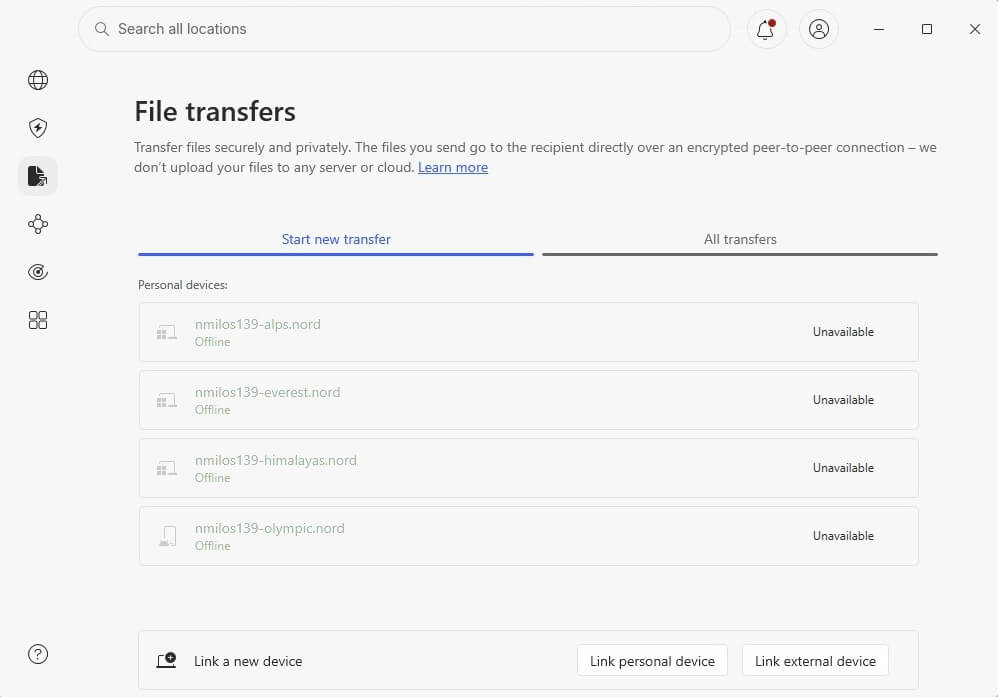
InordVPN crafted Meshnet masterfully. Upon closer inspection, you’ll see that it lets you control its every aspect. You can set rules and permissions for each device, being in full control over their behavior. Some devices can share files, while others can only be accessed remotely, for instance.
We used Meshnet extensively in our test and really enjoyed it. For example, it’s a great way to get around the Netflix password-sharing ban and share an account with friends or family fuss-free.
NordVPN IP and DNS Leak Test: No IP/DNS Leaks
To make sure that NordVPN is really safe and secure, we performed one final test to see if any IP or DNS leaks would appear. First, we connected to a server in the US and visited ipleak.net. Below, you can see the results, as NordVPN displayed no IP or DNS leaks (at the time, we were in Belgrade).
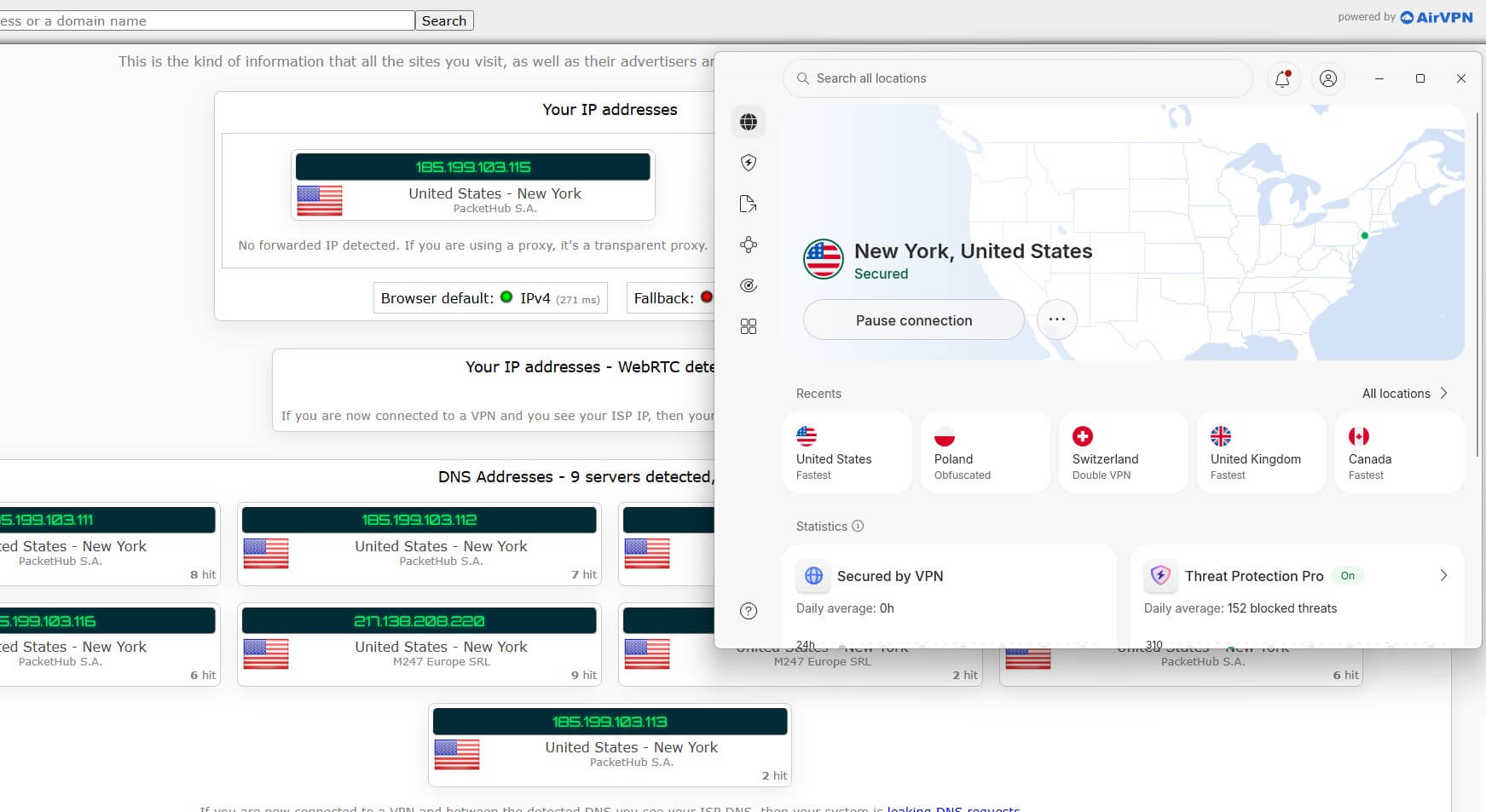
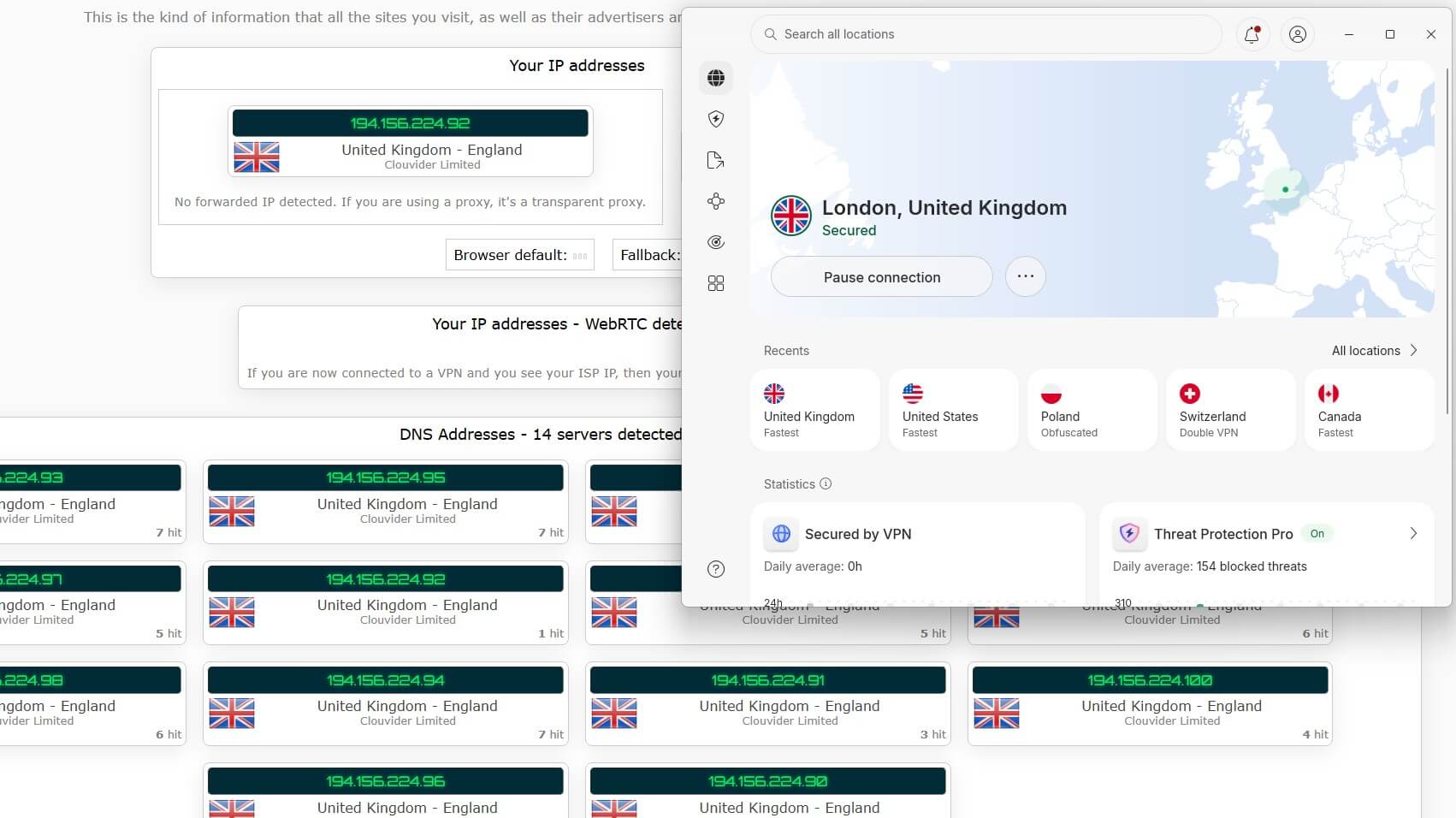
We also checked for IP/DNS leaks using another server in the UK, to make sure the majority of locations are working flawlessly. Again, the screenshot gives us a clear image – NordVPN isn’t leaking our data.
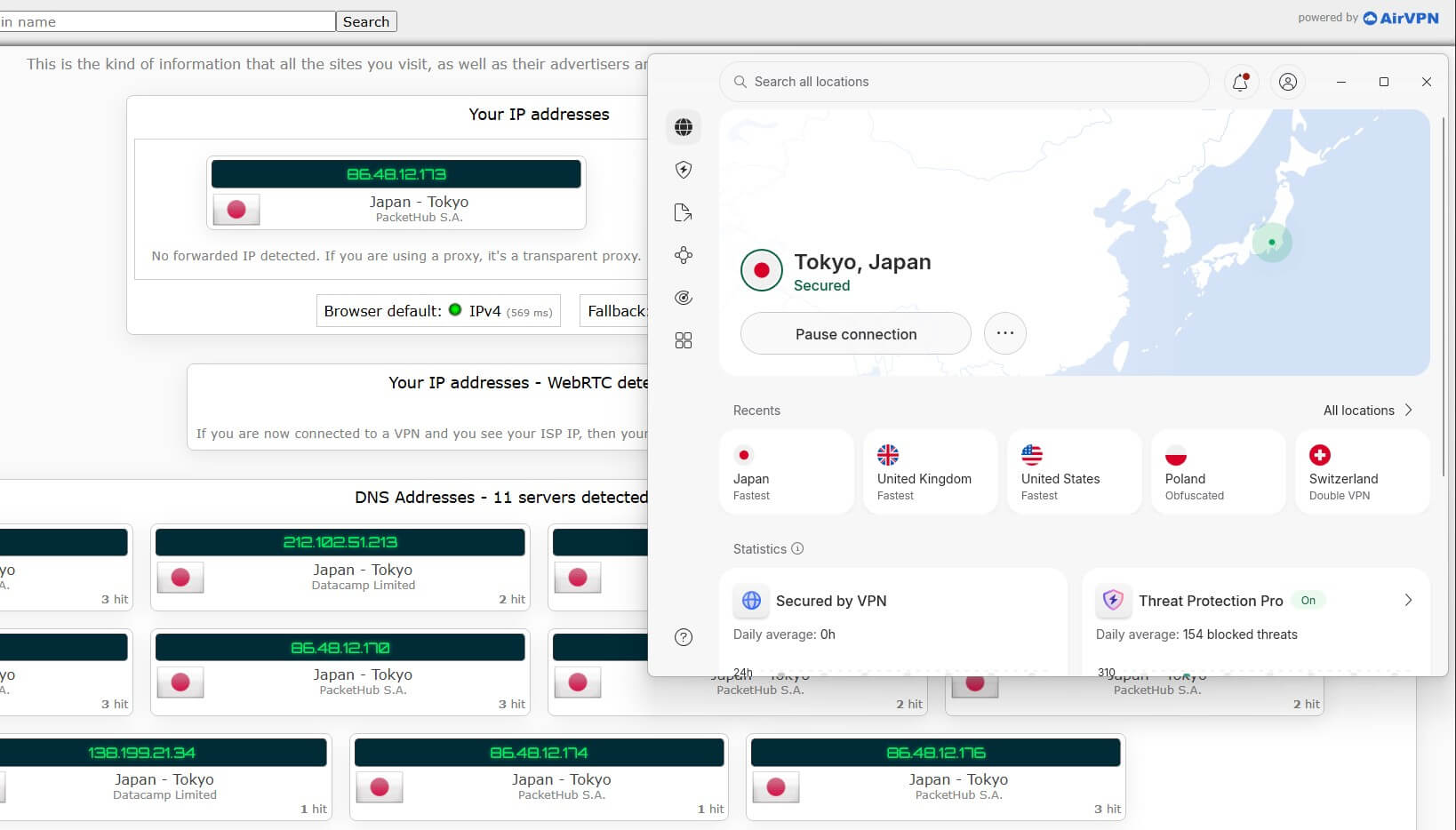
The final test was with the Japanese server. Again, after connecting to it, we got the same results. With that said, we can conclude in this NordVPN review that it’s indeed 100% safe and secure.
Does It Have a No-Logging Policy?
A no-logs policy is a staple of every safe and secure VPN. NordVPN, having an extremely good reputation for privacy and security, isn’t going to store unnecessary logs. Here is a full analysis for 2026.
🚫 Which Information Isn’t Stored?
Let’s see which information NordVPN won’t store on its servers. Just to make it clear, there’s no 100% no-log VPN, and that’s okay. The important thing is that the VPN doesn’t store so-called connection logs. They include browsing history, incoming and outgoing IP addresses, download history, location, DNS requests, etc.
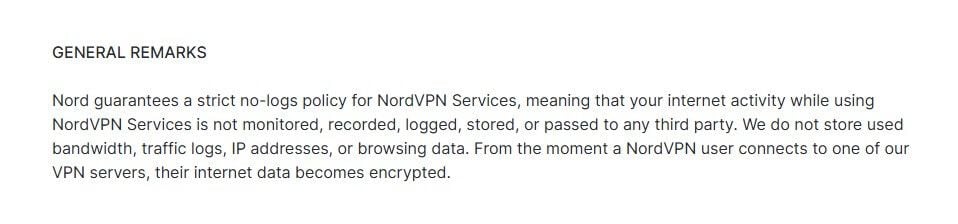
Thankfully, NordVPN will NOT store this information, so the company itself can’t track your online activities. Moreover, the company is based in Panama and operates under this country’s laws. Panama is an offshore location, far away from the Five Eyes countries, and without data retention laws.
📜 Which Information Is Stored?
The amount of information stored on NordVPN’s servers is minimal. For the service to work properly, it must collect technical information, like a timestamp of the last session status and some connectivity information. This data helps NordVPN with service provision.
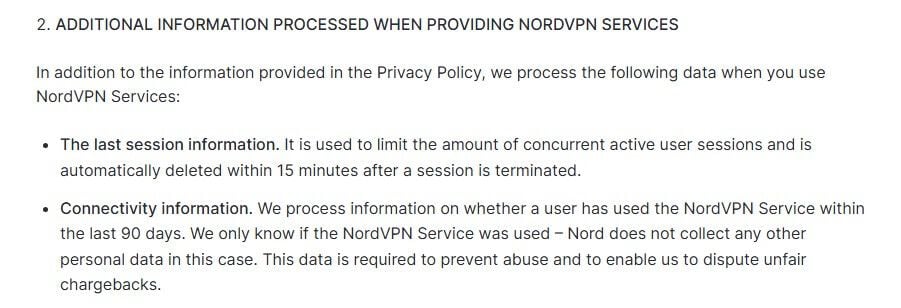
While it may sound like a lot, this information actually can’t unravel your identity. Most, if not all, data is in an anonymized form and deleted after it’s no longer needed. That said, this is a proper no-log VPN.
✅ Independent Security Audits
To make things better in this 2026review, NordVPN received a security audit from PwC. NordVPN invited PwC to perform an in-depth audit of its no-logging claims in 2018. Unsurprisingly, the results were phenomenal. In 2020, PwC got a second invite from the provider, again, to make sure that the no-logs policy is still valid.
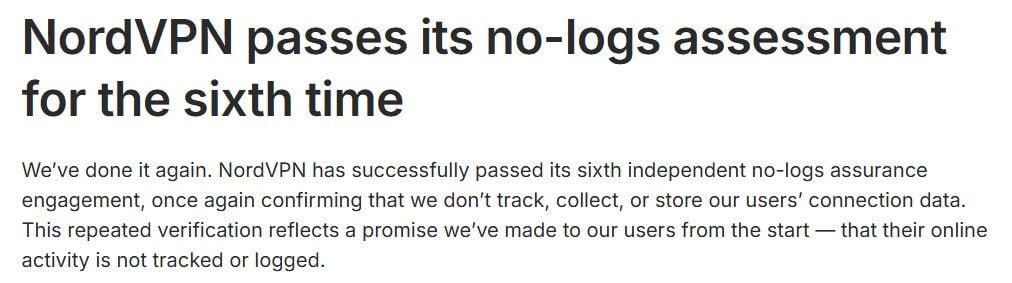
As you can guess, the second audit was successful, giving NordVPN a certificate that proves that it’s a strict no-logs VPN. The final audit, at the time of writing our review of NordVPN, happened at the start of 2026. The VPN underwent another independent audit from Deloitte in January on its privacy policy.
🚨 Security Breach in 2018
Back in 2019, NordVPN disclosed information that left everyone in awe. In March 2018, one of the provider’s servers was breached. As NordVPN said, it was one VPN server in Finland, with no other servers in the equation. Given that the VPN had thousands of servers at a time, and now even more, the breach was minor.
Furthermore, the hacker didn’t manage to extract any user-related information, which was a huge relief for NordVPN’s users. After all, no user information is stored by NordVPN, so it’s no surprise. Thanks to NordVPN’s quick response, everything was patched, and since 2018, the VPN has had no similar incidents to speak of.
NordVPN Review: Streaming and Netflix Tests
Let’s delve deeper into our NordVPN review 2026 and discuss our experience with streaming and unblocking. We’ll judge the VPN on two streaming-related merits: unblocking and connection speed for streaming. Let’s see if NordVPN is more than privacy and security, and if it has what it takes in 2026.
| Netflix | ✅ Works (US, UK, Canada, Japan, Germany, France, Singapore, Turkey, Brazil, Iceland, Hungary, Australia, etc.) |
| Hulu | ✅ Works |
| Disney+ | ✅ Works |
| Amazon Prime Video | ✅ Works (unblocks multiple catalogs) |
| BBC iPlayer | ✅ Works |
| DAZN | ✅ Works (unblocks multiple catalogs) |
| Sky Sports | ✅ Works |
| YouTube TV | ✅ Works |
| Sling TV | ✅ Works |
🍿 Does NordVPN Work on Netflix? Yes, It Does
Yes, and in this in-depth NordVPN review, we unblocked over 25 libraries. We tested Netflix US, Japan, Australia, Canada, and other popular catalogs. Each attempt was successful, with virtually no issues. We also haven’t used obfuscated servers, as NordVPN navigated geo-blocks smoothly and fuss-free.
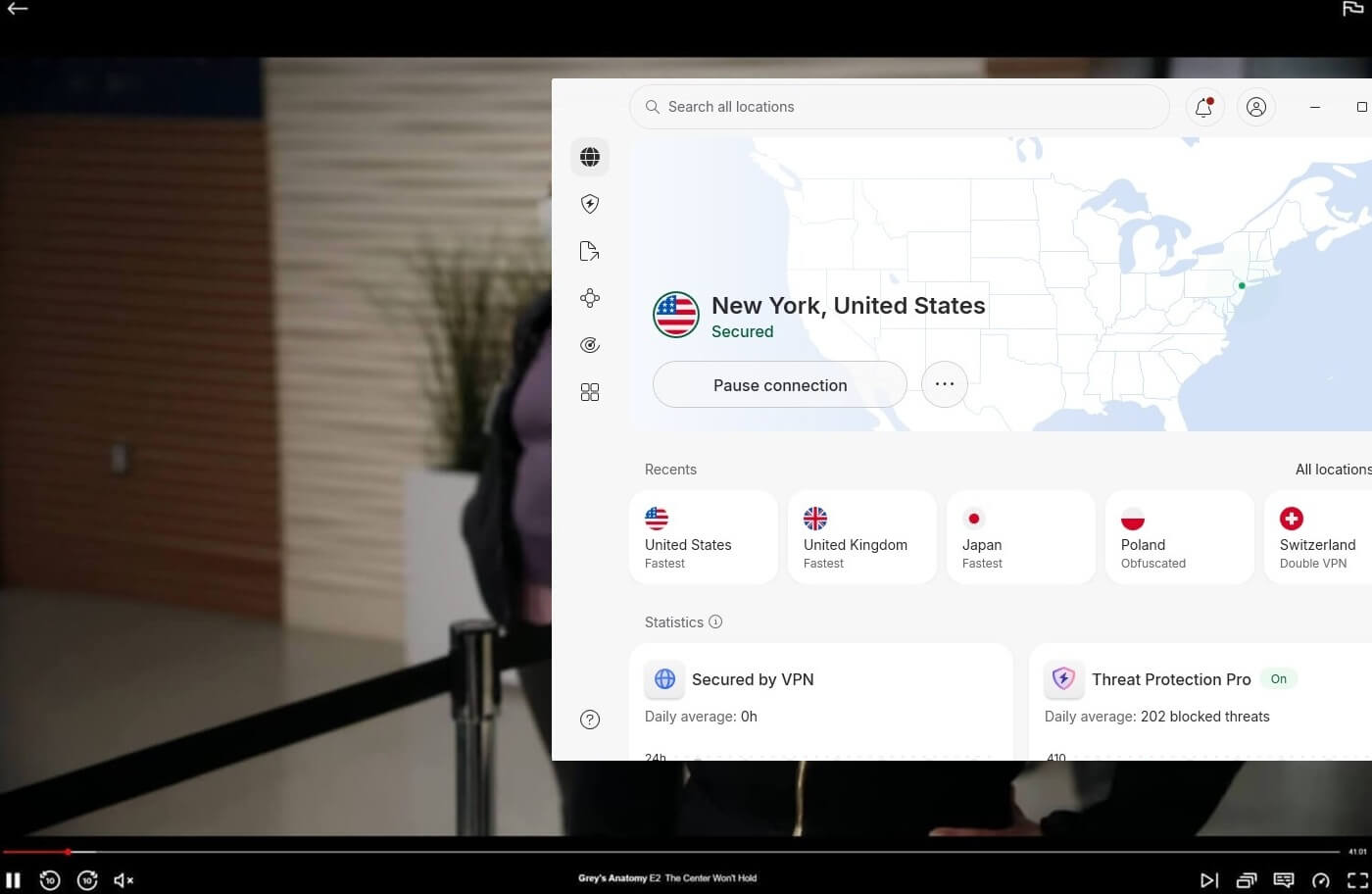
We actually tested NordVPN’s Chrome extension since it offers location spoofing. Doing this allowed us to watch the same Netflix libraries on our Windows PC. Generally, Netflix works pretty well, but if you’re having trouble unblocking it for some reason, read our article on how to get NordVPN to work on Netflix.
▶️ NordVPN Review on Other Streaming Platforms
With exceptional performance on Netflix, let’s talk about other streaming platforms. We wanted to see if we could unblock BBC iPlayer outside the UK, so we quickly got a British IP from NordVPN. That proved to be successful because we could watch anything on the BBC, no matter our real location.
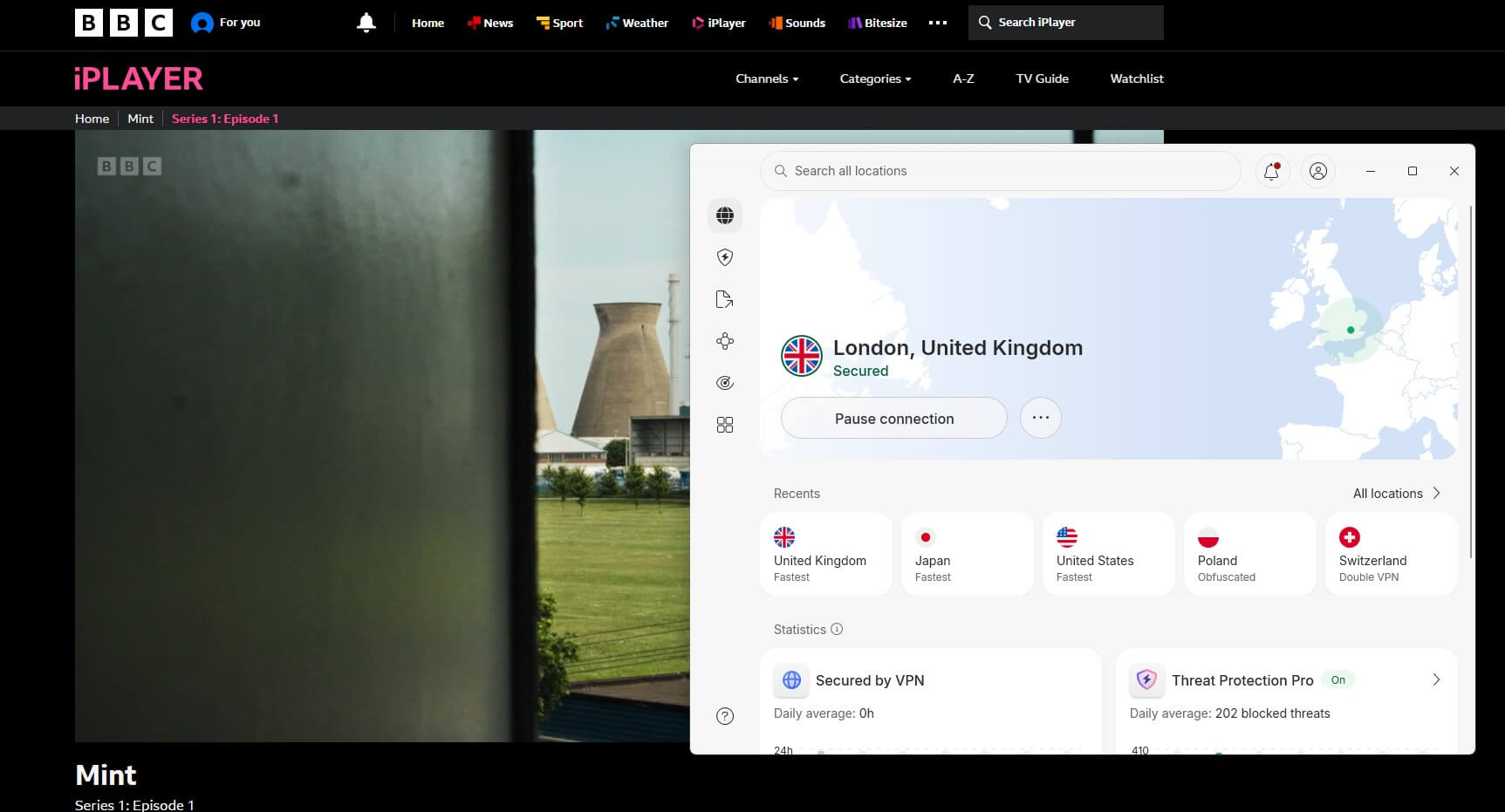
Access BBC iPlayer With NordVPN
Disney+ was up next, so we had to use a US server to unblock it. After obtaining a US IP address, we managed to unblock Disney+ and access its content. What about Hulu? Well, this US-based platform is hard to unblock even for some premium VPNs. NordVPN had no problem unblocking it.
We also tested NordVPN with Hotstar, as it now offers virtual VPN servers in India. Needless to say, Hotstar worked flawlessly, with zero buffering and geo-restriction errors that would ruin the experience.
⭐ To end this part of the NordVPN review, you can see that it’s capable of streaming thanks to its great unblocking capabilities and performance. In total, we accessed over 25 Netflix libraries and pretty much any other restricted streaming service, reinforcing NordVPN’s #1 place on the VPN hierarchy.
NordVPN Speed Tests: Is NordVPN Fast in 2026?
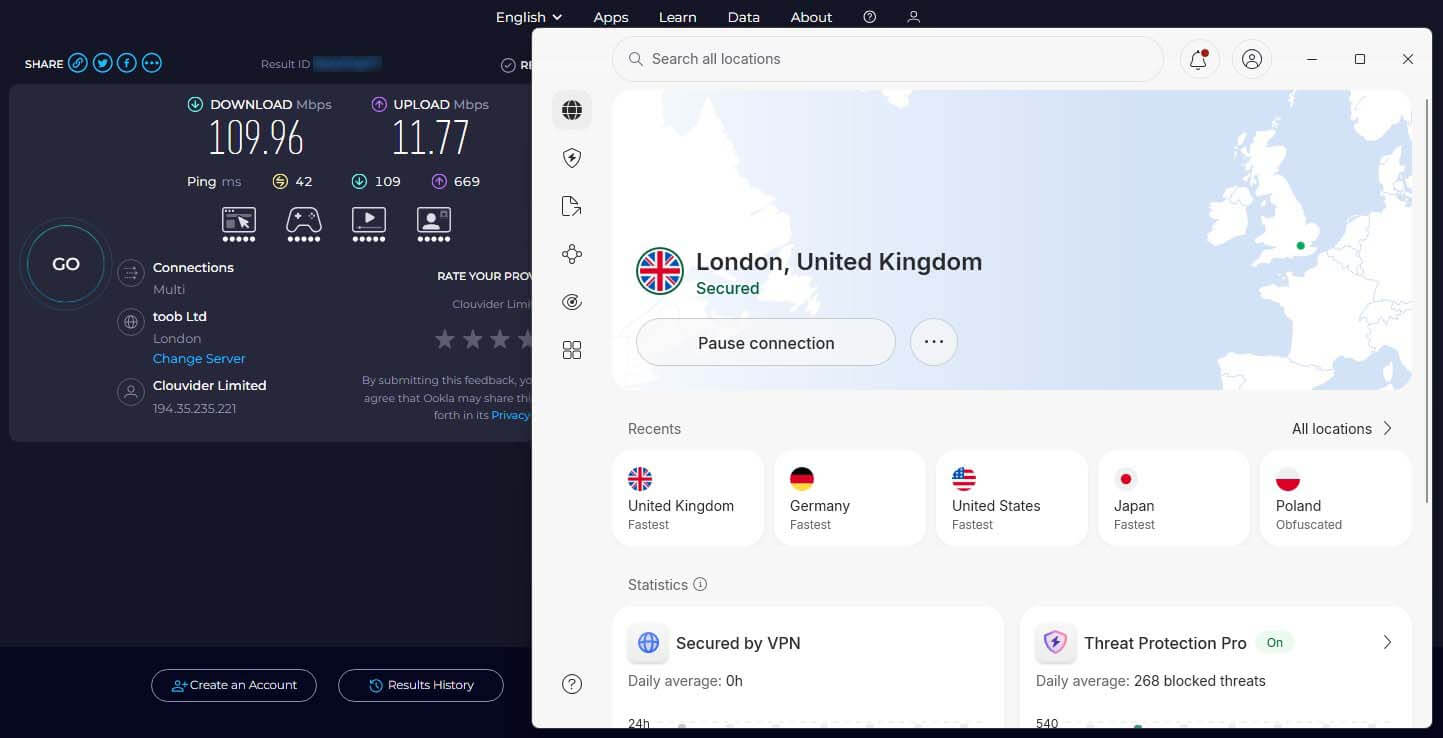
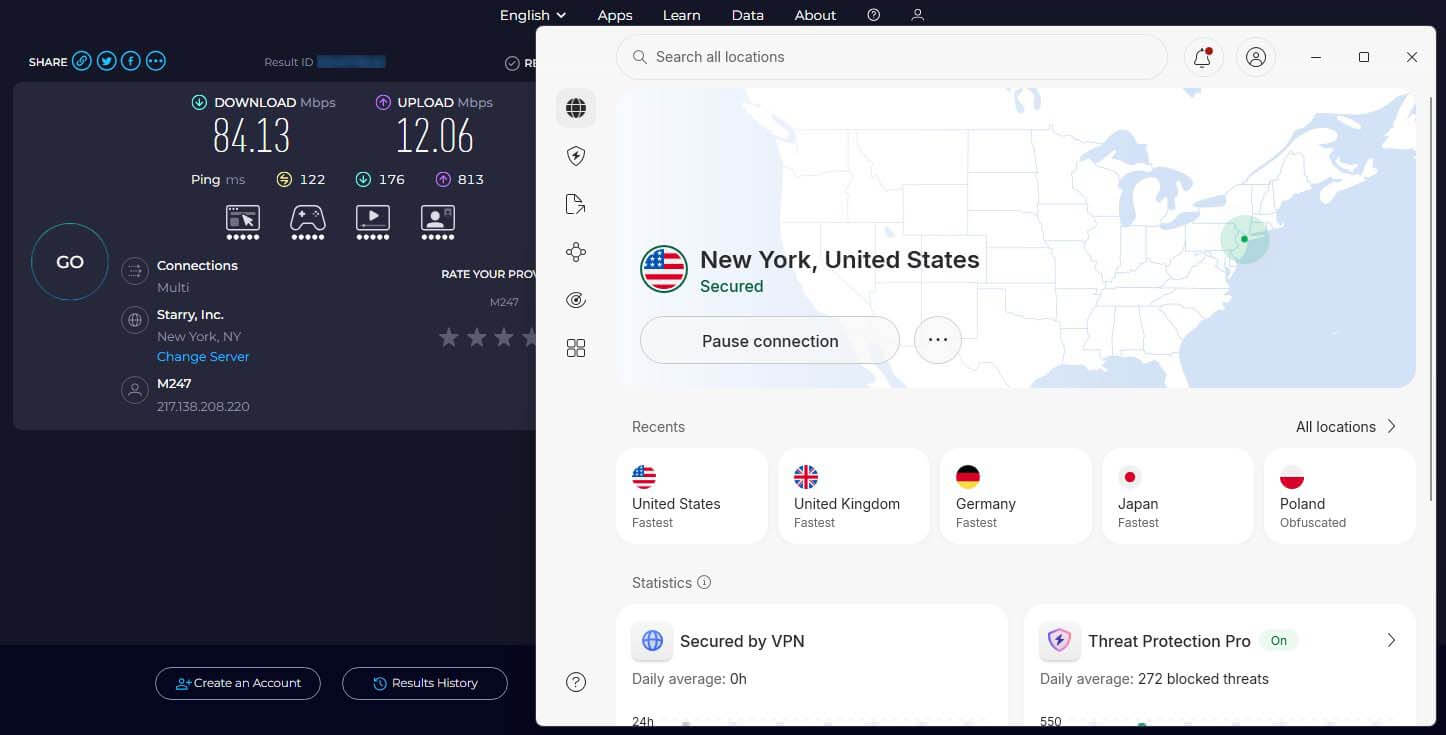
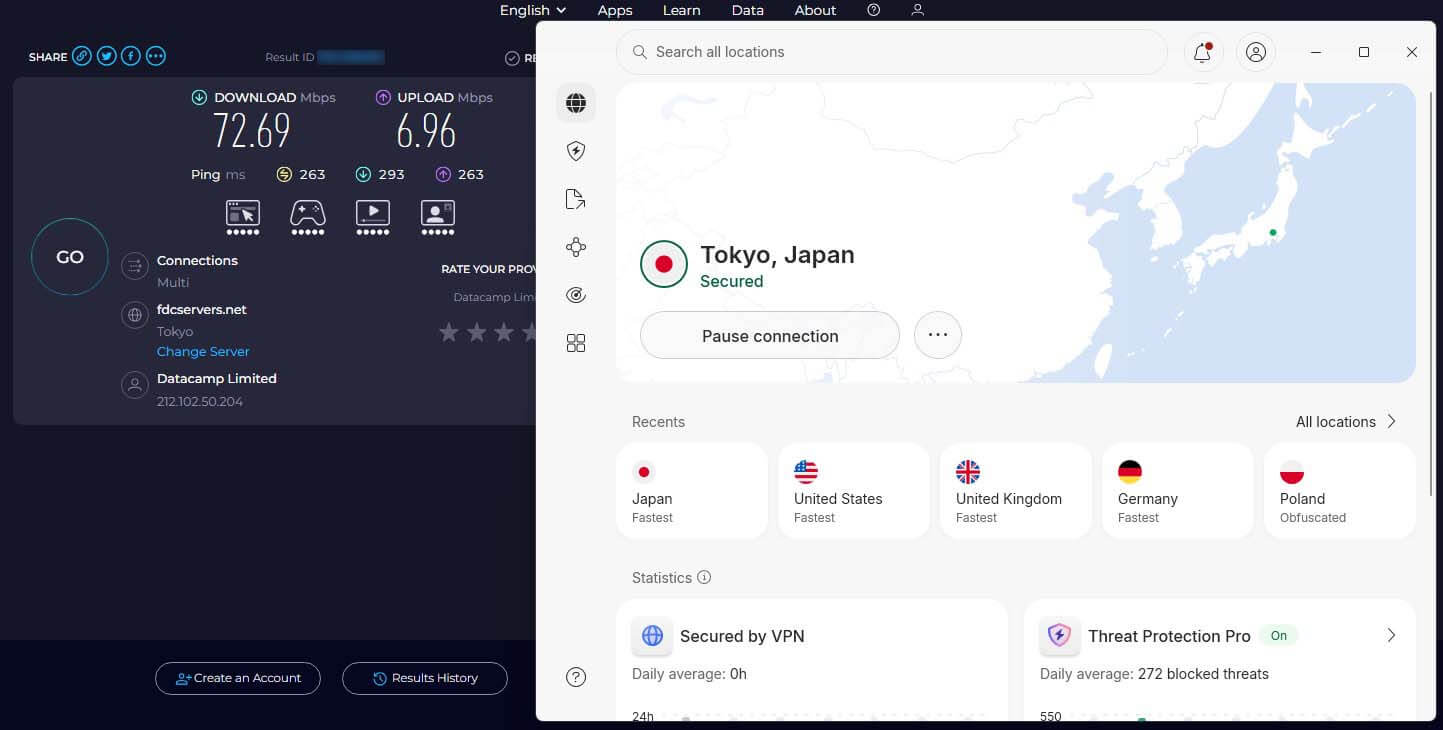
As a great VPN for streaming, NordVPN provides great speeds. Judging by what we said in the previous part of the review, that is the case. However, we performed a couple of tests, just in case. We performed NordVPN speed tests for three days, three times a day, and on four server locations (US/UK/AU/JP).
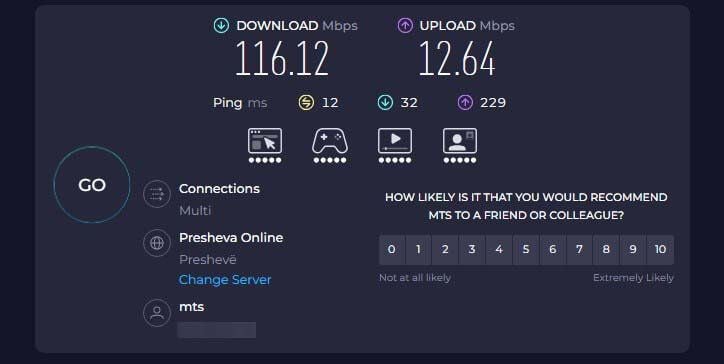
Our native speeds and latency are above, and at the time, we were in Serbia. After we tested NordVPN, we compiled the best results we got, so let’s compare them and see if they’re any good.
United Kingdom:
United States:
Japan:
Australia:
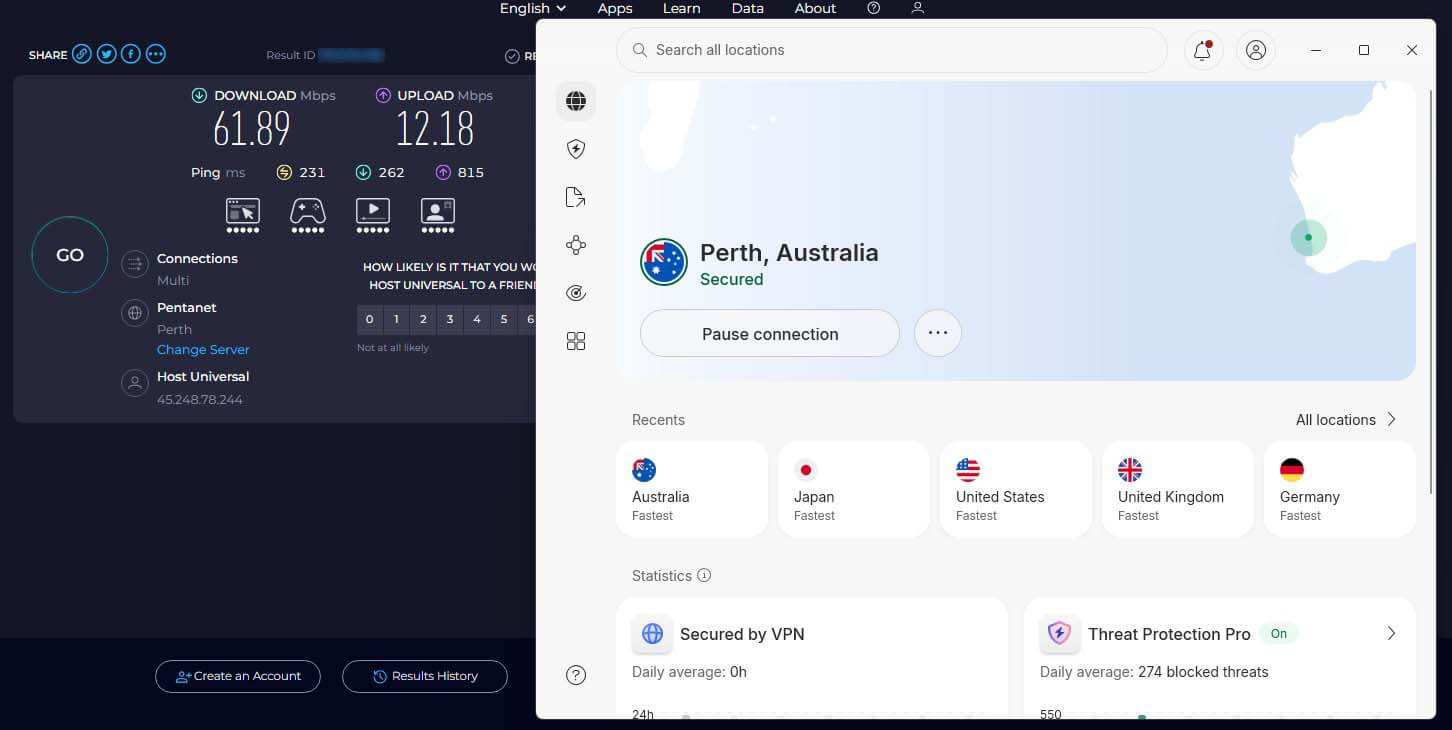
Compared to ExpressVPN, its biggest rival, NordVPN, is on par and even faster. Its speed reductions are barely noticeable, especially on UK and US servers. While Japanese and Australian servers showed slower speeds, it’s nothing out of the ordinary. These countries are very far, and the VPN speed depends on that factor a lot.
| UK | US | Japan | Australia | |
| 📥 DL Speed Loss | 5.3% | 27.5% | 37.4% | 46.7% |
| 📤 UL Speed Loss | 6.9% | 4.5% | 4.9% | 3.6% |
It’s important that we had no connection issues, and for the most part, we had stable connections across the board. NordVPN again impresses with its unrelenting performance.
🎮 Is NordVPN Good for Gaming?
When gaming online, we use NordVPN because it’s fast and secure, just what we need for gaming. We find NordVPN extremely convenient and fast enough for games that require fast reflexes and low ping. That said, it’s fast enough for gaming on desktop computers, smartphones, and gaming consoles.
You can use it for your PS5 and Xbox Series X to avoid ISP throttling or get protection from DDoS attacks. With cloud gaming’s popularity on the rise, we also use NordVPN with Nvidia GeForce Now. It’s fast enough, slightly increasing our latency. However, this does not affect the responsiveness while gaming.
NordVPN Review: Torrenting and P2P
On NordVPN’s website, you likely won’t find any mention of torrenting and P2P. This doesn’t mean that the VPN isn’t P2P-friendly. While the VPN has removed dedicated P2P servers, its regular servers are still paramount for torrenting. In fact, we tested many, and all allowed smooth torrenting.
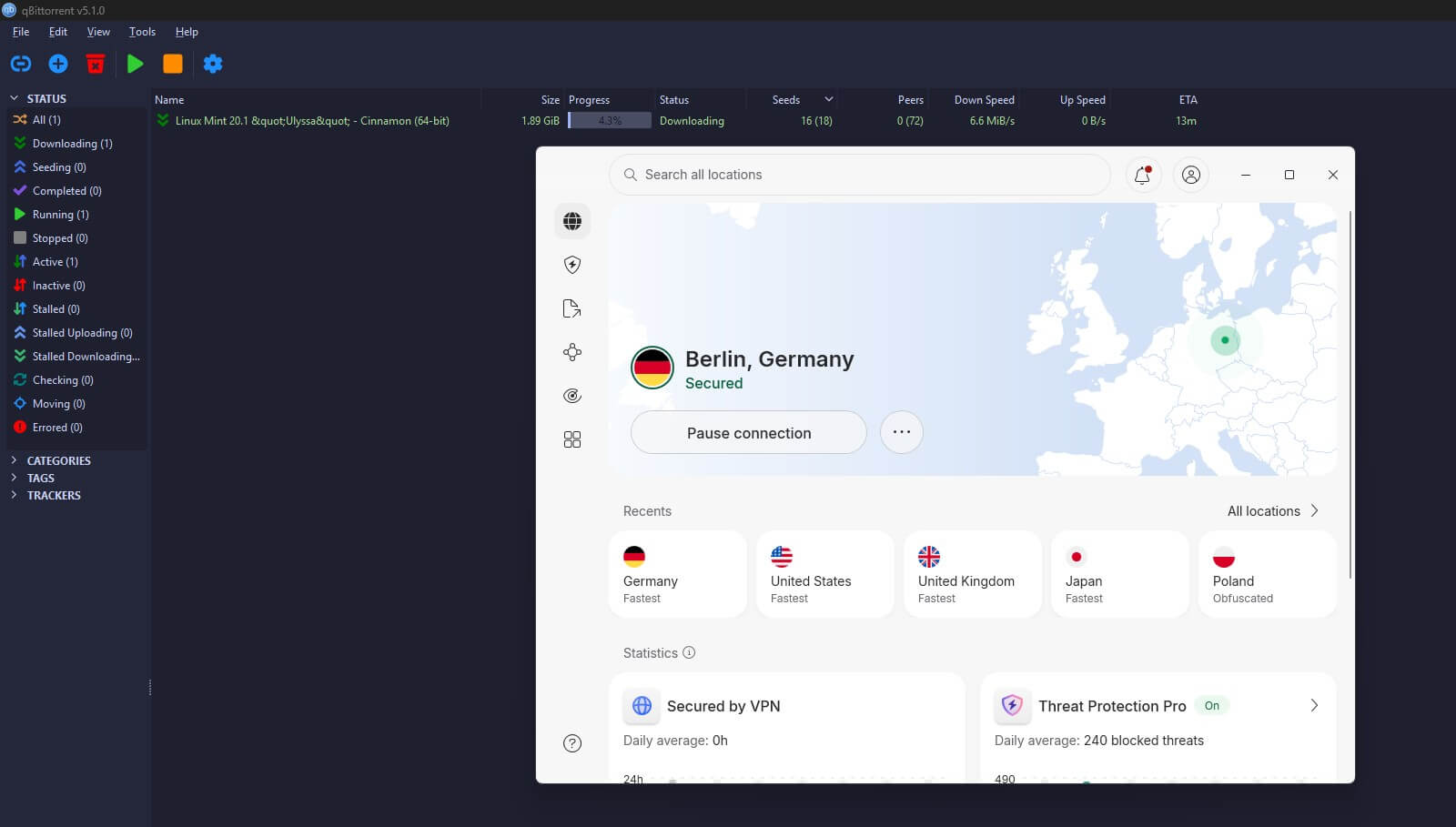
You can expect excellent performance with minimal speed losses, if any. Before engaging in P2P and torrenting with NordVPN, we suggest choosing a server close to your location. That way, you’ll maximize your speed and enjoy the fastest possible downloading.
Can NordVPN Bypass Censorship in 2026?
In our NordVPN review for 2026, we tested this VPN in numerous censored countries to make sure it works flawlessly. Thanks to our colleagues in Russia, China, the UAE, and Turkey, we shared our NordVPN account with them for testing. Users in each country used NordVPN for seven days, and we measured the performance.
While using NordVPN’s obfuscated servers, this VPN worked flawlessly in China, successfully bypassing its Great Firewall 9/10 times. In the UAE, Russia, and Turkey, NordVPN worked even better, with no issues even when not using obfuscated servers. These servers slow down your speed a bit due to obfuscation
So, if you’re using NordVPN in China, expect a minor performance decrease. Feel free to read our guide on how to set up NordVPN for China to get the most out of it and really enjoy the VPN without issues.
Servers and Server Locations
As you noticed in this NordVPN in-depth review, this VPN has a huge server variety. They’re all part of its extensive server fleet of 9,200+ servers in 211+ locations. If we compare it to ExpressVPN and Surfshark, it offers way more. Similarly, it covers pretty much every important location.
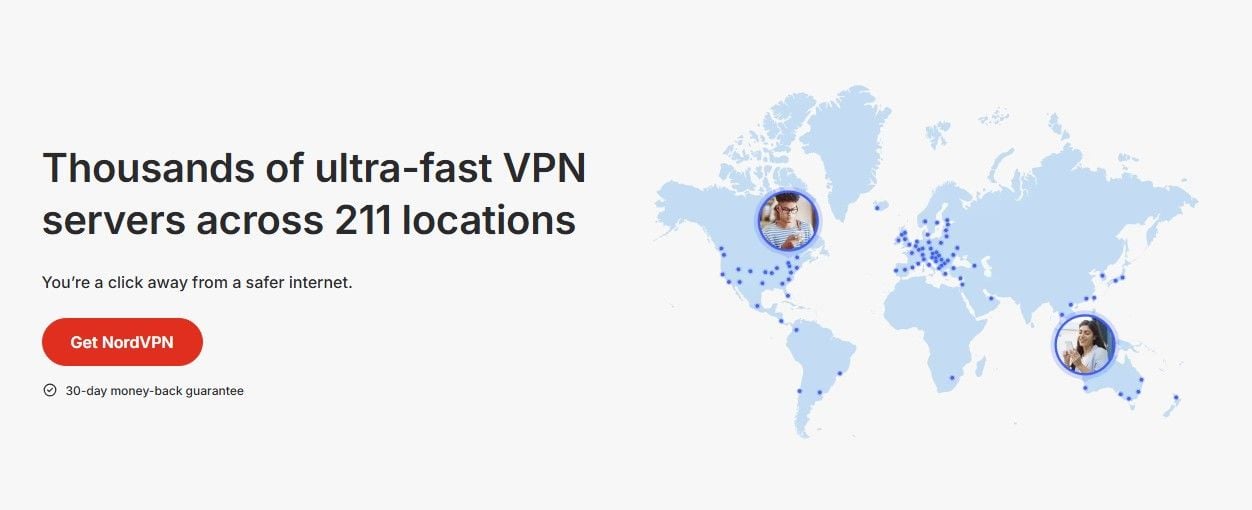
The majority of its servers are in Europe, while in the US, it offers more than 3,300. Servers in Asia are numerous as well, with some in Japan, Singapore, Hong Kong, and Vietnam. Unlike some of its competitors, NordVPN gives you servers in the UAE, India, and Hong Kong, but most of these are virtual VPN servers.
Apart from the servers we mentioned in this NordVPN test, we also want to review Onion Over VPN servers. They help browse the dark web safely through the Tor Browser. Overall, the VPN has a pretty impressive network with many servers and server types for even the most demanding users and travelers.
NordVPN Review: Customer Support Quality
If any problems with the service arise, it’s easy to solve them with 24/7 customer support on the website. The VPN has live chat support, but it primarily aims to solve issues through its help center. If you can’t find an answer, 24/7 live chat support chimes in with its educated agents, all friendly and helpful.
We also like that NordVPN offers non-English support. If English isn’t your forte, you can chat in German, French, and 20 more languages. So far, NordVPN’s support has proved to be very good, with almost instantaneous response times. Apart from live chat, you can take advantage of pretty fast email support.
What We Don’t Like About NordVPN?
So what is it that we don’t like in this NordVPN review and test? Very few things. We’d like to see a bit more intuitive desktop app, but with so many features crammed in, it’s hard to make the most minimalistic VPN app. NordVPN’s security breach in 2018 also tarnishes its otherwise excellent reputation.
But as time passed, no one cared about it anymore. We also mentioned NordVPN’s low-cost plans, but haven’t touched on renewal costs, which will be much higher afterward. All in all, saying that NordVPN is problematic would be a lie. For 99.99% of the users, it works flawlessly, with no notable problems.
NordVPN Review 2026 Conclusion: Still the #1 VPN
With everything said and done, we don’t want to overstay our welcome. The conclusion of this NordVPN review for 2026 +has a happy ending. It represents the pinnacle of the VPN industry, merging affordable pricing and above-average performance. It’s one of the rare VPNs with so many qualities.
With outstanding security, privacy, speed, and ease of use, this VPN satisfies millions of users worldwide. If you’re thinking about buying it, don’t let its minor downsides deter you from getting the best VPN service in 2026. After all, it offers huge discounts and is risk-free to test for up to 30 days with a refund policy.
Despite testing so many VPNs, we always return to it, and after years of using it, we realized why. It’s a jack of all trades and master of nearly all. Start with NordVPN risk-free on the button below.
NordVPN