In 2026, your business is dead on arrival without an adequate website. If you’re unsure how to build a website, it’s time to sober up and learn a few new things. Luckily, you won’t have to sift through walls of text to learn how to create a website from scratch. It’s elementary!
Today’s day and age allows you to make a website using a website builder or CMS, neither of which usually requires coding. Moreover, even as a beginner, you can make functional, beautiful, and unique websites that perfectly showcase your business and its primary goal.
Whether it’s a blog or an advanced eCommerce site, we’ll explain how to build a website, optimize it for the best experience, and undertake all necessary steps to improve its SEO. Stick around to learn more.
How to Make a Website from Scratch?
Enough foreplay. Let’s dive into the main act and immediately get on with our essential steps.
1. Establish Your Business Goals
There’s a clever phrase that goes something like ‘First jump and then say hop’, which we often use. Before you start creating your website, think about your goals. First, ask yourself: What’s the primary purpose of your website? By that, we mean:
- Do you want to build a portfolio of your previous work?
- Are you looking to make an online shop to sell online?
- Or, are you aiming for an insightful blog? Or something unique?
Either way, you understand the deal.
For instance, consider a website builder or hosting with eCommerce features if you want to sell online. If not, consider a website builder with features specific to your cause. Blogging websites focused on information delivery should have nice designs and blog-specific tools.
The more detailed your initial plan, the easier it will be to create a website. You’ll have to select how to create a website and later decide on the template, the type of content you want to ‘push’, and so on.
2. Choose How You Want to Make a Website
We hope you have a broad overview of your business model and associated goals.
We call this step a junction because you need to decide on the platform you’ll use for site creation. People usually rely on a website builder or CMS (Content Management System). Website builder examples are Wix, Squarespace, Shopify, Weebly, and others.
CMS options include WordPress, Magento, Joomla, Drupal, etc.
We’re sure you’ve heard of nearly all of them, but they differ in many ways. Let’s just say that website builders emphasize ease of use, while CMS focus on flexibility and more freedom.
2.1 Using a Website Builder
If you’re going with a website builder, select the best one from this list.
Our personal favorite is Wix. It’s inexpensive, and at $17 monthly, it offers all you need to create a blog, a portfolio, or even more ‘exotic’ websites for weddings, churches, photographers, etc. The good news is that Wix also enables eCommerce in its Core plan at $29 monthly.
A website builder like Wix or recently tested Hostinger Website Builder offers many perks:
- Building a website without coding, using a drag-and-drop interface.
- Users get access to an AI, which builds a website from scratch based on the user’s answers.
- Excess front-end customisation to fully personalize the website.
- Noticeable changes in real-time that immediately reflect the final results.
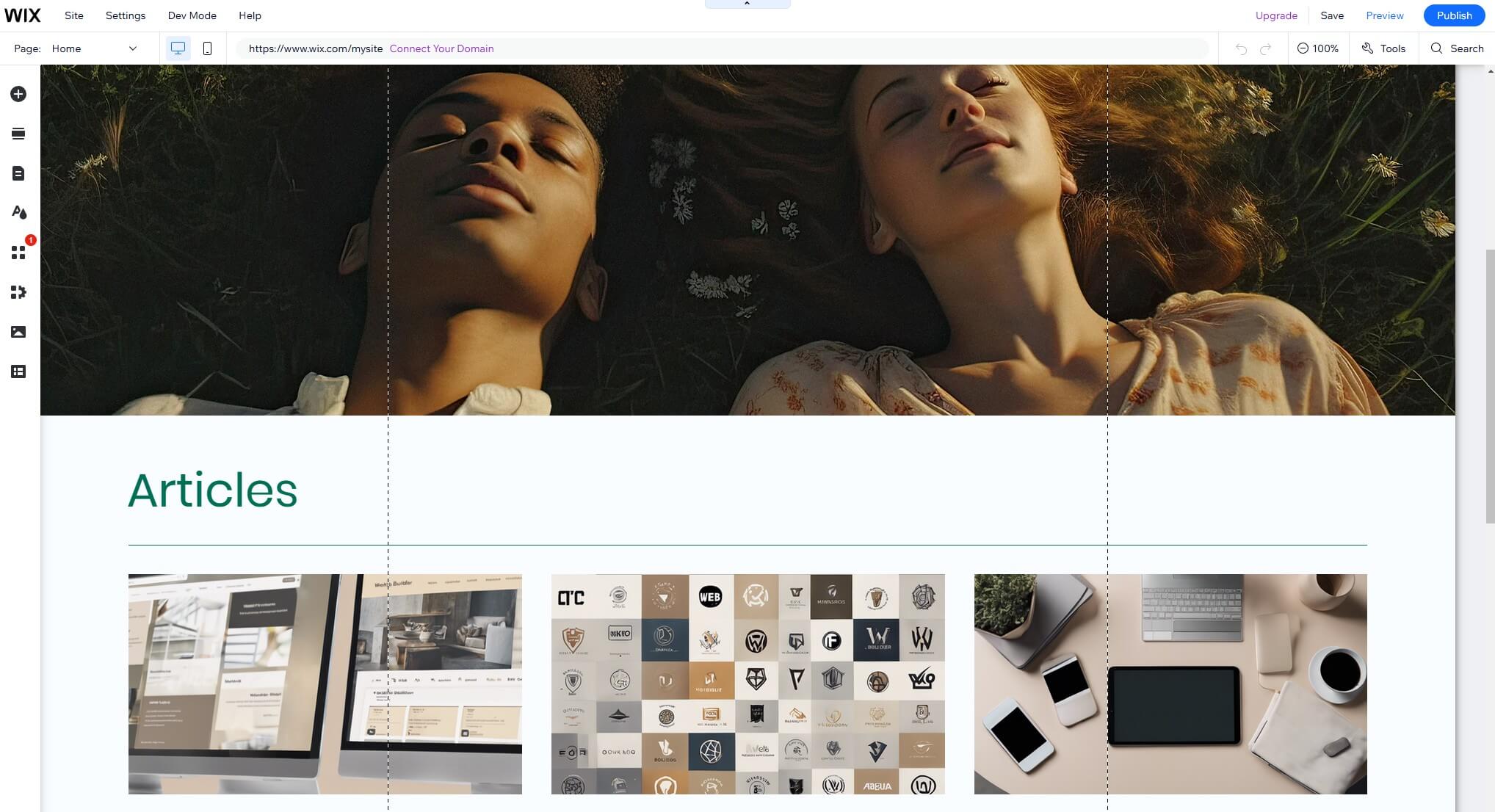
As you can see, website builders are foolproof options for website building. A drag-and-drop interface means you can play around, while ready-made templates give you a starting point. While you can use a blank template, finding a captivating design is always a head start.
We also mentioned an AI, which further simplifies the process. You can answer a simple questionnaire using Wix or Hostinger Website Builder, and they’ll generate a whole website based on your answers. The final result can be further personalized using a website editor.
2.2 Using Hosting + CMS
What if you choose a CMS? This is a more complex but sometimes rewarding way. A notable advantage of website builders is their inclusion of web hosting. A CMS, such as WordPress, is installed on a hosting server. However, you must purchase a hosting server beforehand.
Build a Website With Hostinger
Our choice is Hostinger, but if you want more picks, we have a list of the best hosting services of 2026.

Hostinger is the best overall option for speed, uptime, and an AI site builder included in the package. By opting for Hostinger, you essentially get both options: a site creator and a CMS. As managed WordPress hosting, Hostinger also automatically installs the chosen CMS for you.

A CMS is more complex to use. On the other hand, WordPress, the most popular one, offers far more templates and add-ons that will unhinge your imagination and let you create more unique websites with interactive elements and bespoke functions. Which road to choose?
This depends on your experience. Beginners are likely better off with a website builder. More experienced users can use a CMS, but they should know that different add-ons or even website templates can be costly, so they’ll likely spend more.
Domain Name: A Quick Explanation
Whether you choose a website builder or a hosting-plus-CMS combo, you must register a domain. A domain name typically costs $20 or so annually. However, you can get a free domain name for a year in most website builders and hosting services. Wix and Hostinger are excellent examples.
This means you won’t have to go to GoDaddy or any other domain registrar to purchase the domain manually. Instead, your registration process on Wix or Hostinger lets you pick the domain name and register it seamlessly. After a year, you’ll have to renew it at a standard price dependent on the domain extension.
3. Customize Your Site Template
Whichever ‘system’ you’re in, a website builder or CMS, you’ll have a starting template.
As said, you can start with a blank page, but it’s a much harder way of making a website in 2026. Wix offers 900+ templates. Meanwhile, WordPress has over 13,000 (paid + free), so you’ll likely find one that remotely aligns with the final look of your website.
We’ll assume this is the case. Outliers are free to start using an empty template.
On the customization front, it’s smart to utilize a built-in editor to match the feel of your brand. Decide on the font, color scheme, and overall visuals you want to use. In our opinion, this is one of the most fun parts of making a website. It’s like your little digital playground.
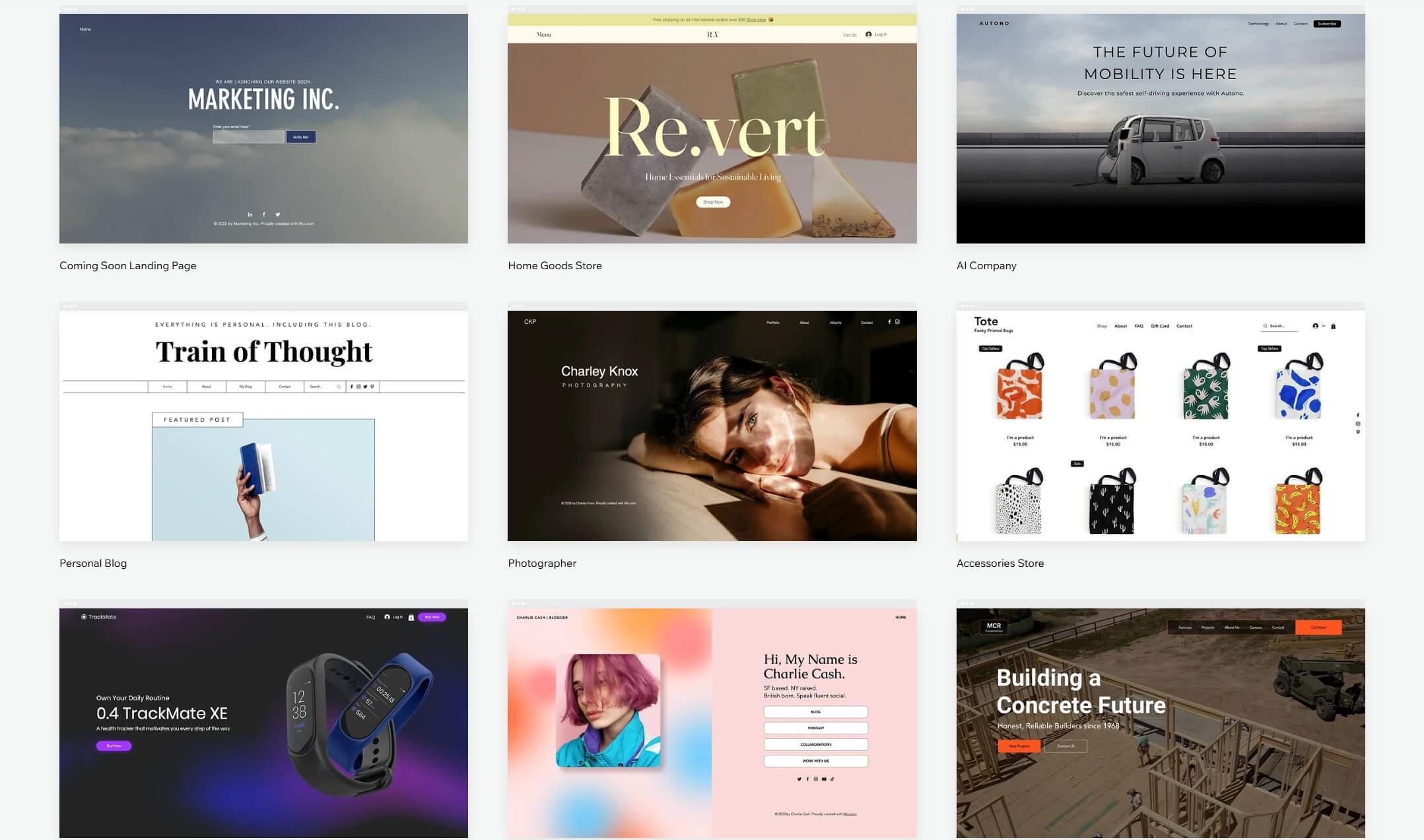
When designing and customizing your template, remember to remove default content to make it unique. Also, remove all ‘lorem ipsum’ parts; they make the site nasty! Use a consistent color palette for the natural look and implement images that emphasize your business goals.
Fonts should also be unique; we think they can make or break the website.
As an architect, you’ll use more classic fonts like Helvetica or Monserat. Conversely, Roboto and Julius Sans One are better suited for artist websites. Experiment and find the ideal look for your website. Don’t rush it.
4. Ensure Adequate Website Structure & User Experience
Let’s say you’ve completed the previous step.
Your website looks the way you want it—top-notch colors, fonts, and everything else. Now, you must structure it, which can be less fun but more important. Proper website structure means usability and ease of navigation; now you understand why it’s so essential.
For example, the home page should provide swift access to all relevant parts of your website. You can add a quick drop-down menu or a navigation bar. As said, you need to cover relevant parts; don’t overdo it by linking to every page or blog post. It’s unnecessary.
Keeping things simple and intuitive allows visitors to explore your site at their own pace. Simultaneously, they won’t get that overwhelming feeling that we all hate. Ensuring easy navigation from point A to point B is crucial and is one of the best practices for ranking higher.
The deeper you ‘bury’ your relevant pages and the more confusing you make them, the worse. This brings us to the user experience, which Google and other search engines value tremendously. We briefly explained how to achieve it, but ultimately, it’s an individual thing.
Bloggers will structure the website to showcase the newest and most-read posts on the home page. Online shops will emphasize their best-value products and discounts, or even CTAs. Refining the user experience takes time, but ease of use is at the top of the priority list.
5. Make Relevant Website Pages
Relevant pages are nearly always imbued in the selected website template.
Close your eyes, pick one, and you’ll surely find some of these:
- Home
- About Us
- Contact
- Products
- Blog
If these sound familiar, that’s because every website has them! I mean, you have to be a fool not to include them. Knowing that most templates offer these pages, almost 50% of your work is done. All you must do is open them and customize them accordingly.
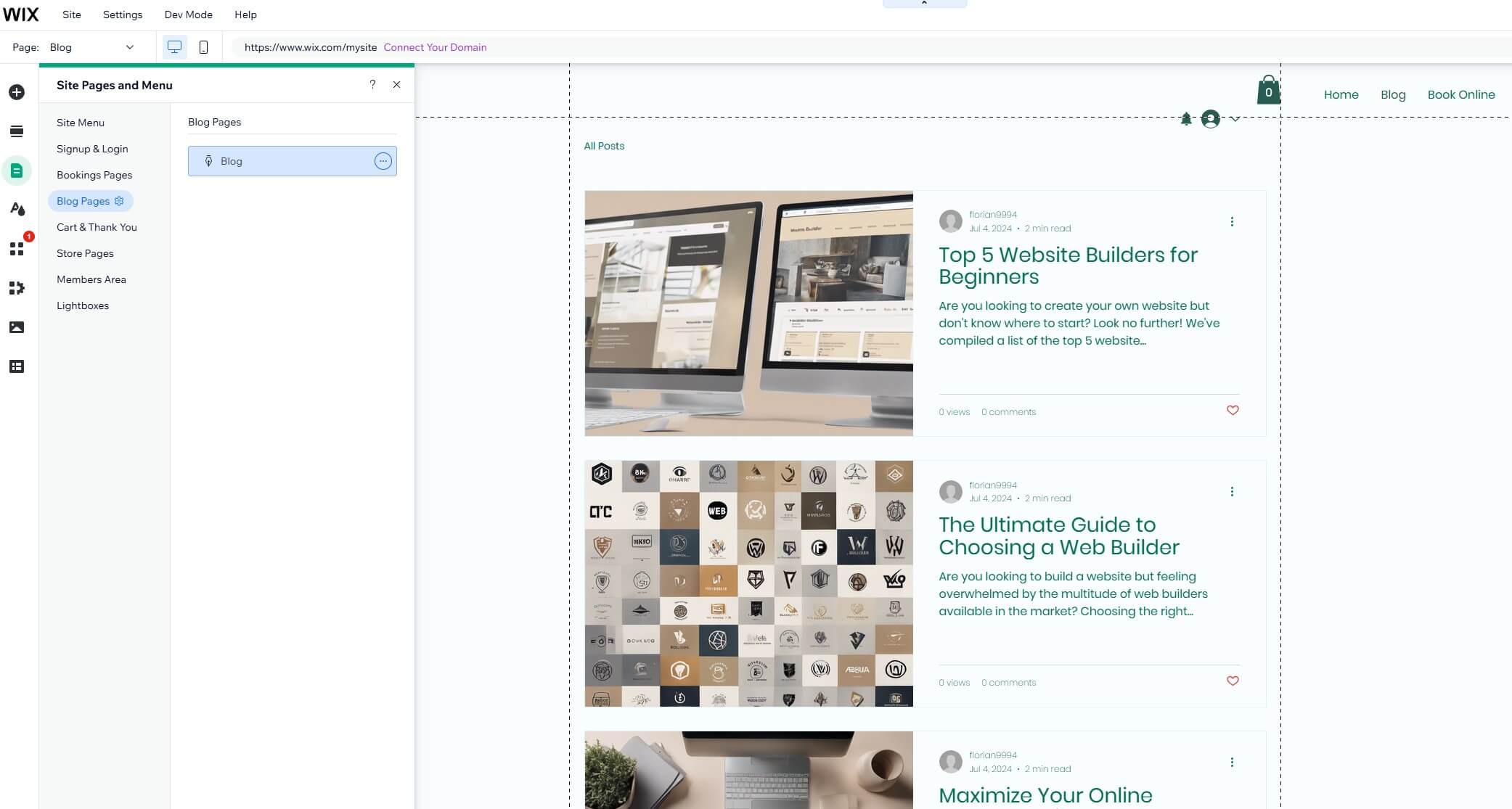
If it’s a Contact page, add your business location, contact means, phone number, etc. Are you working on an ‘About Us’ page? Describe yourself or your business goals, explain how you bring value to your customers, and more.
Don’t hesitate to add new relevant pages. Add a ‘Products’ or ‘Services’ page if you have an online shop. Blog pages are also clever for including relevant keywords and boosting your SEO. However, in our experience, relevant pages can also be FAQs, testimonials, and privacy policies.
While some of them are rarely visited, they still add that ‘professional’ feeling that people subconsciously love.
6. Consider Additional Website Functionalities
This is an optional step. However, you’ll likely want to implement additional functionalities on your website. These can vary greatly. For instance, if you’ve made an online store, you must ensure you have enough ‘firepower’ to manage it. In other words, you must have necessities.
Think about these:
- Payment vendors
- Secure payment measures (SSL certificates, fraud detection, etc.)
- Marketing tools
- Multi-channel selling
- Interactive product displaying (3D product images)
- Shipping options, and more.
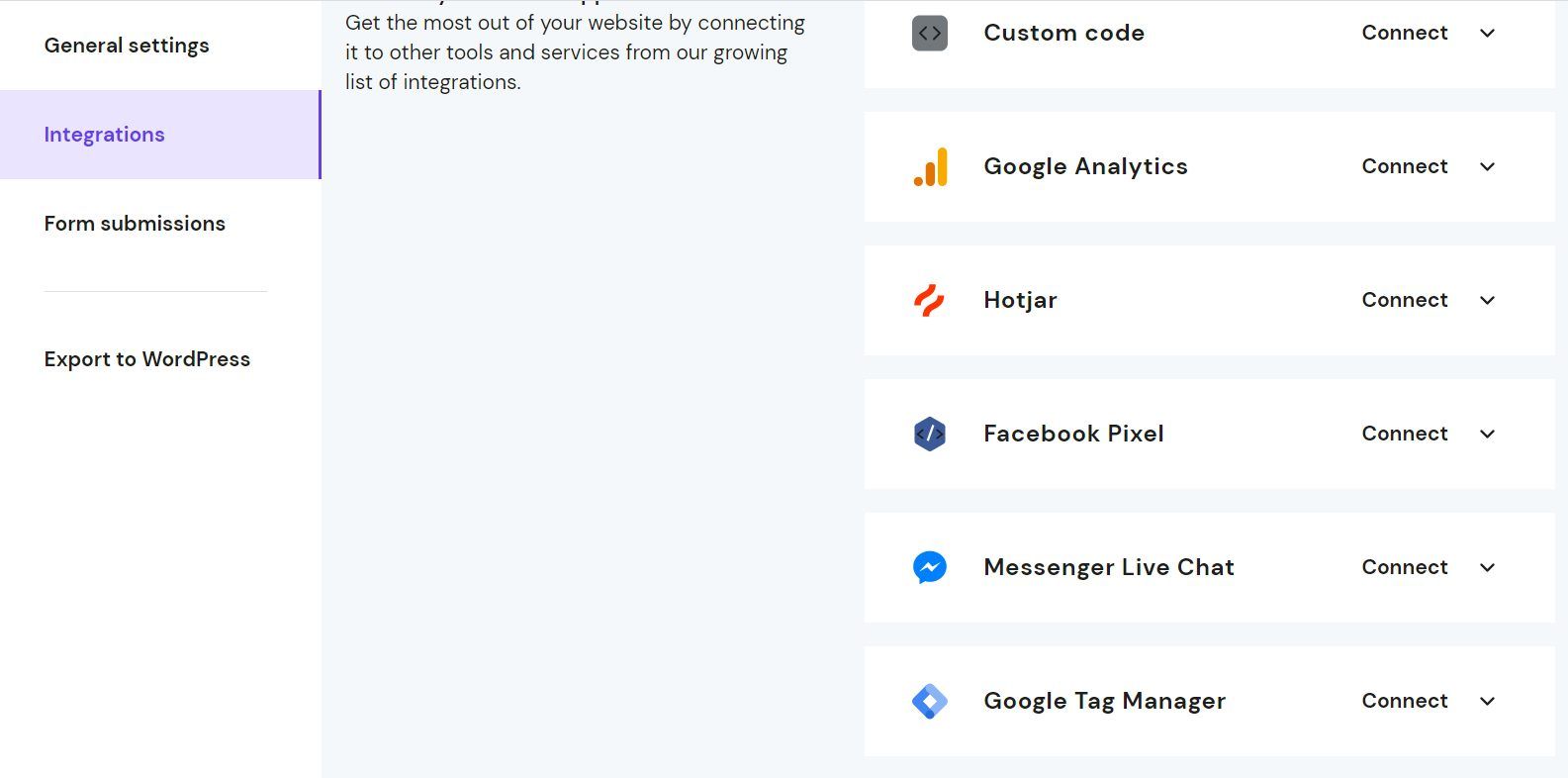
We’d also suggest including a few SEO tools to help you out. Most websites can integrate Google Analytics. It’s great for tracking conversions and user behavior. Some users also opt for a few bits of custom code for custom widgets and unique interactive page elements.
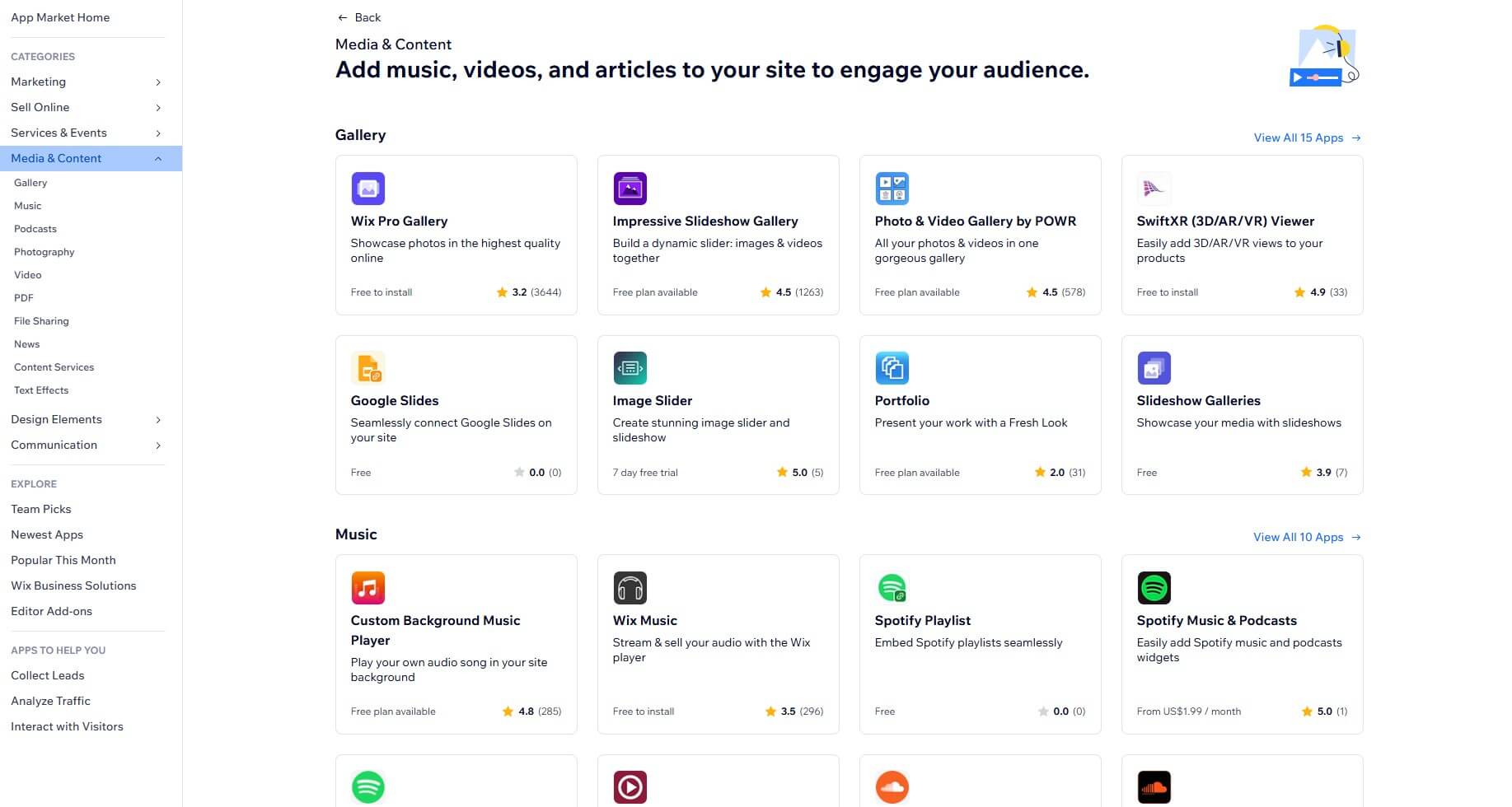
If you use Wix, you can also access a comprehensive App Market with many first-party and third-party applications. These can be installed directly to improve different aspects of your website, from marketing and design to sales, SEO, social media, store design, and more.
7. Populate Your Website With Content
You need lots of quality content to make a website that works and functions well!
We previously addressed the importance of essential pages, user experience, and website structure. However, content quality plays a significant role in your success. Plenty of advice exists on content creation.
This should be easy if you’ve established your goals in Step 1 and know which audience you want to target. Content creation is all about publishing content that resonates with your audience. You can do this manually or employ the help of an AI, which is becoming more popular nowadays.
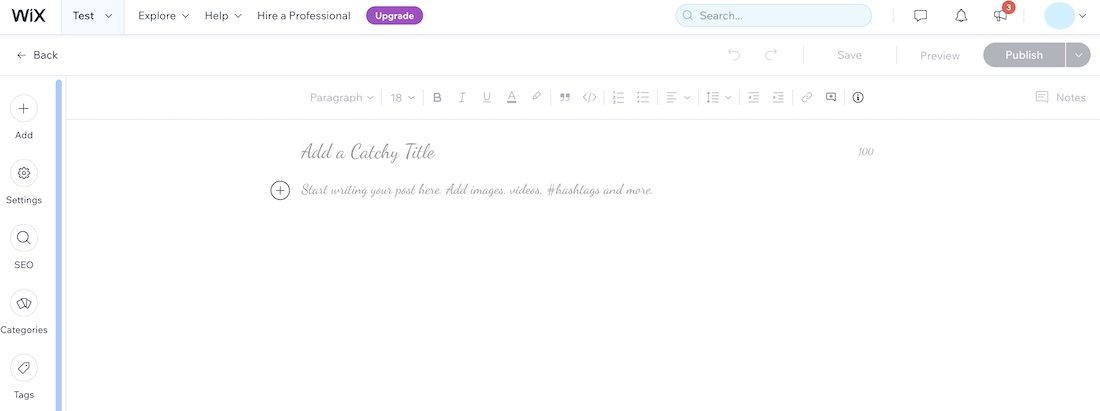
Wix or even Hostinger Website Builder includes AI content creation tools to aid you. They can also generate product images and descriptions if you sell online. If you use AI, ensure the data is relevant and ‘humanized’ by rewriting and correcting specific sentences and phrases.
Moreover, it’s wise to include diverse content. Don’t use walls of text. Break them into small chunks, avoid fluff, and include bullet points. Images and videos spice things up and help break the monotony. Plus, you can use them for tutorials and product demonstrations.
8. Optimize Your Website for Search Engines (SEO)
Since we’re on the topic of content creation, addressing specific SEO quirks is necessary.
SEO is mandatory. Without proper Search Engine Optimization, you’re shooting with a blindfold. What will you hit? Or will you even hit the target? You have no idea! So, how to build a website that’s SEO-friendly? Here are a few tips from our experience:
- Use relevant keywords. You can use Semrush (read our review here) to designate relevant keywords for your website. Incorporate them naturally in your content, meta descriptions, and all headings.
- Use enticing meta descriptions. Besides having the main keyword, meta descriptions should be witty and enticing. They should sound ‘clickable’ and attract the visitor’s attention.
- Include alt tags for images. All images should have a title and alt text that describes them, preferably with relevant keywords.
- Compress all images! The larger the image, the longer it takes to load. Compression reduces the file size, improving loading times and reducing bounce rate. We recommend TinyPNG, which can compress and convert images (this is essential because you should use JPG and not PNG images for the best result).
- Use internal linking. Link-building is a crucial aspect; part of it is internal linking, which means linking to related pages on your website. In short, it helps the search engine understand what your content is about and rank it accordingly.
- Optimize your website for mobile devices. The majority of traffic originates from mobile devices, so it’s essential that the website functions and looks adequately on phones and tablets. Mobile website builders help optimize the website for mobile devices fairly simply, while a CMS, such as WordPress, requires a bit more manual labor.
These are basic SEO tips. If you want more SEO advice, read our guide on improving SEO in 2026.
9. Test Your Website and Publish It
Our guide on creating a site from scratch is nearly done. We know you’ve worked diligently and given your all. However, don’t let the work be in vain. Don’t publish your website without testing its integrity.
To do this, simply sift through your website multiple times and answer these questions:
- Is the website easy to navigate?
- How clear is your purpose to visitors?
- Do buttons and links work? All of them?
- Is your content relevant and error-free?
- Is your content SEO-friendly?
- What’s your website speed? Does it load fast enough?
- How does your website look and perform on mobile devices?
Here’s one bonus advice: don’t be the only person who audits your website!
Get a few friends and family members to do it for you. If you don’t think they’ll be sincere, you can get a few strangers and let them test your websites. You have a green light if they like what they see and experience. Click the ‘Publish’ button and let the game begin.
10. Promote, Maintain, and Update Your Website Regularly
We intentionally said ‘let the game begin’ because the entertaining part starts here.
You’ve completed about 50% of the job, more or less. You know how to build a website, but the challenge of maintaining it comes into play. The internet landscape is ever-changing. Various SEO trends come and go, so you must adapt, learn, and implement them on time.
SEO is also about building trust and marketing.
You must advertise your website through social media and build notable relationships. If you sell online, social media will help you attract more customers and reach more people. You’ll also need an adequate email marketing strategy. Sending newsletters is a great strategy.
But even email marketing has its own strategies for avoiding sounding boring or annoying and ending up in a spam folder. This is a vast subject, which we won’t get into.
However, we’ll stress the importance of regular website maintenance and updates.
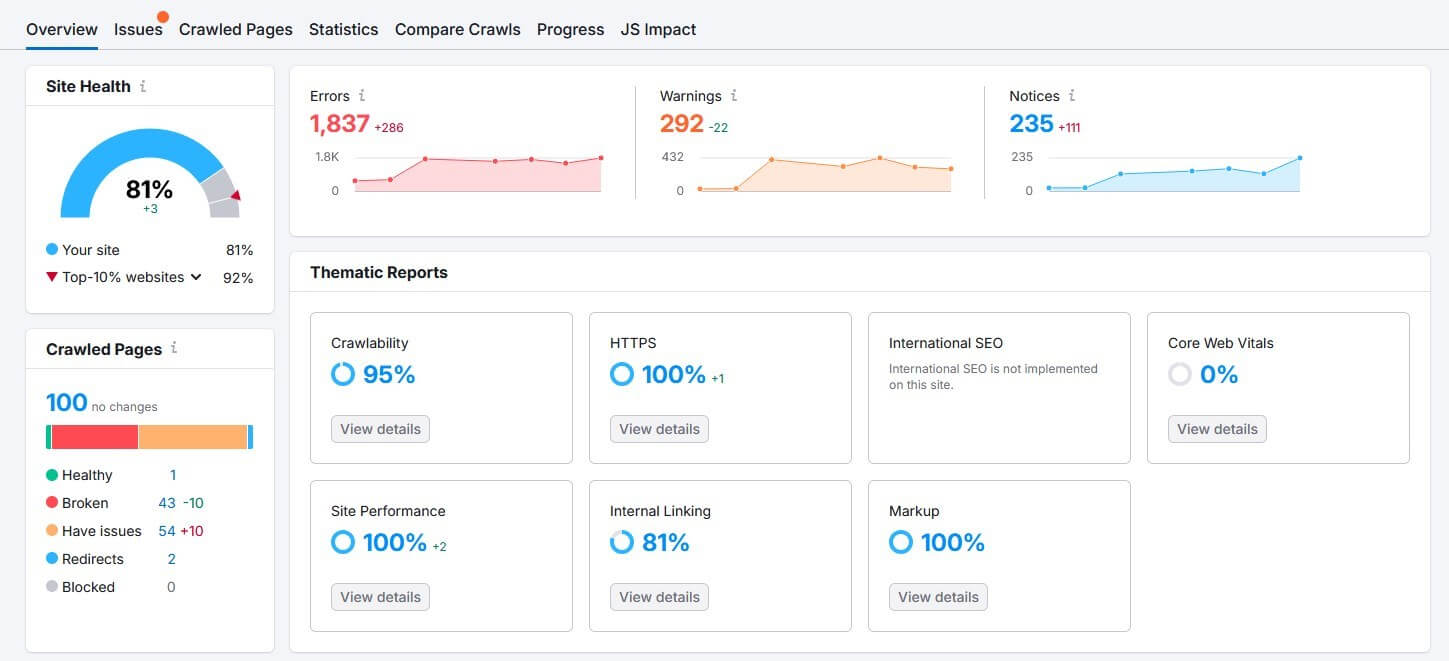
Maintenance isn’t only technical. Yes, your website should be fast and responsive, but you’ll also need to maintain internal and external link relevancy, update keywords, download up-to-date plugins, potentially update WordPress, etc. You can do this by auditing your website.
Many SEO tools (Semrush and SE Ranking) can do this for you. Conversely, you can employ a website administrator who regularly updates your website and manually checks for errors.
How to Build a Website: Final Recommendations
Building a website lays the groundwork for your success. It’s a process that you should never rush. Using our ten crafty tips, building a website should be straightforward. In our experience, the easiest part is the website design. Content creation, SEO, and marketing are much more difficult.
With time and experience, you will hone your skills and grasp the ever-evolving marketplace. Be willing to learn new things and adequately implement them on your website and business. Don’t be afraid to experiment and take risks because that’s part of the business.
With your website alive and kicking, embrace the challenge of keeping it thriving. We’re sure these ten tips on how to create a website from scratch were helpful. Now, get on with it and enjoy the process. Remember: progress is never linear. Be patient and you’ll succeed.
Frequently Asked Questions
How much does building a website cost?
Building a website from scratch costs as much as the chosen platform.
If you choose Hostinger, you’ll spend roughly $3.99 on hosting. As the provider includes a website builder and allows you to install WordPress with a single click, you don’t have additional initial investments. If you choose Wix or any other site builder, you’ll only spend money on the subscription plan.
Additional functions may cost more, but it depends on many factors. For example, if you build a website with WordPress, add-ons are usually premium.
Should I use a website builder or WordPress to create my site?
It depends on your experience and preferences.
Website builders are simpler, and WordPress is more complex but offers more freedom. The former is cheaper; WordPress is pricier because of its heavy reliance on add-ons. Website builders and WordPress have pros and cons, but you can generally achieve great success with both.
Is coding necessary for website creation?
No, you can make a website without a single line of code. However, it is necessary if you need unique interactive elements or widgets. Building a website from the ground up with coding is done only in particular instances. Most people don’t need to do that.
Do I need a domain name for my website?
Yes, you need one, but you can get it free from Hostinger or other reputable web hosts and website builders. Free domains usually last for a year and come with WHOIS privacy. When the initial period expires, you must renew your domain, although we advise renewing WHOIS privacy since it’s usually inexpensive.
