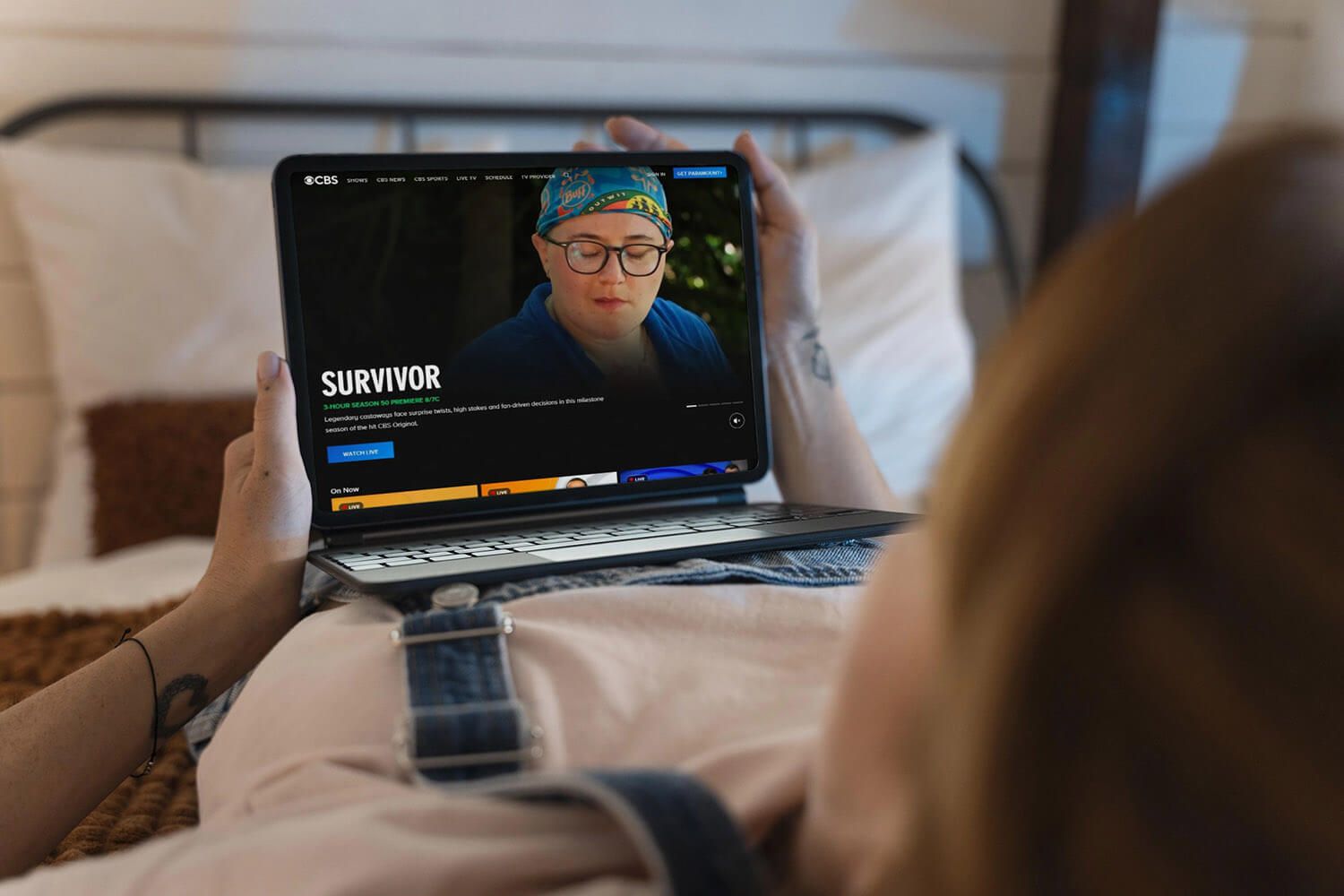
How to watch CBS in the UK and bypass the geo-restriction? CBS works only in the USA. But even if you’re an American in the UK, you still can’t enjoy CBS live stream sessions. To watch CBS, you must be in the USA or have a US IP address. Today’s guide explains how to access CBS in the UK. We’ll use a VPN that changes the user’s IP address and unblocks all geo-restricted websites.
How to Watch CBS in UK in September 2026
- Get a VPN that works with CBS. We recommend NordVPN at 70% off.
- Set up the VPN on your device (any device will work).
- Connect to any VPN server in the US to get a US IP address.
- Go to CBS and log in to your account. Sign up if you don’t have one.
- Watch CBS in UK without restrictions. Even CBS live TV will work.
Why is CBS Inaccessible in the UK?
CBS is a TV channel that works only in the US due to licensing agreements. Each channel and streaming service has these agreements with copyright holders. CBS doesn’t own all of its content, so it doesn’t get to decide how that content will be handled. CBS will not work abroad in most cases.
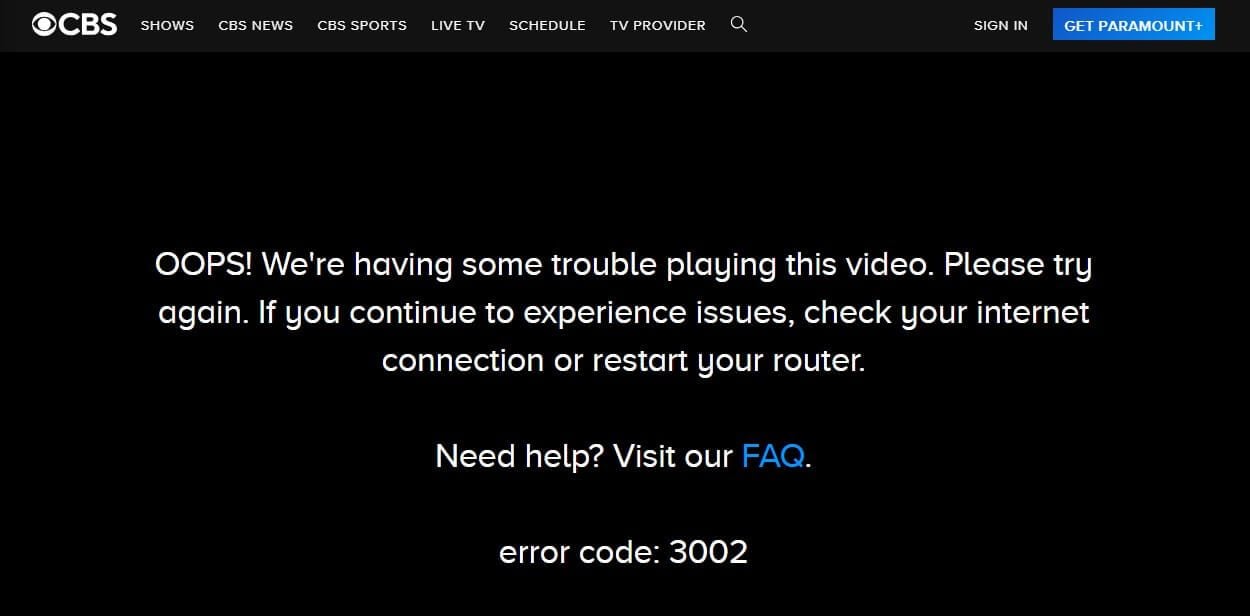
While you can watch CBS News in the UK or abroad, in general, you can’t access more popular content. We tried to watch CBS Sports live in the UK and saw the error above. With a UK IP address, it’s impossible. But if you swap it with a US IP, you can access CBS live TV and watch all the content.
Many people have found that changing their online location yields excellent results, and above all, tricks the website into thinking they’re elsewhere. Here’s how it works.
How to Watch CBS in UK: Unblock CBS Live TV Abroad
CBS requires a US IP address to work. Most people who unblocked CBS in the UK have used NordVPN since it’s the most popular. On our list of best-performing VPNs, NordVPN came in at #1. Best of all, you can watch CBS in the UK risk-free thanks to a 30-day money-back guarantee. But first, you must subscribe to it and set it up, which doesn’t take too much time. Our full tutorial is below.
Access CBS in the UK With NordVPN
1️⃣ Set Up the VPN
Head to NordVPN’s website and subscribe. You can use it for free for 30 days or opt for a 3-day trial on Android to avoid payment. For most savings, choose the Basic plan for 2 years and spend about $3 per month. Alternatively, pick the monthly plan. Once done, you can download and install NordVPN.
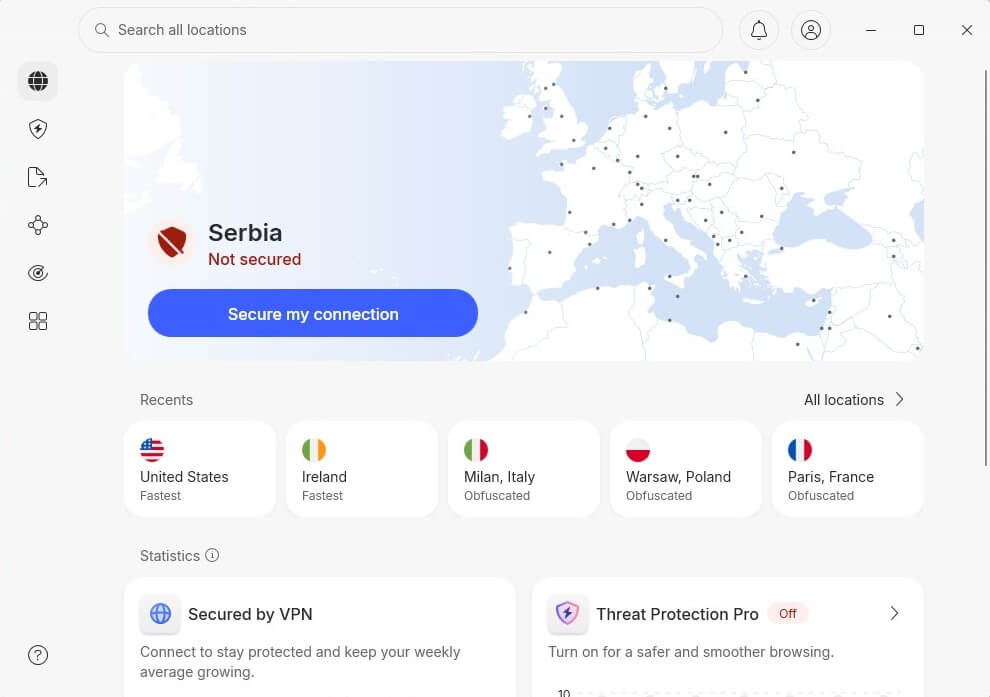
Open the application afterward, sign in, and connect to the US server. Do this by selecting the United States in the server list. Once NordVPN says Connected, you’re ready to watch CBS in the UK or elsewhere.
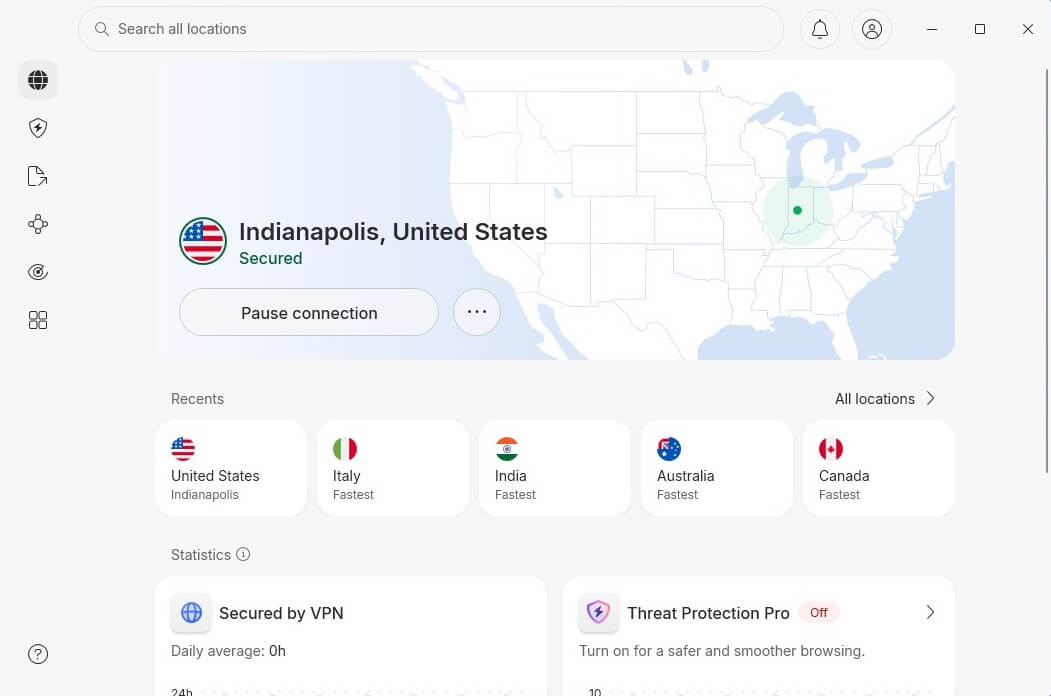
2️⃣ Use CBS in the UK
With the US IP in your hands, go to CBS and watch it. Americans who have an account can sign in and enjoy the channel. If you’re a Brit and this is your first time using CBS in the UK, you can register for a new account. When asked to input your postal code, use a USA postal code generator online.
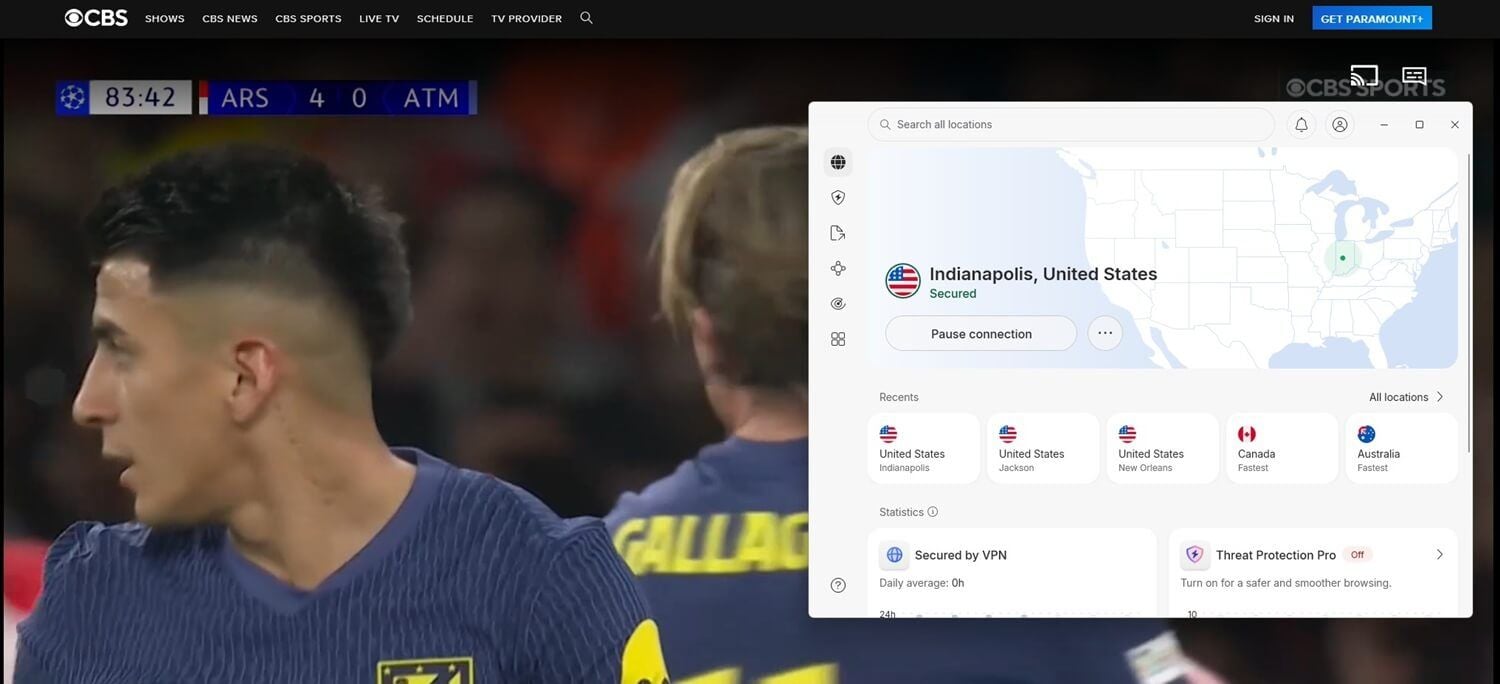
Enter the postal code and the rest of the data, and enjoy. You can watch on-demand shows, series, movies, and Live TV. The Live TV section didn’t work in the UK for a long time. However, after updating this guide in September 2026, we noticed that, with a US IP address in the UK, it worked normally.
How to Watch CBS in the UK for Free?
CBS is free by default, and you can watch it by signing up. If you ask this, we assume you refer to watching CBS in the UK with a free VPN. In this case, we have to say that free VPNs aren’t the best option, especially if you prioritize streaming. Free VPNs lack the streaming optimization needed for unblocking.
Many people avoid them for Netflix, BBC iPlayer, Hulu, and others since they don’t work. CBS works in the USA, and many free VPNs have servers there. Sadly, these servers are made only for light browsing and occasional YouTube watching. On top of that, many of them limit your monthly data.
As you know, streaming requires plenty of bandwidth and data, so expect to exceed your limits in a day or two. The solution, albeit temporary, is to use NordVPN or any other similar-quality provider for free. NordVPN offers a 30-day money-back guarantee, which means you can be refunded at the end.
To watch CBS in the UK for free:
- Get NordVPN the way we explained above.
- Connect to the US server and watch CBS in the UK.
- Right before the 30 days are over, contact NordVPN and request a refund.
This works well if you’re in the UK briefly, on vacation, or on a business trip. After you’re home, you no longer need a VPN to watch CBS and can safely get rid of it with a refund, if you want, of course.
Best VPN for Unblocking and Watching CBS in the UK
The only way to unblock streaming services and foreign TV channels is through a VPN. You can always travel to another country, but it’s impractical and foolish. Some of the best VPNs for CBS include:





 8922 servers
 129 covered countries
 30 days money-back guarantee
 10 simultaneous connections
9.8 /10

20396 servers
148 covered countries
30 DAYS money-back guarantee
10 simultaneous connections
8.1 /10

3000 servers
105 covered countries
30 days money-back guarantee
10 simultaneous connections
9.4 /10
1. NordVPN: Best for CBS Live TV in the UK

NordVPN is the best overall VPN to watch CBS in the UK. With roughly 3,300 US servers and unrestricted bandwidth and data, it’s easy to see why it’s one of the top-rated VPNs for streaming. NordVPN includes NordLynx, an in-house protocol to drastically improve both speed and security.
Its 10 Gbps server ports ensure the speed reduction is rarely above 15%. Moreover, NordVPN has Smart DNS with US DNS addresses for American streaming platforms. For example, Smart DNS can unblock Netflix US. The same could be said about its web browser VPN with location spoofing.
It’s capable of overcoming the most stubborn geo-blocks. NordVPN has excellent security, bar-none privacy, and apps for all devices. You can expect 10 simultaneous connections and 24/7 support as well. These small things mean a lot and contribute to the user experience, which is really top-notch.
Best of all, NordVPN’s price isn’t that high, and if you decide on a long haul, you’ll spend $3.09 per month for 2 years. A 30-day refund policy means you can back out without penalties if you don’t like it.
Pros
- Unlimited bandwidth/data
- 3,300+ US servers
- SmartPlay for streaming
- Apps for all devices
- 10 simultaneous connections
Con
- Pricier renewals
2. ExpressVPN: Best to Watch CBS in UK in Full HD

ExpressVPN is another VPN people turn to when they want to watch CBS in the UK. Like the previous VPN, ExpressVPN has a wide server fleet in over 105 countries. We should add over 22 locations in the US to that, all CBS-friendly. ExpressVPN uses Lightway Turbo, a good in-house protocol built for speed.
4K streaming is a breeze, and we tested torrenting and gaming with the same results. You can also watch CBS in the UK with its SmartDNS, which doesn’t require a VPN setup. But ExpressVPN is so simple to use that you won’t need anything else. ExpressVPN works with Netflix and unblocks over 15 catalogs.
Rest assured, CBS in the UK will function like a well-oiled machine. We’ve saved the best for the last: its price. ExpressVPN costs only $3.49 per month for 2 years, with 4 free months. Expectedly, it has a 30-day money-back guarantee, allowing refunds if you don’t like it or no longer need it.
Pros
- SmartDNS service
- Many US VPN servers
- Blocks ads and trackers
- Easy-to-use apps
Con
- Light on features
3. CyberGhost: Cheap VPN for CBS Live Stream Sessions

CyberGhost is our favorite cheap VPN for CBS in the UK. It has dedicated streaming servers in the US, all optimized for CBS. How can you not like its 12,000+ global servers? Plus, it has WireGuard for some of the highest speeds for Ultra HD streaming. CyberGhost supports all major platforms and devices.
Windows VPN users can also enjoy P2P servers, with NoSpy servers that additionally protect your privacy. Users love using SmartDNS with US addresses for effortless unblocking. Even better, you get UK DNS addresses for streaming BBC iPlayer abroad. We said CyberGhost is cheap, and it is; it’s almost free.
Our site lets you claim an exclusive 83% discount on the 2-year plan, get 2 or 4 free months, and spend only $1.75 to $2.19 per month. Add a 45-day money-back guarantee, a 24-hour trial on macOS/Windows, and CyberGhost’s obvious qualities, and you get a perfect VPN for CBS live TV in the UK.
Pros
- 24-hour free trial
- CBS-optimized servers
- Robust privacy
- Very affordable
Cons
- 7 simultaneous connections
- Confusing app UI
Conclusion: How to Watch CBS in the UK
Accessing CBS in the UK boils down to trickery. You’ll have to trick the website into thinking you’re in the USA. This can be done only with a VPN with a US IP address to solve the issue. Remember that this solution is risk-free. As it’s also tested by many people, it’s clear that it works like a charm.
NordVPN is, in most cases, the choice of CBS fans. However, you can go outside its realm and pick ExpressVPN, CyberGhost, or another befitting VPN. In any case, you have up to 45 days to make up your mind and be refunded. Start watching CBS live TV in the UK today.
Frequently Asked Questions
🏀 Can I watch CBS Sports in the UK?
Yes, you can when you get a US IP address. With your native UK IP address, CBS Sports won't work, as it operates exclusively in the United States. You can unblock CBS reliably in the UK by using NordVPN.
📺 Can I watch CBS Live TV in the UK?
Yes, you can. CBS Live TV now works with a US IP address and doesn't require registration. You can freely access the live TV program and tune in abroad with an American IP address from a reliable VPN.
🆓 Is CBS free?
Yes, CBS is free, with an ad-supported version with free content. CBS shows are available for free, although entire seasons require a Paramount+ subscription. Other bits of content, like news and some entertainment shows, are entirely free. Users can enjoy CBS via its website or a free mobile app.
🌎 Where to watch CBS?
You can watch CBS in the USA, but you can also do it abroad with a VPN if you get a US IP address. CBS is generally locked to the US, although some content, like news, is available in other countries.
