GreenGeeks isn’t the only green hosting you’ll find. In fact, some of the best alternatives to GreenGeeks are known to provide eco-friendly hosting for a fair price. They’re typically better for higher traffic demands, free migrations, and lower renewal prices. These three issues are the primary concerns with GreenGeeks.
Don’t get us wrong; this provider is decent, as outlined in our review. However, we know that some of its downsides may be huge turn-offs. For that reason, we tested over 30 GreenGeeks competitors, but in the end, narrowed our selection to just five. These five are better, faster, and more reliable for high-traffic sites.
Best GreenGeeks Alternatives: Five Best Picks Ranked
- Hostinger – The best GreenGeeks alternative overall
- SiteGround – The best eco-friendly alternative for speed
- InMotion Hosting – The most secure GreenGeek replacement
- DreamHost – Best for feature-rich plans
- Bluehost – Best for managed WordPress hosting
Five Best GreenGeeks Alternatives Reviewed
So, now that we have them sorted out, let’s explore them deeper and see which GreenGeeks competitor is right for you. We discuss their features, pros, cons, and prices to help you pick one more easily.
1. Hostinger
Pros
- More affordable than GreenGeeks
- Excellent hosting performance
- Managed WordPress in all plans
- E-commerce-friendly (0% transaction fees)
- Email hosting is included for free
- Free website migrations
Con
- No dedicated servers
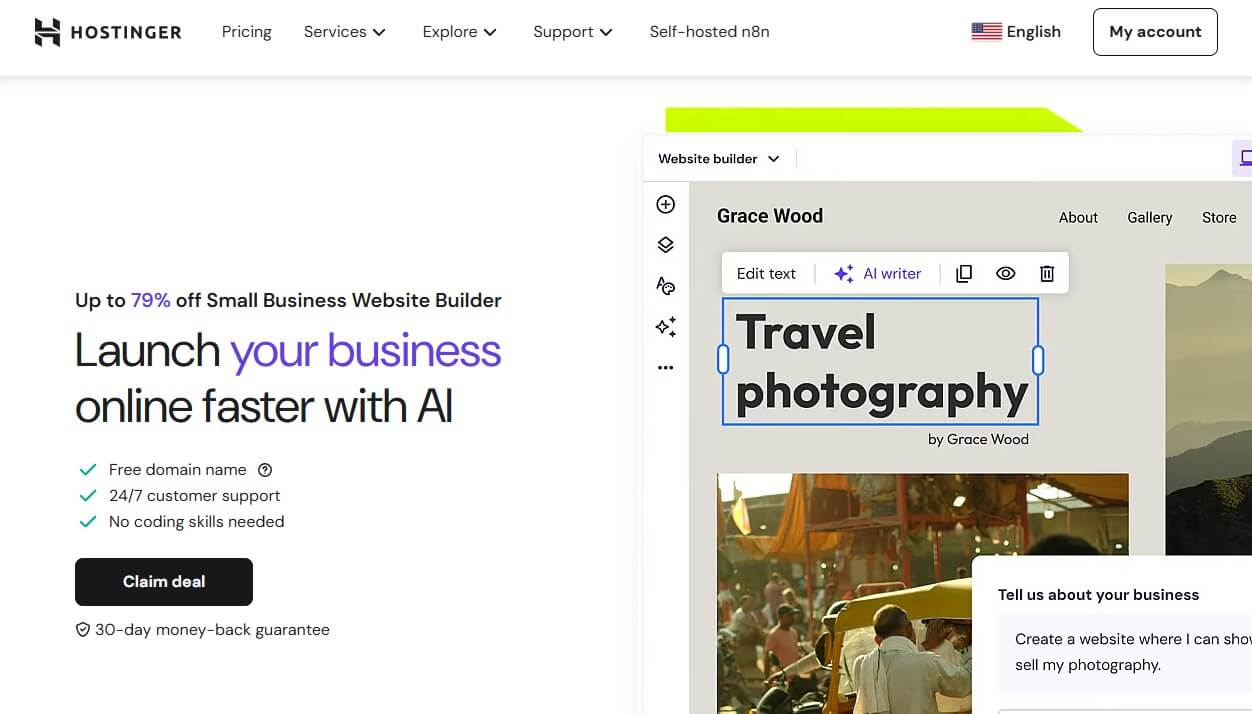
It may not be as eco-friendly, but it’s far better, more powerful, and with versatile plans that include managed WordPress, VPS, and cloud hosting. Hostinger and GreenGeeks cost nearly the same in their mid-tier plans ($3.99 vs $3.95). However, the former renews at $16.99, and the latter renews at $18.99.
Compared to GreenGeeks, Hostinger is considerably faster, with excellent performance in high-traffic situations. Another plus is a free website migration, for which you’re charged $15 in GreenGeeks. While both offer managed WordPress and a free domain name, Hostinger has many AI tools for a unique experience.
AI tools permeate everything from content creation and marketing to SEO. Hostinger also adds Multisite to manage multiple sites from one WordPress interface. Similarly, you get full-on Staging for experimenting with new features on a copy of the website. Hostinger offers a variety of ecommerce tools, unlike GreenGeeks.
You get 0% transaction fees, ecommerce templates, email marketing, email hosting, etc. At this price, Hostinger includes all the security features imaginable. DDoS protection, a WAF, malware protection, and automated daily backups. More importantly, Hostinger’s hosting plans are diverse and cheap.
Even its VPS starts at a few dollars, while GreenGeeks costs at least seven times more. Cloud hosting at $7.99 per month is also extremely affordable. GreenGeeks doesn’t offer it. Lastly, Hostinger has a 30-day money-back guarantee for all plans and hosting types, ensuring a swift refund if you don’t like it.
2. SiteGround

Pros
- Fast NGINX web servers
- 100% renewable energy match
- WooCommerce support
- Good for high-traffic sites
- Easy-to-use sPanel
- Robust hosting security
Cons
- No free domain for the first year
- Higher prices (but worth it)
SiteGround uses Google Cloud servers with a 100% renewable energy match, being a solid GreenGeeks alternative for green hosting. It’s not necessarily cheaper, and the mid-tier plan, GrowBig, at $6.69 per month, may not fit everyone’s budget. However, this price buys you SiteGround’s best managed WordPress hosting features.
In addition, it uses NGINX web servers, so it’s notably faster than most of its rivals. Another plus is ease of use, with sPanel being amazing for beginners. Features-wise, it has all that GreenGeeks lacks, including free migrations and some exclusive WordPress plugins for added security and performance optimization.
We love SiteGround’s free email hosting, great for businesses. Security-wise, it has a robust AI anti-bot system that scans the site 24/7 and protects it against threats. SiteGround has daily automated backups in all plans, plus a free CDN, complimentary email migration, and WooCommerce support out of the box.
On paper, SiteGround and GreenGeeks are similar, but the former ends up performing way better. It handles high traffic reliably, offers unmetered bandwidth, and lets you host as many sites as you want. SiteGround lacks a free domain for the first year, so consider investing in it at the start; this is a slight inconvenience.
On the other hand, SiteGround really has no specific downsides and may even be better than Hostinger in some cases. Rest assured, you get a 30-day money-back guarantee for all plans, even cloud hosting, which is an upgrade option for more performance, computing power, and overall reliability.
3. InMotion Hosting

Pros
- Affordable WordPress hosting plans
- Unmetered bandwidth
- Free domain for the first year
- WordPress Multisite
- Great 24/7 live chat/phone support
Cons
- Expensive managed WordPress hosting
- No cloud hosting
One of the best GreenGeeks alternatives, InMotion, has many good plans. However, after a bit of testing, we found its WP Core plan at $3.29 per month to be a perfect replacement. Its renewal cost of $12.49 per month is also way lower. At this price, you can host one site, but you get 100 GB of NVMe storage.
InMotion Hosting’s impeccable NGINX servers and caching allow for 10x WP performance, making it one of the fastest hosting services. InMotion also includes unmetered bandwidth and, unlike GreenGeeks, includes two PHP workers. Complementing its low price is the free domain for the first year.
Additionally, InMotion uses cPanel, where you’ll find a one-click WordPress installer and have the ability to use Python, GIT, and Ruby. InMotion is well-equipped for security, with free SSL, DDoS/malware protection, and a Web Application Firewall. Moreover, you get a 30-day trial of professional email.
InMotion Hosting has WordPress Multisite, although you won’t need it in this plan. One of its highlights is the 24/7 customer support through live chat. Higher plans have phone support, but even this level is pretty good. Bear in mind that InMotion Hosting is more scalable than GreenGeeks or even Hostinger.
With VPS and dedicated plans, you have room for improvement and upgrade. Shared plans are the least expensive and offer a 90-day money-back guarantee, more than some of the best GreenGeeks alternatives so far. If you’re interested, our InMotion Hosting review is here, so take a peek before getting it.
4. DreamHost

Pros
- Reliable NVMe storage
- Many AI site-building tools
- Unmetered bandwidth
- Cheap VPS plans
Cons
- No Asian data centers
- It lacks some security features
DreamHost is a GreenGeeks competitor worth exploring for its low prices and feature-rich plans. We advise the Web Hosting Launch plan, at $2.95 per month and $10.99 per month when you renew. The entry-level plan hosts 25 websites on 25 GB NVMe SSD storage, with unmetered bandwidth for top speeds.
DreamHost is surprisingly fast. It’s faster than GreenGeeks and handles traffic spikes well. It also includes a free website migration, which costs $15 in GreenGeeks. A free domain is here, and you get Let’s Encrypt SSL to encrypt your website. Another plus is email hosting, which gives you 20 mailboxes for three months.
This is a solid WordPress host, offering a one-click WordPress setup, a Liftoff AI site builder, and automatic core and security updates. AI tools are at the forefront, emphasizing SEO and business management features. On the security front, DreamHost’s cheapest plan cannot delete malware; it can only detect it.
On the brighter side, it includes domain privacy and 100% uptime guarantee, so everything should be safe. DreamHost’s minor downsides are security and limited data centers. You must buy DreamShield for malware removal, and you can choose data centers only in the US and Europe; no Singapore or Asian locations.
Like other recommended GreenGeeks competitors, DreamHost has other great plans. VPS plans are pretty affordable, with dedicated and cloud hosting being pricier, but still worth a shot. For each plan, you have a 30-day money-back guarantee, letting you explore and test it before full-on commitment.
5. Bluehost

Pros
- Managed WordPress hosting
- Malware removal
- Free WordPress site migration
- Not very high renewal prices
Cons
- Average performance
- Only weekly site backups
Bluehost is a famous managed WordPress hosting service with essential and advanced WordPress features. We advise the Business plan at $6.99 per month, which renews at $13.99, less than GreenGeeks’ equivalent. At this price, you can host 50 sites on 50 GB NVMe storage and have up to 200,000 visitors per month.
Bluehost packs all you’d expect, including a free domain, CDN, site migration, AI site builder, and Let’s Encrypt SSL. We particularly like its phone and chat support, which makes getting help a breeze. Security-wise, Bluehost is on par, with malware detection and removal, DDoS protection, and a Web Application Firewall.
The only gripe is the weekly backups, as GreenGeeks backs up your site daily. Bluehost will happily charge you extra for this. But then, GreenGeeks charges you for a migration. On the other side, Bluehost includes free Yoast SEO and Pro Email, and uses LiteSpeed servers for decent, although not the best, speeds.
The mid-tier plan also contains Staging, with all the coveted managed WordPress updates, much needed for site integrity. Bluehost’s site builder is one of its best features, particularly if you need to build a website quickly using an AI, in merely a few steps. This alternative to GreenGeeks has other deals, as well.
You can opt for high-performance plans with up to 10 times more CPU power, larger NVMe storage, and more hosted websites. Simultaneously, Bluehost offers modern AMD EPYC CPUs on its VPS plans, providing ample power when needed. You get a 30-day refund policy with all plans, so testing is always risk-free.
GreenGeeks Issues: Why Do People Look Elsewhere?
GreenGeeks is one of our favorite green hosting services.
However, we can’t say it’s perfect when it obviously isn’t. No hosting is. GreenGeeks performs well under moderate loads and actually has decent load speeds thanks to LiteSpeed servers. The problem arises during traffic spikes, where sites hosted on GreenGeeks crumble and display sky-high response times.
We tested it many times, and the outcome was always the same. 100 concurrent visitors, and it remains stable. However, testing it with 500 or even 1,000 simultaneous visitors delivered terrible results for us. This limits GreenGeeks to smaller websites, unless you upgrade to its VPS plans, which are rather expensive.
Minor issues include paid migrations and sharp increases in renewal prices. A good example is the Pro plan at about $3.95, which renews at $18.95 per month. The higher plan, Premium, is $5.95, but renews at $30.95 after the first year. In comparison, Hostinger’s KVM 4 plan (VPS hosting) renews at $24.99 per month.
This means you can get Hostinger’s fast and reliable VPS hosting for a lower cost than shared hosting in GreenGeeks. The whole search for the best GreenGeeks alternatives usually boils down to its value for money, rather than quality issues. Simply put, you can get better for the same or lower price, and we just proved it.
Best GreenGeeks Alternatives: The Final Verdict
The best GreenGeeks alternatives and competitors depend on your needs. However, for most people, Hostinger will be the most adequate replacement. It’s cheaper in the long run, more feature-rich, and faster. A close second is SiteGround, which is pricier, but one of the fastest and most robust hosting solutions.
InMotion Hosting is built for security, speed, and large storage space, offering flexible VPS and dedicated server plans. DreamHost’s affordable plans pack serious performance and AI tools, while Bluehost is a trusted managed WordPress hosting solution. With all this info, it’s up to you to make a final decision.
Frequently Asked Questions
Is GreenGeeks any good?
Yes, it’s good overall, with solid speeds under moderate traffic, managed WordPress, solid security, and cPanel. The only issue is value for money and its inability to handle high traffic, where its alternatives fare better.
Does GreenGeeks have a free plan?
No, it doesn’t, but it has a 30-day money-back guarantee that lets you test it risk-free. No GreenGeeks alternative on our list has a free plan. If that bothers you, check out these really free hosting services instead.
Can I get cloud hosting from GreenGeeks?
No, you can’t, but you can from some of its competitors: Hostinger, SiteGround, Bluehost, and DreamHost. Hostinger is the least expensive option here, while SiteGround and Bluehost are pricier overall.
