UK TV channels like ITV and BBC iPlayer are very popular for their content variety. If you’re interested in watching UK TV in Canada, chances are you’re into sports streaming or want free entertainment. Regardless, accessing these channels in Canada is impossible.
You’ll be greeted by a geo-restriction message when trying to do so. That’s because they can broadcast only in their native country, the UK. Now that we know that, is it possible to watch UK TV channels live in Canada? The answer is a bold YES.
This article will show you how to unblock them using a VPN. This is the only solution if you don’t plan on packing your bags and traveling to London or Manchester. And if you do… well, skip this article. You’ll have free access to TV channels from Great Britain either way.
How to Access UK TV in Canada in 2026?
- Grab a VPN subscription. We recommend NordVPN.
- Install the VPN on your device.
- Boot up the VPN and connect to the UK server.
- Go to any UK TV channel’s website and watch it freely.
Why You Can’t Watch UK TV in Canada?
Let’s start this article with one explanation. First, you must know that local TV channels have certain broadcasting rights in different countries. These rights allow them to broadcast only in their countries or particular regions. By extension, foreign countries can’t access their content.
We can see this example clearly by taking BBC iPlayer or ITV as the most popular channels in the United Kingdom. We’re not located in this country, and when trying to watch ITV, we get this annoying screen:

We don’t need to explain why this message always greets us – we’re outside the United Kingdom. This geo-restriction works by picking up your IP address. If the IP address isn’t from the UK, you’re denied access and can’t watch anything on the site or even create an account.
The trick, therefore, is to somehow alter your IP and change your online location. To do this, you’ll need to use a VPN. This service does exactly that. It connects you to a remote server in another country, assigns you an IP from that server, and lets you get over geo-restrictions.
Simply put, connecting to a UK server will unblock these channels in Canada. But, you also need a good VPN provider for this purpose because many of them are detected by TV channels from the UK. For this trick, we recommend using NordVPN, as it’s a tested solution that works without fail.
How to Use a VPN to Unblock UK TV in Canada?
So now that we know what it’s all about, let’s see how to access UK TV in Canada.
1. Get a VPN
We recommend NordVPN for this purpose. It’s the most reliable option, and it’ll unblock every UK TV channel in Canada with the corresponding IP address. This is a premium option, but that’s because free providers can rarely unblock channels from this country.
Our team recommends grabbing a 70% discount for the biennial Basic plan, where NordVPN sometimes provides three months extra. A 30-day refund policy also secures this plan, so getting a refund is possible if you are unsatisfied. To get this deal, click the red button below.
From here, select the plan, enter your email, and provide the payment method. Once the payment is completed, you must verify your email address and create a password.
2. Set Up a VPN on Your Device
With NordVPN, you can watch UK TV in Canada on any device. First, it supports ten simultaneous connections. Second, it works on every device, so using it on iOS, Android, Windows, Linux, and macOS is pretty straightforward. For this guide, we’ll use it on Windows, but the process is the same either way.
On this platform, download the setup file from NordVPN’s site. Install the setup file by following the on-screen steps. If needed, restart the PC afterward and open NordVPN’s app. Now, sign in with the credentials from Step 1, and the dashboard will open.
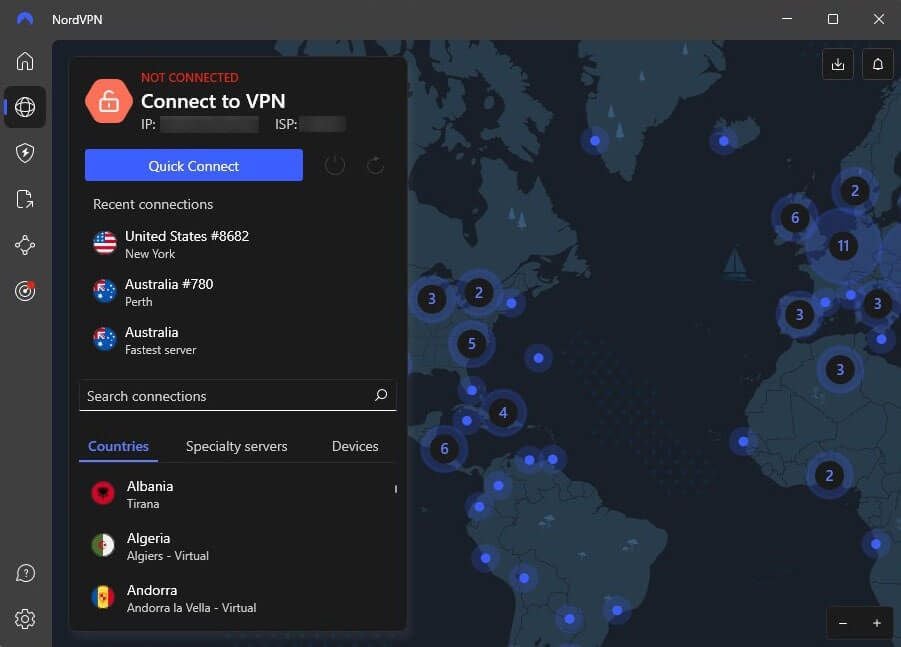
The app will look like this on all of the supported platforms. Even iOS/Android apps are pretty much identical.
3. Connect to a UK Server
If you want to watch ITV live or enjoy BBC iPlayer in Canada, you need a British IP. To get it, open the server list by clicking the Globe icon. Scroll down and find the United Kingdom on the list. Alternatively, use the search bar to find it. Click on the country to connect.

As you can see, NordVPN will alter its appearance. From ‘Not Connected’, it’ll show the ‘Connected’ message, implying the connection is safe and sound. You’ll also see a new IP address that confirms this.
4. Watch UK TV in Canada Limitlessly
Now that everything is set up, it’s time to enjoy your favorite UK TV channels in Canada. Go to ITV, BBC iPlayer, Sky TV, and Channel Four, and watch them without limits.
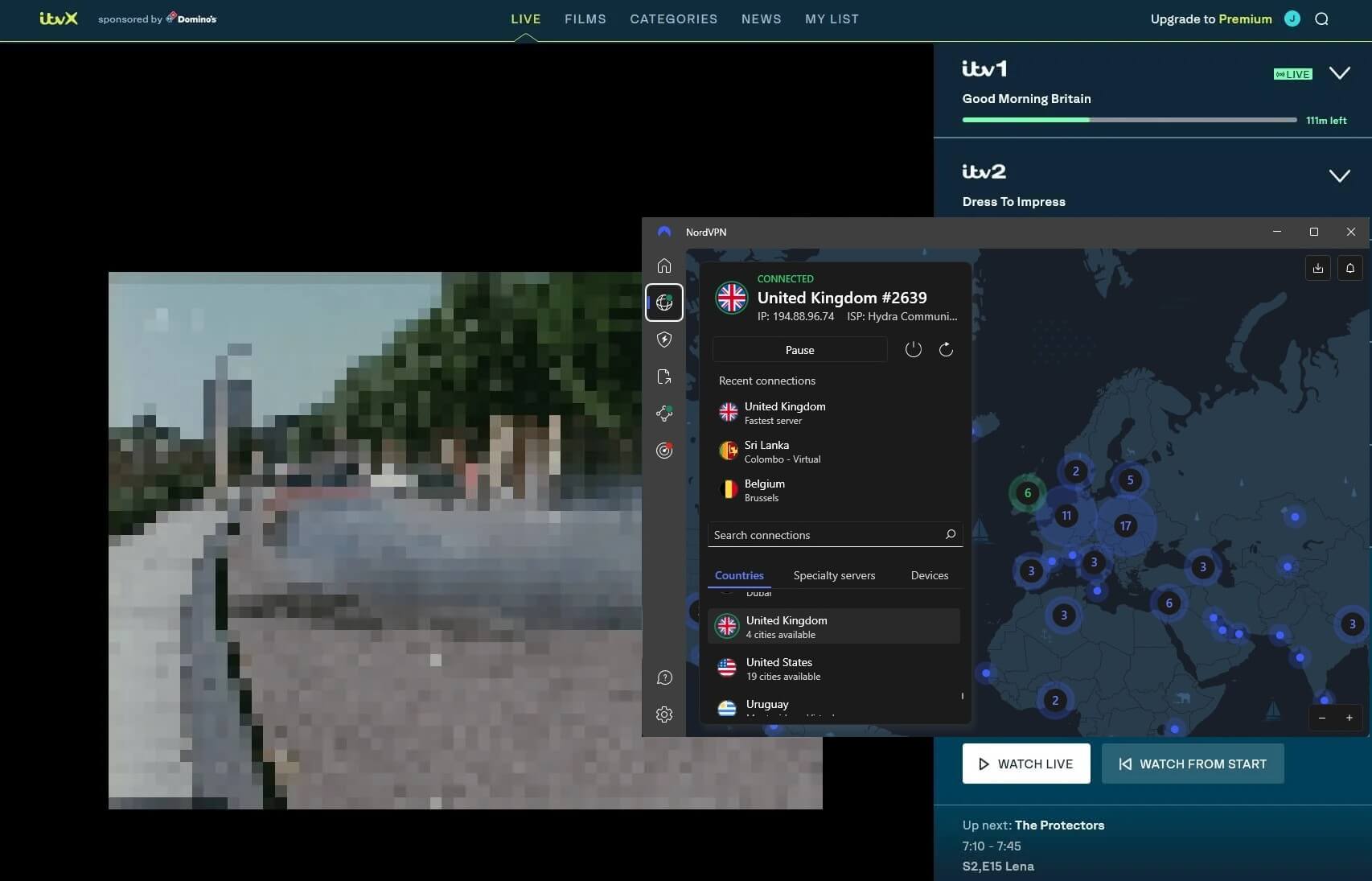
Above, you can see that NordVPN works with ITV, but we had to blur the footage to prevent copyright issues. Rest assured, it’ll work for you as well, as long as you follow the steps from our guide.
One Free VPN to Consider [Not the Best Option]
Watching UK TV live or on-demand in Canada with a free VPN usually isn’t smart. Besides, the vast majority of free providers have no servers in the UK. As such, they’re rendered useless for this very purpose. However, we want to mention one provider that you might find somewhat useful – PrivadoVPN.
At the moment, this is the only free VPN for the UK that will work with several channels in this country. It has 12 server locations, including British servers, enabling easy access to Sky TV, BBC iPlayer, ITV channels, and others.
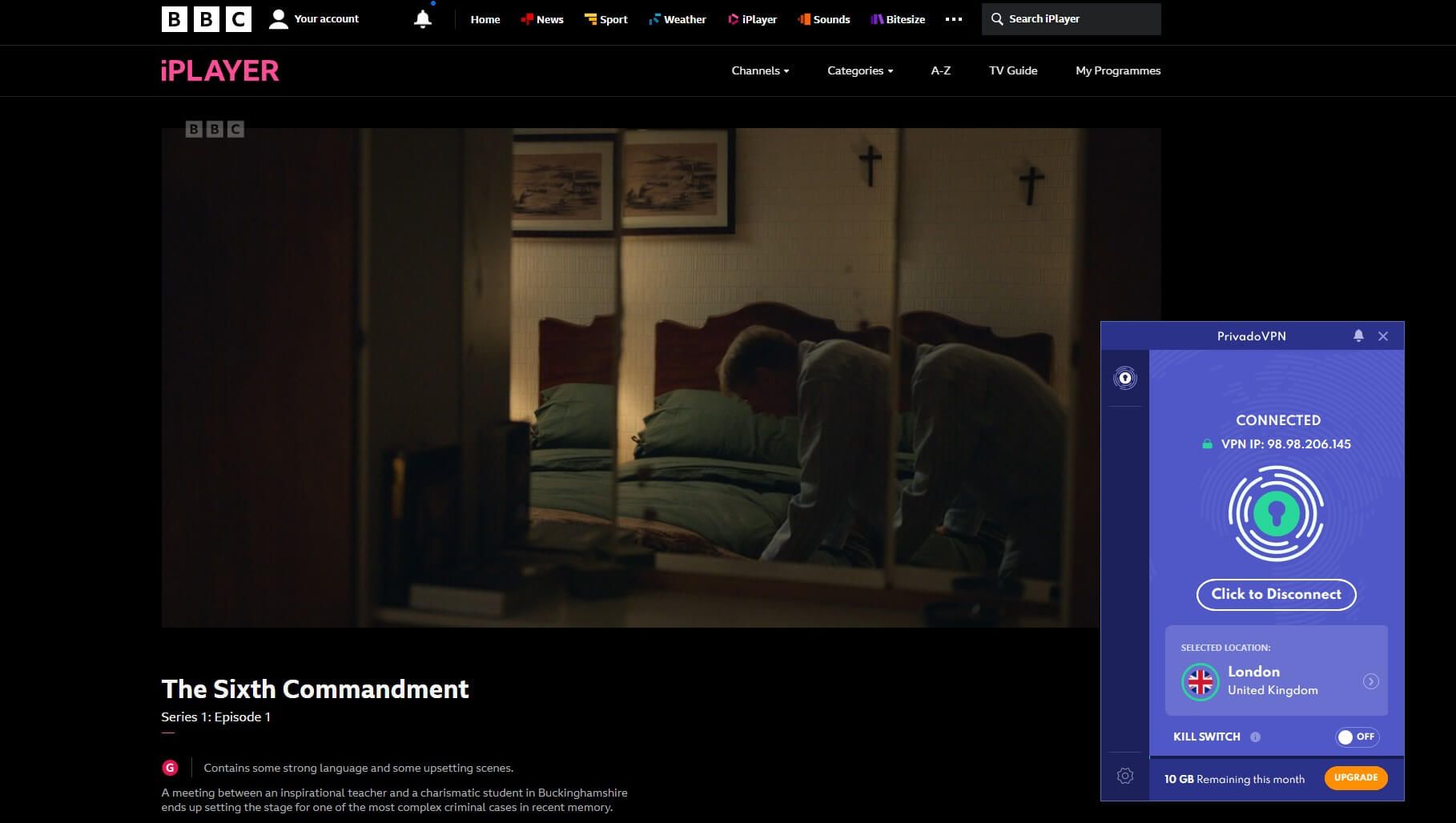
The trick, however, is that the service limits you to 10 GB of bandwidth a month. This will barely be enough for two days of streaming, let alone a fortnight or more. While its speeds are uncapped, you’re still not getting the best performance, as many servers tend to be overcrowded.
This will result in some stuttering, slowdowns, and potential disconnects. PrivadoVPN has no simultaneous connections either, and its app for Linux isn’t available. However, if you’re in dire need of a free provider and you want to test UK TV in Canada, this is the only way to go about it.
Or perhaps you can take advantage of NordVPN’s 30-day refund policy instead. You can use it for 30 days, get a refund, and not lose any money. It’s as if you used a free provider because the company offers a full refund at the end of a 30-day period. On the other hand, you will need to pay upfront.
In Conclusion
Despite the obvious geo-restrictions, it isn’t so hard, after all, to access all UK TV channels in Canada. NordVPN is the best option to do so because it relies on fast servers and excellent unblocking capabilities to provide access to pretty much any TV channel you want.
A notable alternative would be ExpressVPN, which also works perfectly for streaming but lacks some features. Now that you know how to watch UK TV live in Canada, grab a discount on NordVPN or ExpressVPN and start streaming. You have plenty of content to go through, including awesome shows, movies, and sports events.
Watch UK TV in Canada Risk-Free With NordVPN
FAQ
Is watching UK TV in Canada legal?
Yes, watching foreign TV channels abroad is fine and is in the legal ‘domain’ of VPN use. While it rightfully breaches the channel’s terms and conditions, we’ve yet to hear of people getting arrested for unblocking them.
Do I need a TV license for UK TV channels?
No. BBC iPlayer, ITV, Channel 4, and others don’t require a TV license. BBC iPlayer asks for one, but you can say you have one and not be checked.
Can I watch BBC iPlayer in Canada?
Yes, but only with a VPN. BBC iPlayer is a UK-only streaming service. NordVPN is an adequate VPN that works wonderfully for BBC iPlayer. BBC iPlayer never detects it and can be used in every country to access all UK TV channels in seconds.
