Free stuff has always been attractive, especially when we talk about good free stuff. The problem, on the other hand, is that “good” and “free” often don’t go well together. A prime example of that is Opera VPN, a popular free VPN that prides itself on being safe and secure. But is Opera VPN really safe and secure as people see it? Or, more importantly, is Opera VPN a scam or just another awesome provider you overlooked?
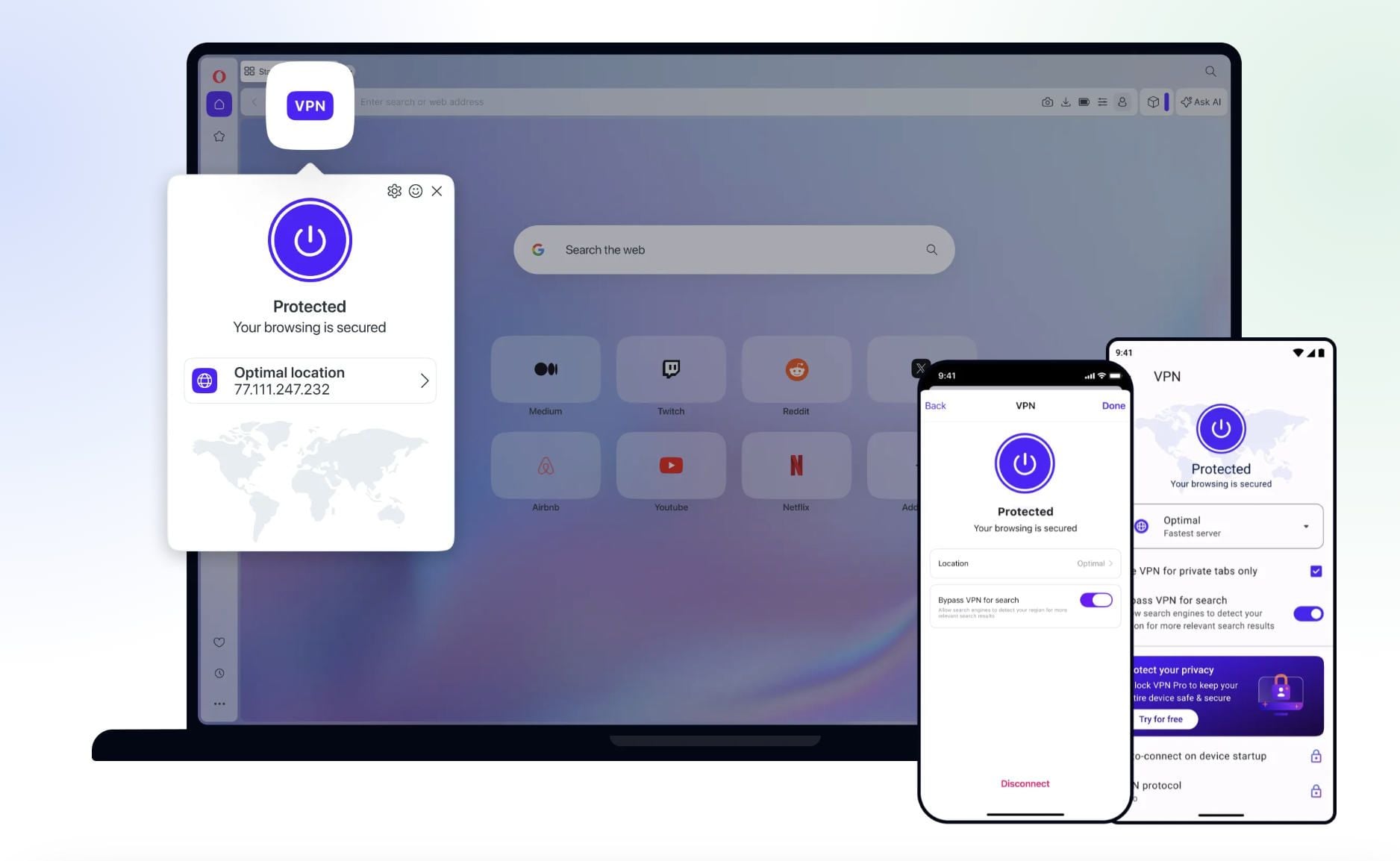
Today’s article will tackle all of these questions, as we check its security features and privacy policy, and do a comprehensive IP/DNS leak test.
As you saw from the title of this article, Opera VPN isn’t safe. But if you’re enticed to know more about why this is the case, we recommend reading this article until the end.
Is Opera VPN Safe? Here’s a Short Explanation
No, Opera VPN isn’t safe: It protects your traffic only in the browser, and its privacy policy blurs the line between browser data collection and VPN privacy in a way that leaves too many questions unanswered.
Looking for alternatives? The much better and infinitely safer VPNs include:
Is Opera VPN Safe to Use? Security Features Examined
Our recent Opera VPN test will give you plenty of information about this service if you’re interested in using it. Today, we’re focusing on its security aspect to see how many features – and which ones – you can find in this VPN.
In-Browser Protection
Before we start talking about its features, we must first explain how this Virtual Private Network even works. You’ll notice that Opera Browser is the only way this VPN can be used. You can’t download a separate app because it doesn’t exist. The main problem is that the service is just a PART of the browser app.
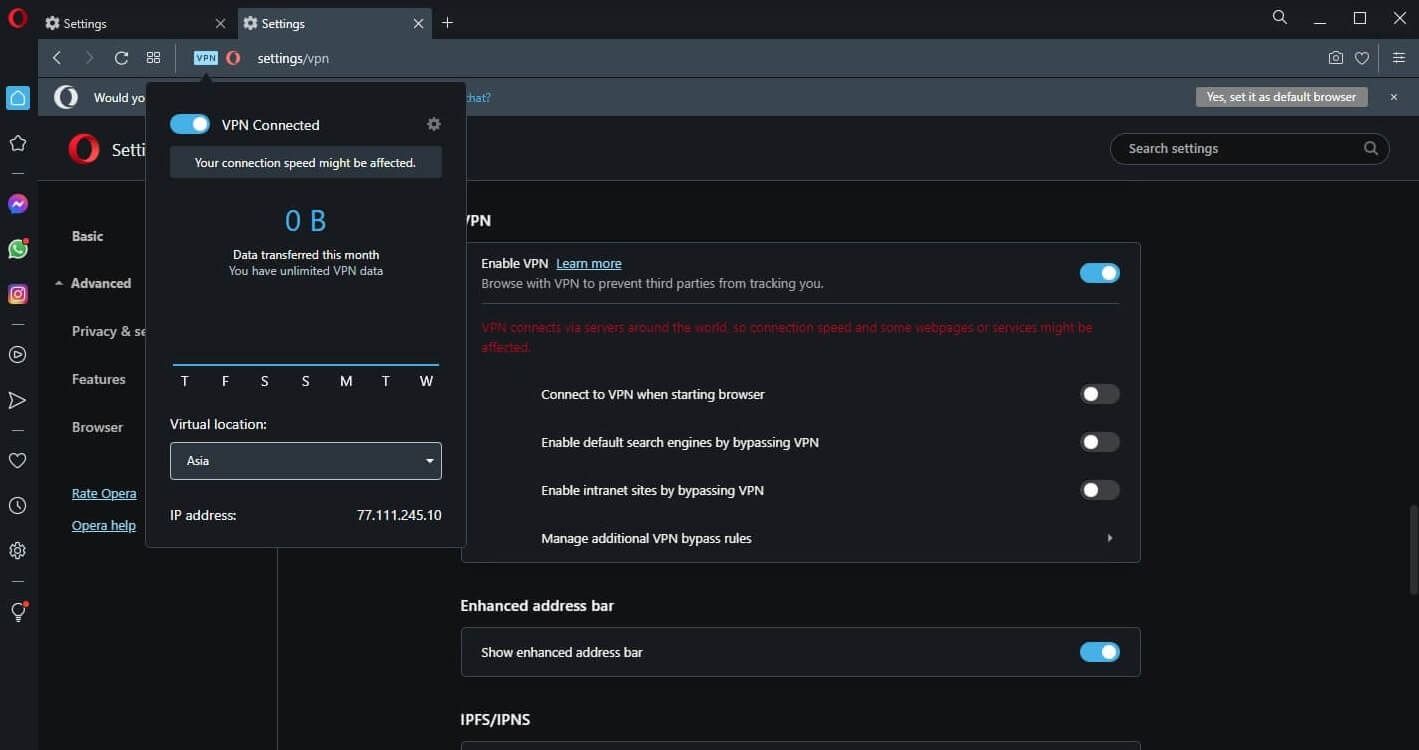
This means it’s immediately cut down in terms of features and functionalities compared to full-fledged VPN apps from NordVPN or ExpressVPN. The way this provider works is by encrypting your in-browser traffic, while the rest of the traffic remains untouched.
While the in-browser traffic is protected from hackers and snoopers, other traffic remains exposed. As a result, you aren’t really safe and secure online, as your ISP can still trace your online activities and collect your data. Another issue is that the provider lacks fundamental features.
For one, you don’t get a kill switch and there is no protocol selection. This confirms that the provider isn’t a real VPN — it functions like a proxy. If you’re unsure about the differences between proxies and VPNs, read our guide about that.
AES-256 Encryption
Opera VPN uses AES-256 encryption, which is the industry standard. That said, this encryption only applies to your in-browser traffic — it won’t do much for you beyond that. You won’t be able to download torrents anonymously since the service won’t work with torrent clients. When talking about tunneling, it’s vital to mention that no protocols can be chosen. The service uses the HTTPS/TLS protocol, which offers basic protection for browser traffic but is fundamentally different from a real VPN tunnel using WireGuard or OpenVPN. It won’t protect anything outside the browser.
Ad and Tracker Blocker
Is Opera VPN safe and secure in terms of blocking trackers and ads? Well, you could say so. Under the Privacy Protection tab, you’ll find two features. The first one will block ads and let you “surf the web up to three times faster.” As you can guess, this isn’t true.
The second feature is here for blocking trackers. During our testing, we weren’t sure if these worked properly, although we noticed that some sites missed ads on the site, which is good news. Still, CyberGhost’s ad blocker was way better and could even block YouTube ads.
Split Tunneling
Split tunneling in Opera VPN isn’t exactly what it sounds like. It’s not a legit VPN split tunneling if you will. Instead, it lets you enable default search engines by bypassing the VPN, as well as manage VPN bypass rules.
Essentially, it’ll let you choose which websites will or won’t use a Virtual Private Network. You’ll need to type in the website’s address, add it to the list, and it’ll take effect. This is handy for banking sites or PayPal, for example, where the IP change isn’t very welcome and will produce issues with accessing your account.
But to call it split tunneling would be a disgrace for this feature. Sadly, we have no other fancy name for it – it is what it is.
What About Opera VPN Pro?
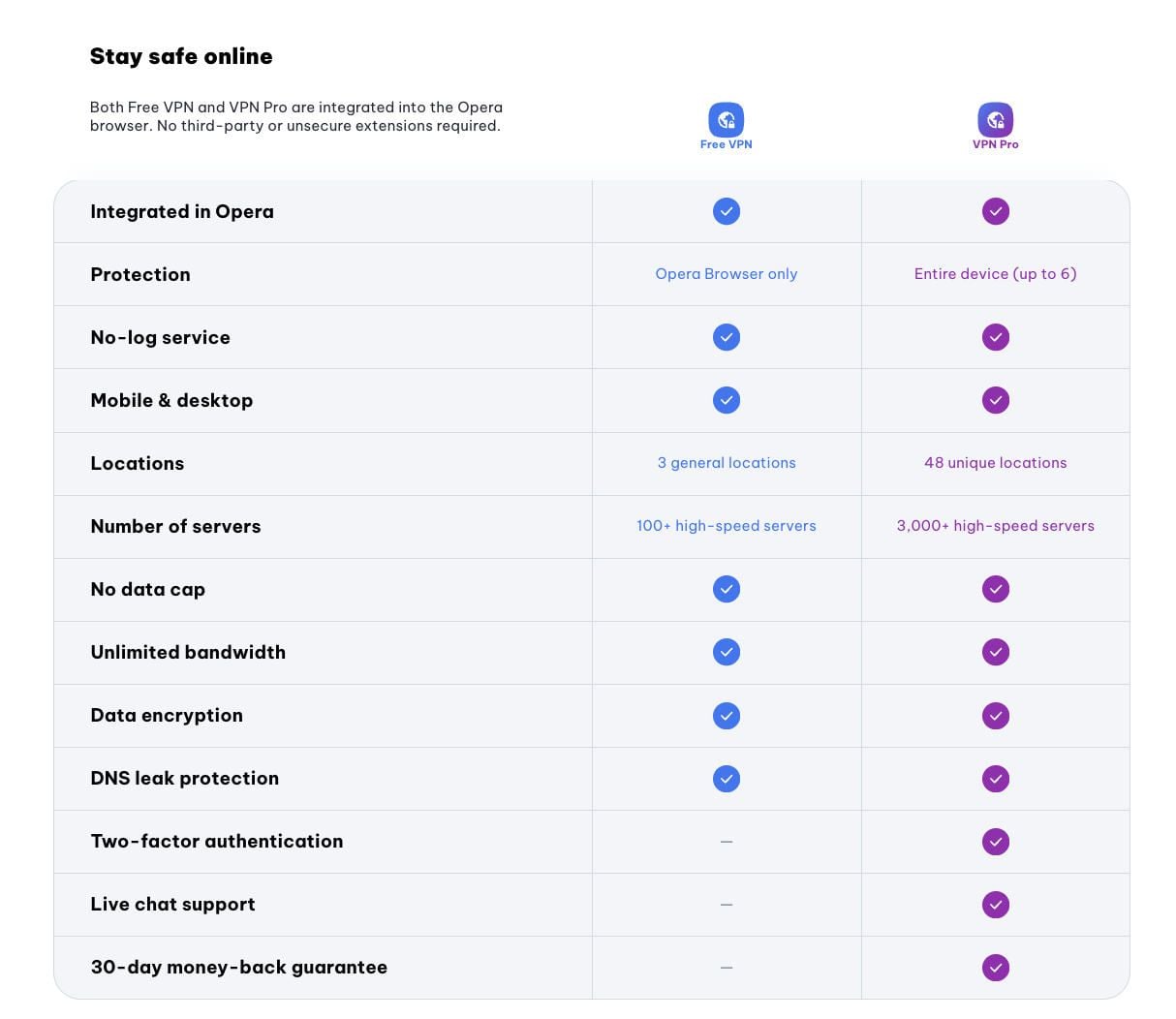
Opera also offers a paid service called VPN Pro (from $4/month, or 4€) which is a device-wide VPN using the Lightway protocol, the same one developed by ExpressVPN. It supports up to 6 devices and offers 30+ server locations which is a real step up from the free version. However, at that price, providers like NordVPN and ExpressVPN offer significantly more features, larger server networks (9 200 for NordVPN), a kill switch and better-established privacy track records. VPN Pro also notably lacks a kill switch which is a serious omission for a paid service.
Does Opera VPN Store Logs? Analysis of Its Privacy Policy & Jurisdiction
Is Opera VPN a reliable, safe, and secure service so far? Well, we’re sad to report that it isn’t. And we’re even sadder to say that the situation gets significantly worse in its privacy policy. But let’s not get ahead of ourselves – let’s analyze the provider carefully.
Where Is the Company Based?
Opera is based in Norway, and the is a member of the 9 Eyes Alliance (a group of countries that coordinate on data surveillance). It’s worth noting that Norway has also incorporated the GDPR so Opera operates under one of the stronger data protection frameworks in the world. That said, 9 Eyes membership remains a legitimate concern for privacy-focused users.
On the ownership side, a significant portion of Opera’s shares is held by Kunlun Tech which is a Chinese company. Opera is publicly listed on the NASDAQ stock exchange which subjects it to SEC disclosure requirements and a degree of transparency that many competitors don’t face. Kunlun Tech is a shareholder (owns 69% of the company) and not an operational controller but the Chinese ownership stake is worth keeping in mind as a risk factor.
Is Opera VPN Safe in Terms of Logging Practices?
Opera VPN’s privacy situation is complicated — and the complication itself is the problem. The free VPN does claim to be a no-log service, and this claim has been independently verified for the VPN infrastructure. However, the broader Opera privacy policy which covers the browser as a whole is a different story.
Under Personal Data, the browser collects your IP address, device ID, and location. The privacy policy states that some of its apps share data with Facebook, which is a red flag. In addition, the company has been involved in a few scandals, including predatory loans through a few Android apps.
Opera Browser also uses targeted ads. They’re based on your IP and general location, so this information must be processed by the company. You can adjust your ad choices, but you can’t opt out entirely. Opera will “combine this data with other elements – including categories of websites you search and visit…” so while it may not log exactly which sites you visit, it builds a profile of your browsing habits.
The core issue is that Opera is a browser company, not a VPN company. When you use the VPN, you’re still inside a browser that collects data for advertising. Even if the VPN tunnel itself is clean, the container around it is not. That’s why we prefer fully dedicated providers like NordVPN or ExpressVPN, whose entire business model is built around privacy — not advertising.
Third-Party Audits
Opera VPN has undergone several third-party audits: a no-log policy audit by Deloitte (2024) confirming that the VPN infrastructure does not log browsing activity or originating IP addresses, a security audit by Cure53 and an audit of Opera for Android (including the free VPN) by Leviathan Security Corp.
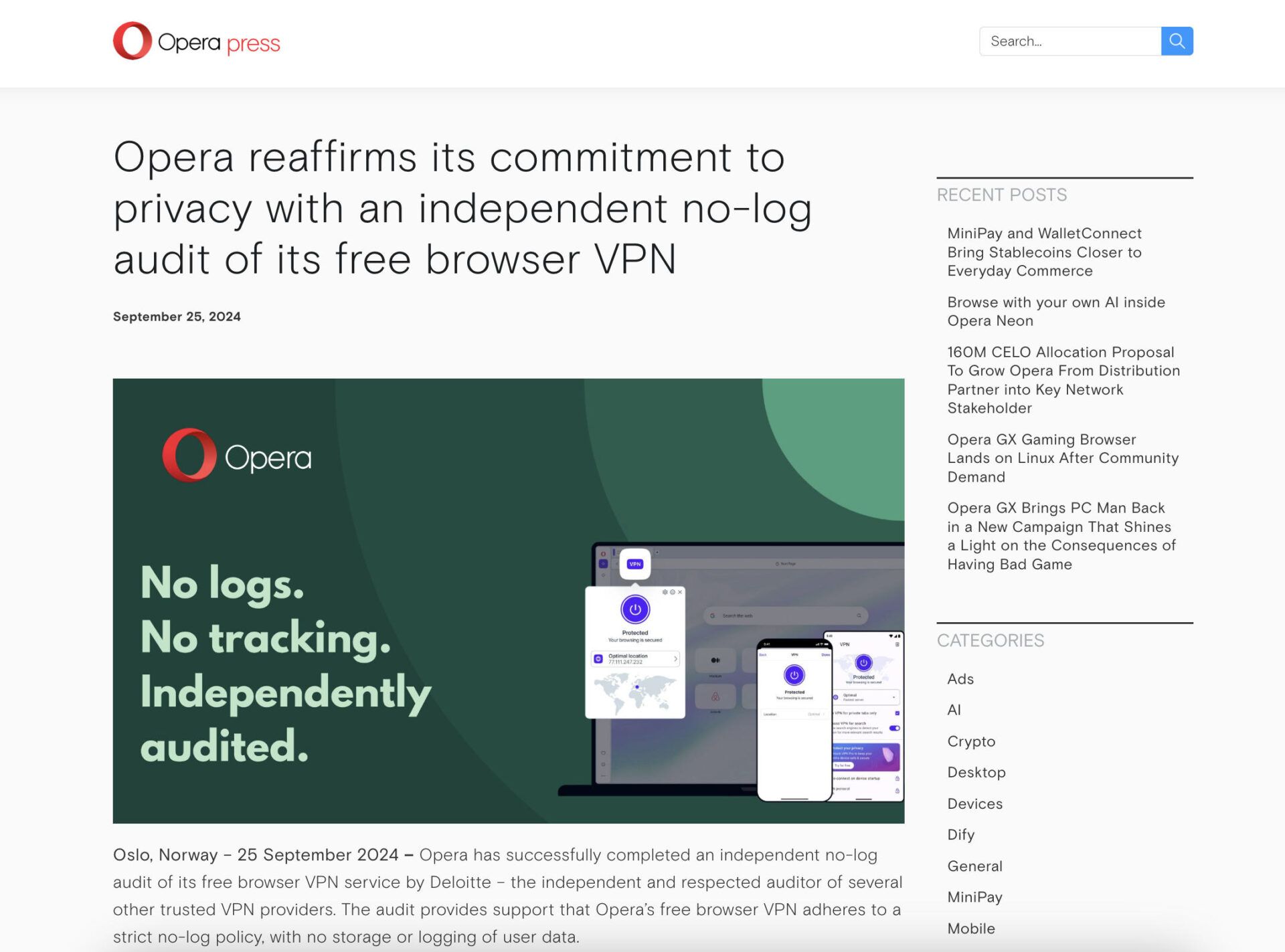
That said, audits verify what was true at the time of testing and they don’t change the fundamental limitations of a proxy-based service and they don’t apply to the browser’s broader data collection practices. If you want a fully-audited, dedicated VPN with above-average privacy and security, check out NordVPN instead.
IP & DNS Leak Tests: Let’s See if There’re Any Leaks
Is Opera VPN safe to use when talking about potential IP/DNS leaks? Let’s check that out now. Our first IP leak test is without using the protection. The results below show you our native IP/DNS locations with blurred addresses for privacy reasons.
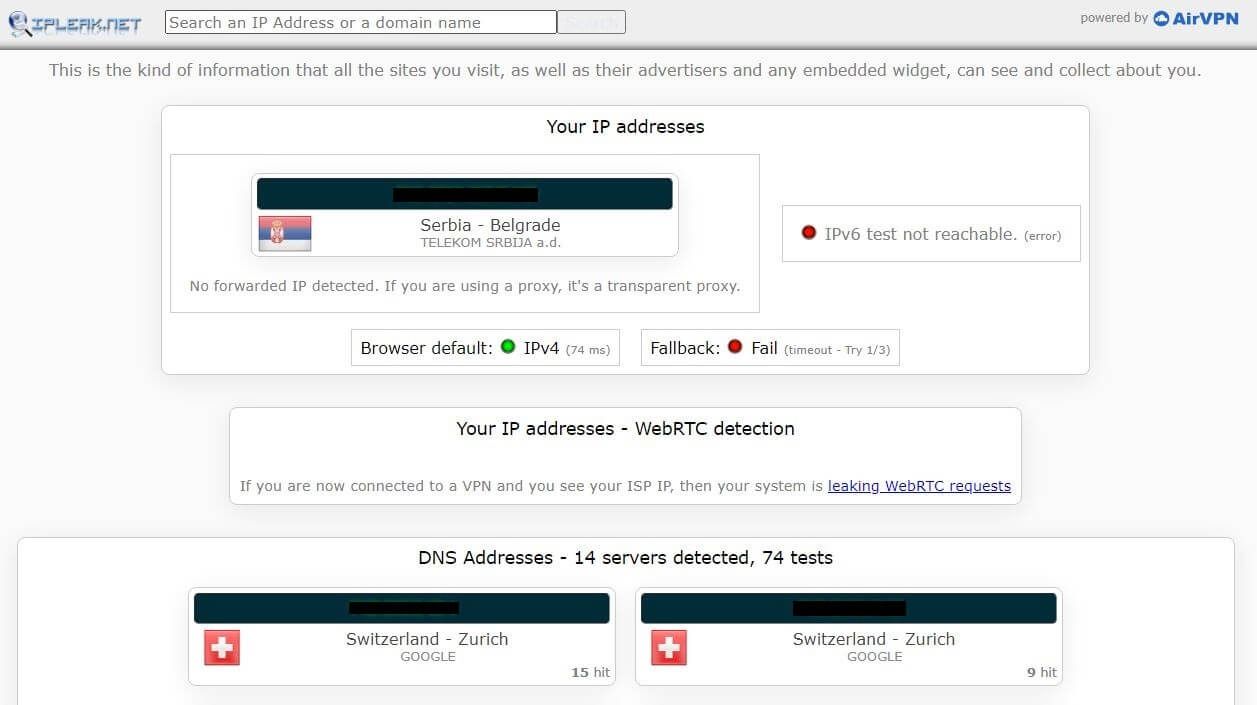
First, we connected to the European server using Opera VPN. Remember that the provider doesn’t allow you to choose particular locations, instead, you can just select regions. With the European region in place, the results are the following:
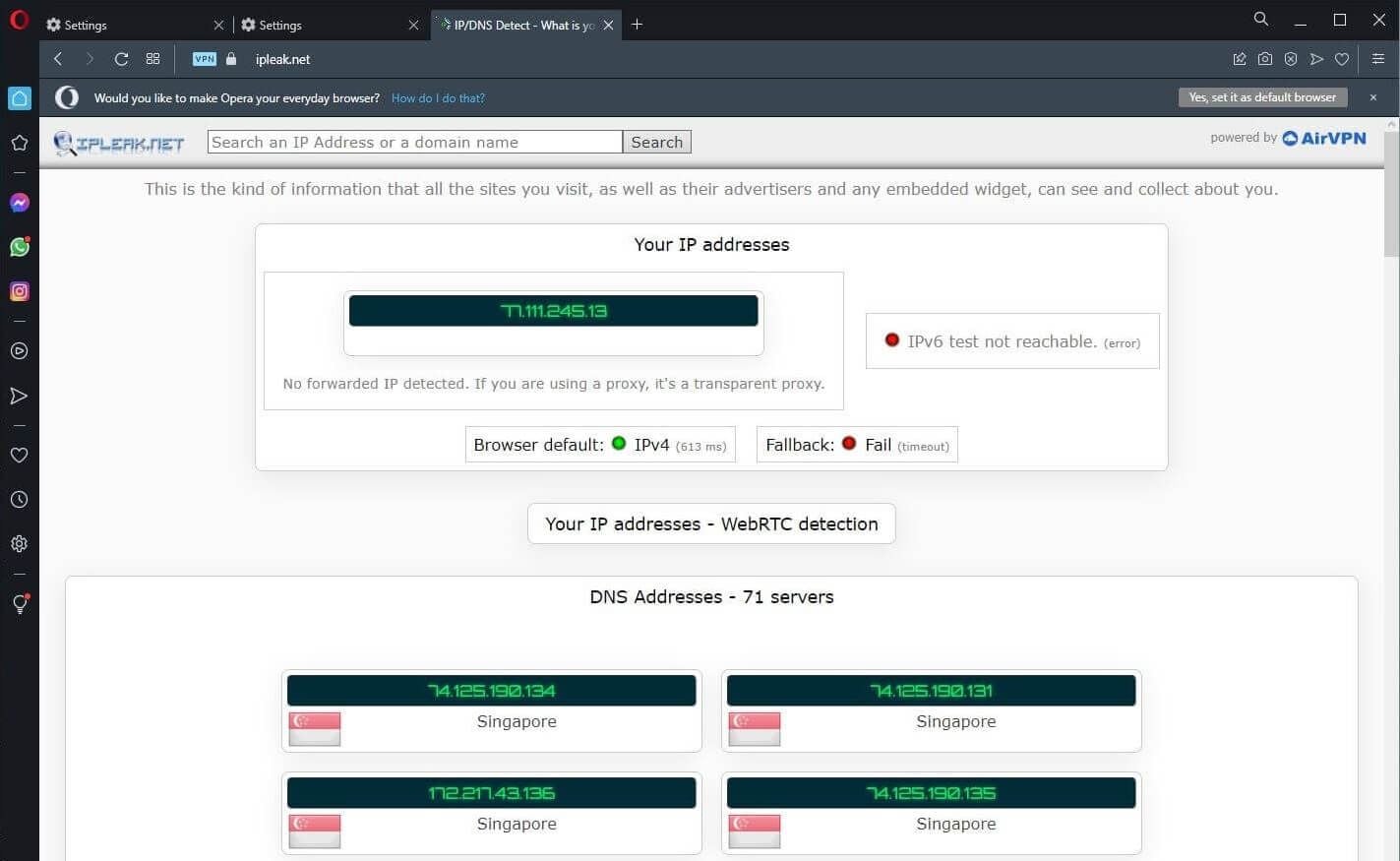
It looks like our native IP/DNS addresses are well-preserved. But keep in mind that this is only inside the browser. Outside of it, we’re still leaking our addresses and exposing our privacy.
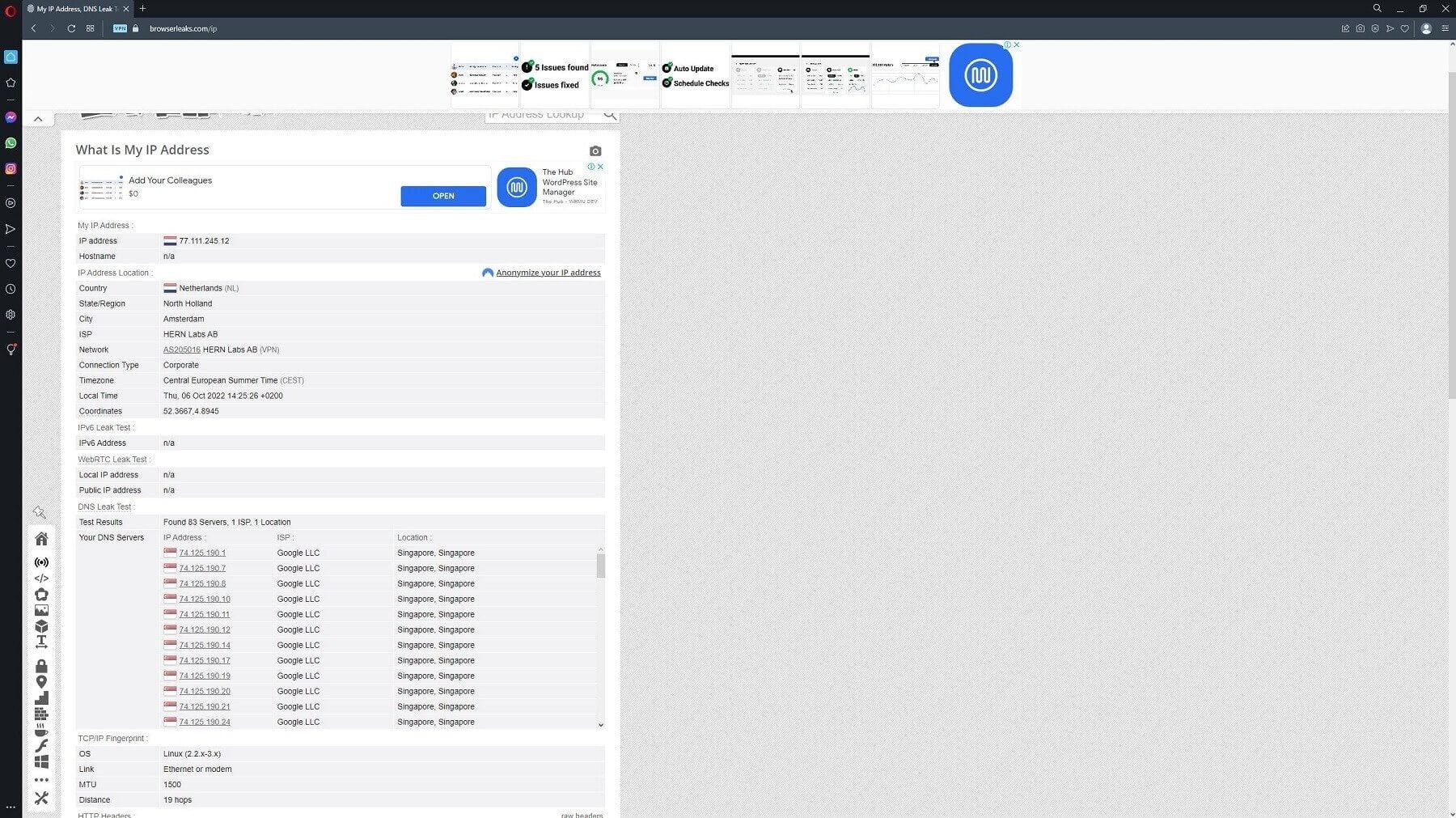
When using another site – browserleaks.com – Opera VPN shows the same great results. Our IP is now in the Netherlands, while our DNS addresses are from Singapore, as before. Either way, in-browser traffic is indeed secure, so we can’t complain about anything.
And if you’re eager to protect all traffic – inbound and outgoing – using a “real” VPN is much better. We recommend several VPNs for privacy that you can check out.
So, Is Opera VPN Safe to Use?
In the end, we think you already know the answer to the aforementioned question. Is Opera VPN legit, safe, and secure? As a company, it’s indeed legit. However, if you ask if it’s safe and secure, we have to go with the negative answers.
It’s simply not up to par with its competition, and above all, it’s more a proxy than a VPN. This, coupled with a privacy policy that conflates browser data collection with VPN privacy, the lack of a kill switch, and a few scandals in the past, make Opera VPN a provider we would not recommend.
If you’re seeking a free alternative, our go-to choice would be Proton VPN. And if you don’t mind getting a premium service, which we recommend above everything, you should use NordVPN.
