It’s not rare for site-building enthusiasts to seek a Wix vs Squarespace comparison. When you do a quick search, you’ll realize they’re the most popular website builders. For good reasons. Wix is simple to use, offers an impressive array of features, and includes many AI tools to make site building a breeze.
Squarespace is a more budget-friendly option. However, it doesn’t lack features, templates, SEO tools, and marketing features. During our Squarespace vs Wix assessment, we ultimately chose Wix as a better choice overall. If that’s enough for you, you have our blessing to pick this Wix coupon for some great savings.
If not, and it shouldn’t be, we advise staying until the end. This Wix vs Squarespace duel compares their templates, features, ecommerce tools, prices, and more, to give you a full picture of each in 2026.
Squarespace vs Wix: A Quick Comparison
| Wix 🏆 | Squarespace | |
| 💲 Starting price | $17 monthly | $16 monthly |
| 🆓 Free trial | 14 days | 14 days |
| ⚙️ Ease of use | Good for beginners | Excellent for beginners |
| 🤖 AI website building | Yes ✅ | Yes ✅ |
| 🖼️ Number of templates | 2,000+ | 200+ |
| 📈 Ecommerce tools | Small and large businesses | Small and mid-size businesses |
| 📧 Free email marketing | Yes ✅ | No ❌ |
| 🚧 Free website builder | Yes ✅ | No ❌ |
| 💾 Storage allowance | 2 GB to unlimited | Unlimited |
| ☎️ Customer support | 24/7 phone support, live chat, knowledge center, community forum | 24/7 live chat support, email support, community forum, help center |
Wix vs Squarespace: Ease of Use
During our testing, we realized that Wix and Squarespace are pretty simple to use overall. From onboarding to designing and editing the website, both ensure maximum flexibility and virtually hold your hand.
Initial Setup
Starting with the initial setup, Wix and Squarespace allow you to register and subscribe in a few minutes. Provide your email, pay for the subscription, and you’re ready. Wix, however, offers a free website builder, which you can use without paying at the start. Then, if you want, you can upgrade promptly.
After making an account, Wix will ask you more about the site you want to build.
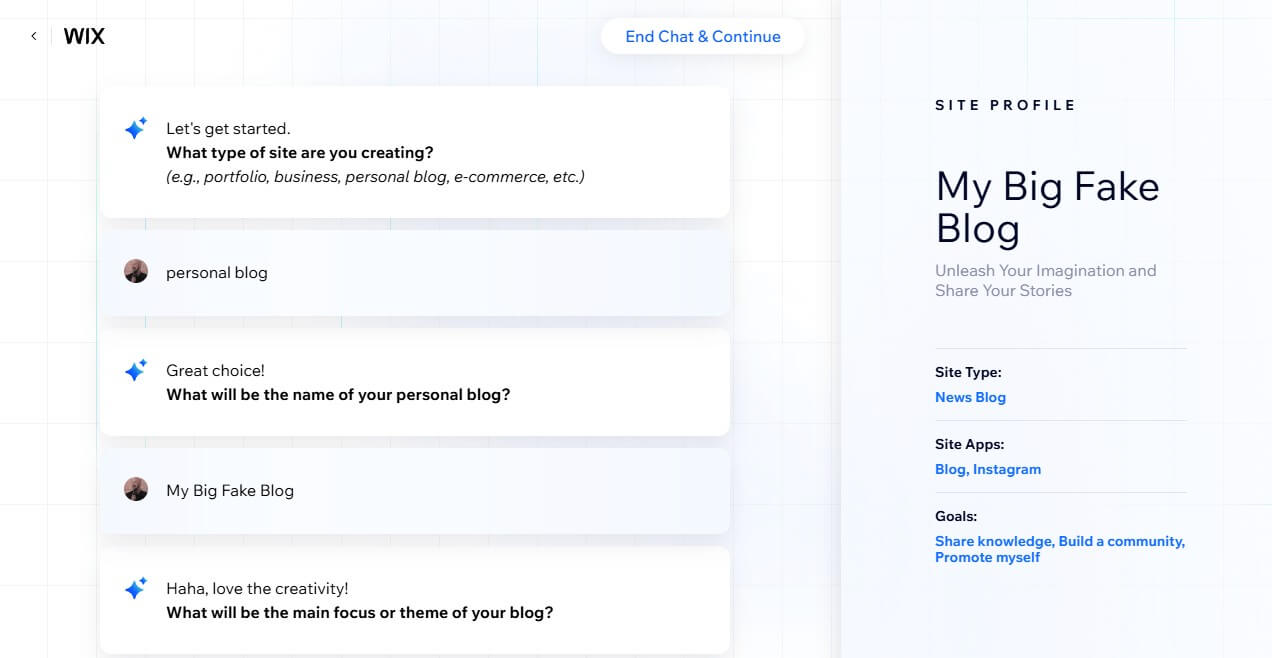
You can keep going to use Wix ADI, which will make a website based on your answers. If not, you can immediately pick the template and start making a website from there. Wix allows you to access its 2,000+ templates right away. After you pick one, you’ll wait for about two minutes for it to load properly.
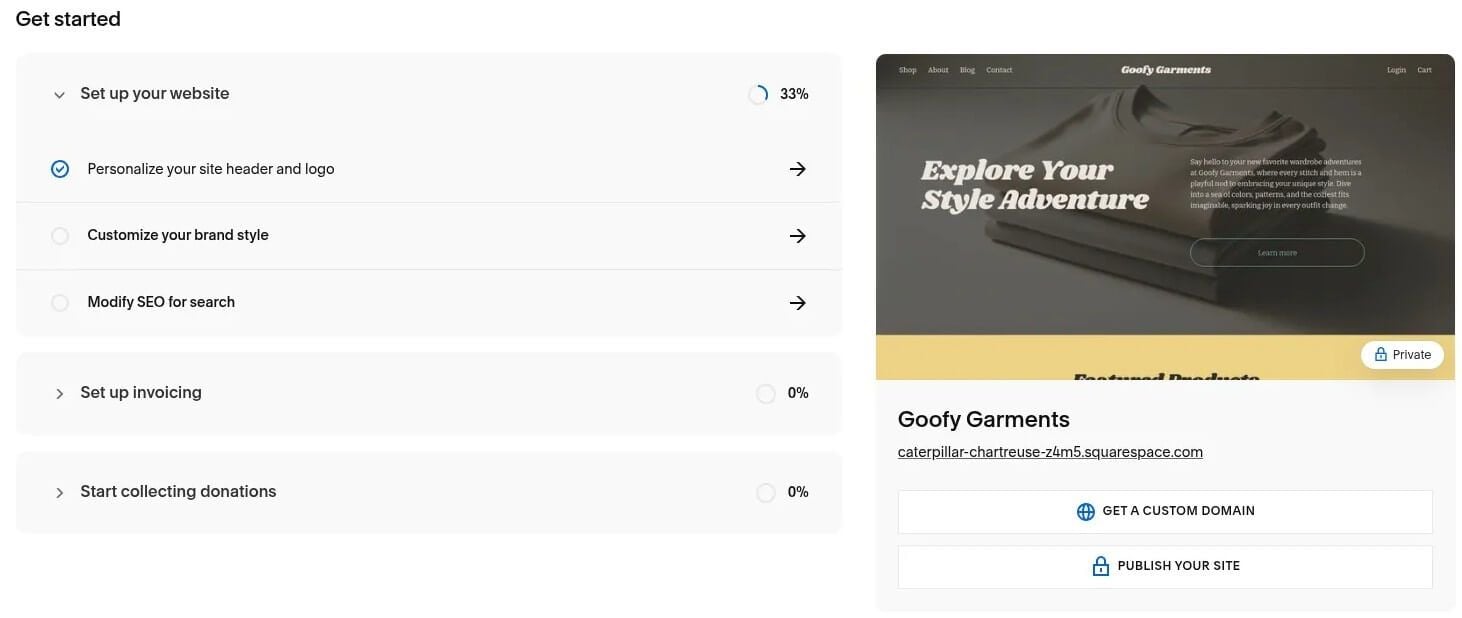
Squarespace’s onboarding process is virtually the same. Squarespace Blueprint can make a website for you based on your answers. The result isn’t as convincing as Wix’s, and we must notice that Squarespace should improve its AI a bit. With this in mind, you can build a site with one of 200+ free templates.
Pick one, wait for it to load for a minute, and you’re ready.
Website Editing
Now, we come to website editing – perhaps the most important aspect of a website builder.
Website builders should be straightforward enough for beginners. However, they also must offer enough customization for a unique website. Well, Wix falls into both categories as a famous drag-and-drop site builder. Its templates are open-ended, which means the user can customize them as they see fit.

You can drag, drop, and rearrange elements as you wish. Wix allows you to insert buttons and sections, edit the font, change colors, and more. Its design freedom is astounding, but this is both good and bad. Good because you can make unique sites, and bad if you don’t know what you’re doing.
During our Wix vs Squarespace comparison, we enjoyed the former thoroughly. But then, we made dozens, if not hundreds, of websites for testing procedures. Now, there’s Squarespace, which is more on rails. Yes, it’s a drag-and-drop builder, but you have pre-made sections, and that makes it nearly foolproof.
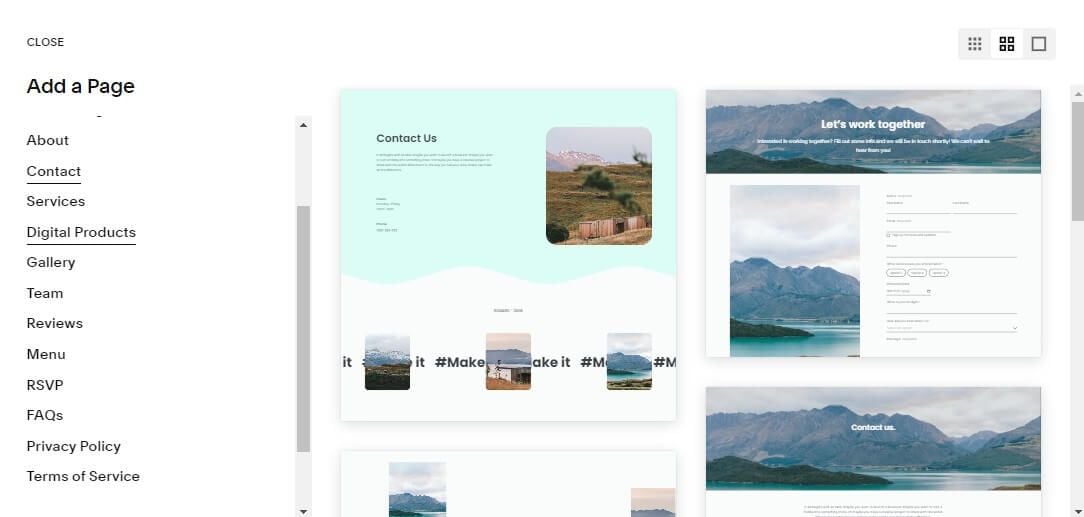
Squarespace’s beautiful templates aren’t as customizable as Wix’s. However, its grid structure means you can’t really create a bad-looking website. Rich design element library still means you can add, subtract, and edit elements as you like. For a section-based editor, Squarespace works really well, and we can’t complain.
In fact, after making several websites with Wix and Squarespace, we’re inclined to say that the latter’s websites were nearly as unique, if not more in some instances.
AI Tools
Website creation is much simpler with AI, an inevitable feature in 2026.
On this front, both providers have something to offer, but Wix takes the lead. We tested Wix and were impressed with its ADI, which makes a website from scratch. Apart from that, Wix AI tools can:
- Improve your SEO
- Provide layout and design suggestions
- Create text and product descriptions
- Generate blog posts
- Create logos
- Share data on where, and for what queries, your website is mentioned by AI engines
- Generate product images and more.
Squarespace’s AI tools have improved over the past couple of years. However, they still don’t reach Wix’s level. Still, Squarespace’s AI tools can, apart from building a website from scratch:
- Create a domain name
- Generate metadata and alt text
- Create text and blog posts
- Automatically create content to match your brand’s voice tone, and more.
We noticed that Squarespace lacks an AI logo maker, for example. Its AI also can’t generate social media captions. On the flip side, Squarespace’s AI can work with its Brand Identity tool, where you can share your business description, and the AI can create content to match its tone of voice and capture the essence.
Customization: Wix, Ease of Use: Squarespace ⚖️
There’s no clear winner this time. Wix is better for AI prowess and customization, so it’s a bit better for intermediate users. Squarespace is more straightforward and beginner-friendly, making site creation foolproof. Pick whichever you like more. You won’t go wrong.
Which Site Builder Has Better Templates?
Templates are the backbone of site builders, and they make the process much simpler. You pick the template you like the most, edit the stuff you don’t like, and get the website. Pretty simple, right? In this Squarespace vs Wix comparison, we’ll analyze their templates and see which provider offers more.
Wix offers 2,000+, while Squarespace has 200+ templates.
Both providers offer free templates, unlike Shopify, which charges a one-time fee for most of them. Wix has both quality and quantity on its side, but we shouldn’t disregard Squarespace and its industry-leading templates. In fact, we’d say that Squarespace probably has the best-looking templates in 2026.
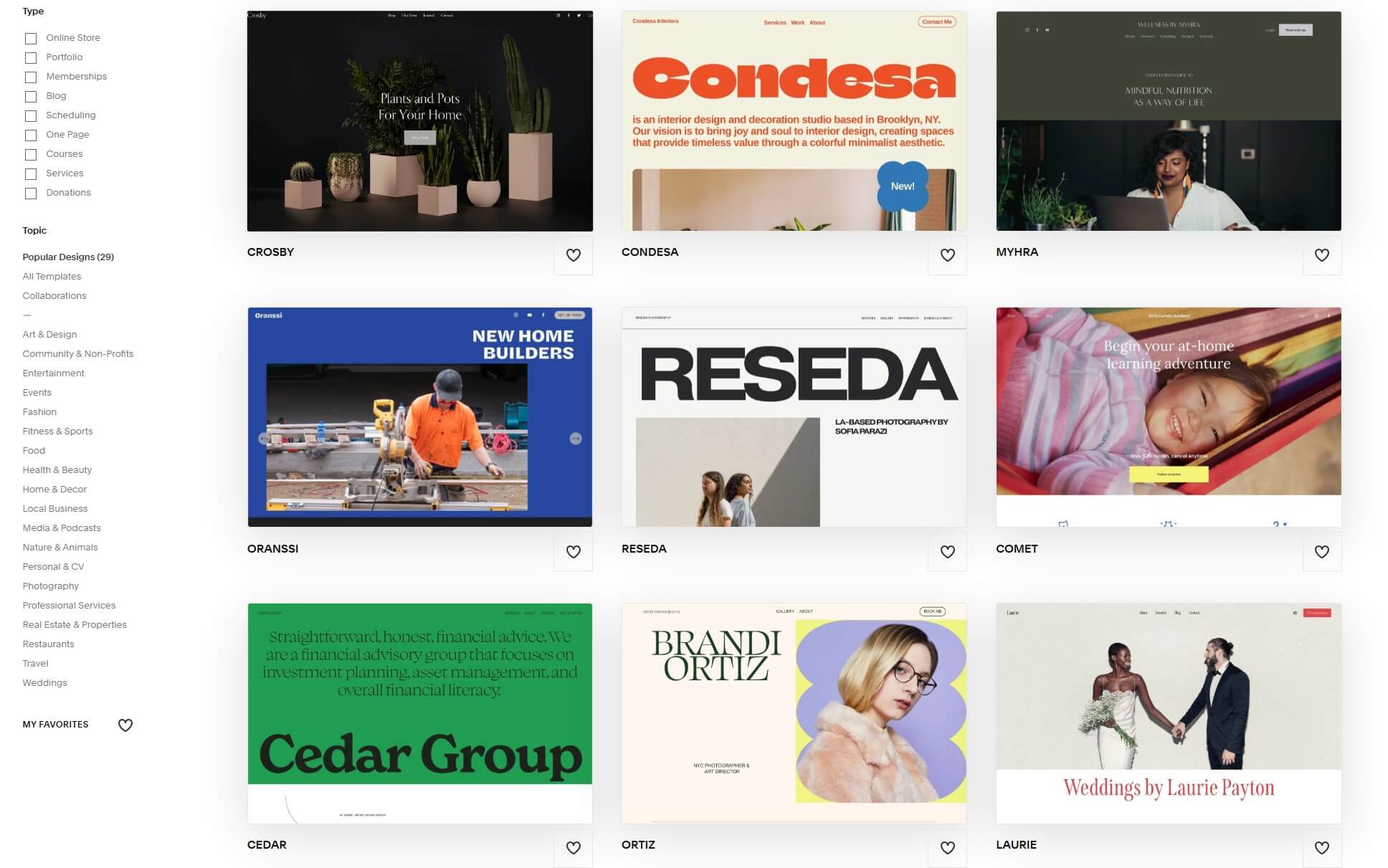
However, Wix’s templates are simply too many to count, plus their quality is generally on par. We really like Wix’s categorization, which extends beyond the basics. For instance, you’ll be able to find templates for specific industries and their branches. Let’s say you want a photography template.
You’ll see hundreds, but when you search for dog photography, Wix will find a myriad of options. In comparison, Squarespace’s categorization is a bit less impressive, and because it has fewer templates, chances are you won’t be able to narrow your selection that much. We haven’t warned you of one thing.

That is the inability to swap your template once your site goes live. This means you have to pick a template carefully and ensure everything is to your liking. If it isn’t, you must pick a new template and start working on it from scratch. It’s a bit of a hassle, but it actually makes sense because templates are wildly different.
More Templates: Wix, Better Templates: Squarespace ⚖️
We’re inclined to pick Wix, as its template selection outnumbers Squarespace’s. The latter does have stylish designs and amazing-looking options, but Wix’s numbers are hard to argue with, plus, their design is far from outdated or significantly worse than Squarespace’s. In our view, Wix is more compelling.
Which Website Builder Is Better for Selling Online?
In search of an ecommerce website builder? If so, should you choose Squarespace or Wix? To find that out, we made online stores on both sides and experimented with their sales tools. Our results are below.
Ecommerce Features
Ecommerce features are present in both website builders. However, Wix has a slight edge, as it’s more flexible, offers a variety of third-party sales tools, and has more comprehensive inventory management. Wix’s multi-channel selling, access to POS, and even dropshipping are outstanding for the price.
Moreover, the provider includes Wix Payments with dozens, if not hundreds, of payment vendors, making it great for selling products worldwide. In Wix, you can also sell digital and physical products at no added cost. Plus, you can sell subscriptions, schedule appointments, and recover abandoned carts.
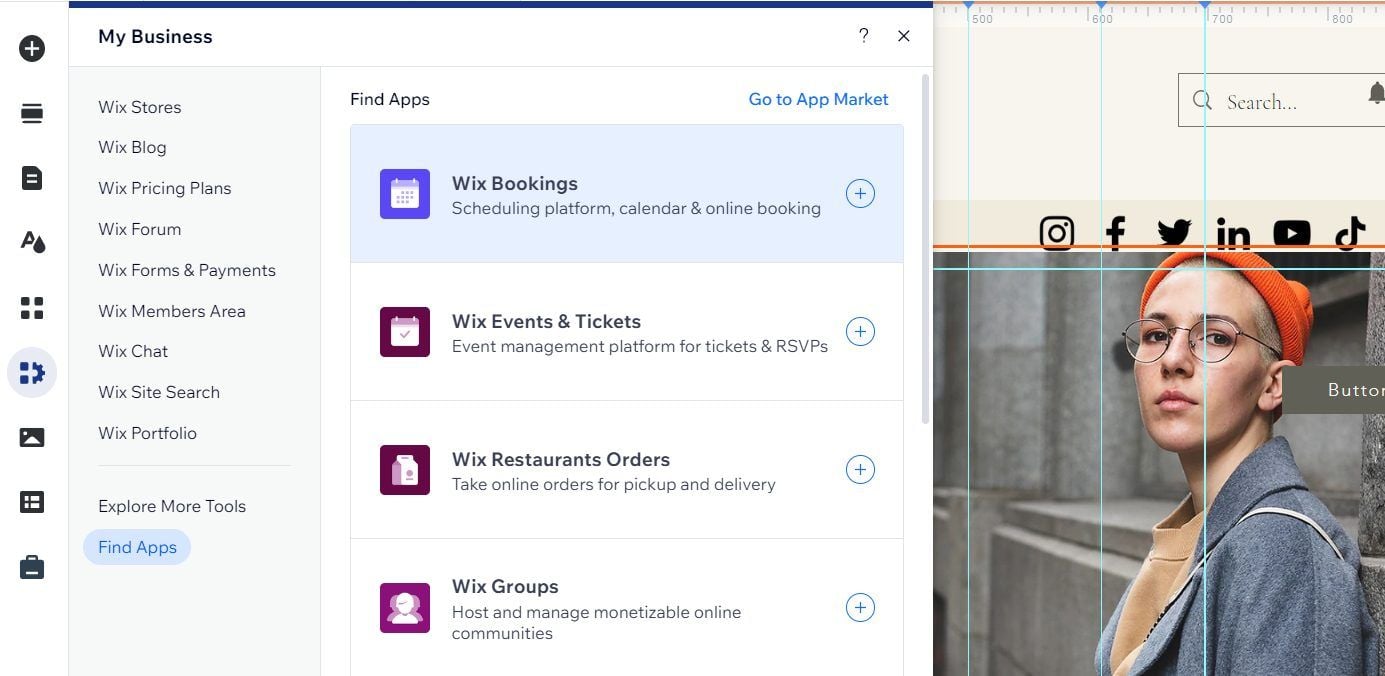
During our testing, we found that Wix lets you sell up to 50,000 items. It also has flexible shipping options, with local delivery. Wix can’t compete with Shopify for large-scale stores, but we know a few big online store owners who use Wix without hassle. It’s a foolproof website builder for online sales.
Squarespace lets you sell unlimited products. Its inventory management is pretty simple, but it isn’t made for in-depth tracking and analytics like Wix or Shopify. However, Squarespace also has multi-channel selling for connecting with third-party platforms like social media, Amazon, eBay, and many others.
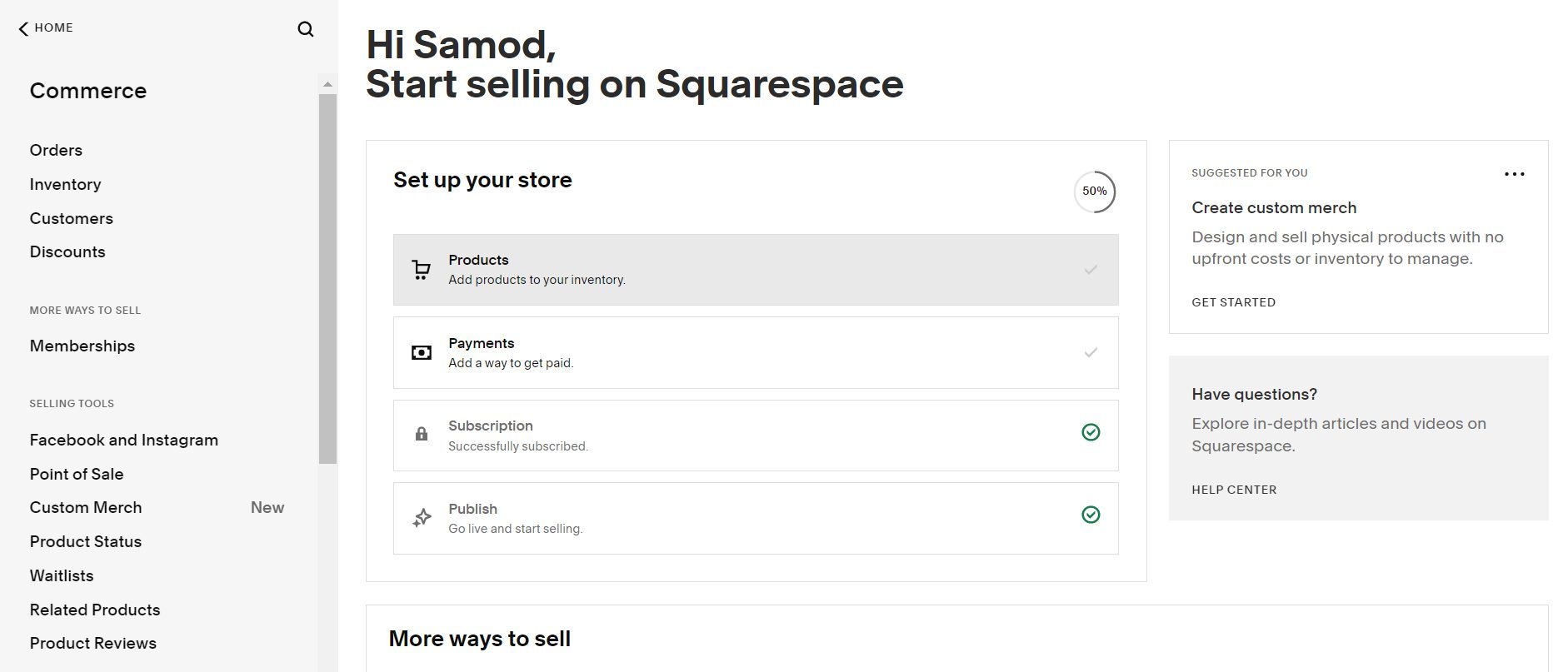
Its built-in appointment scheduling is a plus, but requires a monthly fee. On the flip side, the site builder has Squarespace Payments with all popular vendors, including PayPal, Klarna, credit/debit cards, and others. Thanks to AI, Squarespace helps create product descriptions and add images.
The intuitive interface makes product management a breeze, as well. It’s a shame that Squarespace lacks many third-party sales tools from Wix. While you can sell all types of products, including digital, physical, subscriptions, and others, Squarespace’s more simplistic nature makes it better for smaller stores.
Payments & Fees
Both providers have an abundance of payment vendors through their in-house payment solutions. Wix Payments and Squarespace Payments are some of the leading options, offering vendors to people in all parts of the globe. Both have dozens of excellent picks that include the following:
- Credit and debit cards
- PayPal
- BNPL
- Pay Now
- Link
- Afterpay
- Apple Pay, and many more.
Both providers’ transaction fees depend on the chosen vendor. However, they also take a fee for each payment based on the plan. Squarespace either takes 3% or 0%. 3% fees are for the Business plan, while Commerce Basic and Commerce Advanced plans have 0% transaction fees. What about Wix?
Wix’s fees vary greatly. However, the minimal fee is 2.9% + $0.30. Some payment methods, like PayPal, come with a 3.49% + $0.49 fee. Fees go up to 6% + $0.30 for Klarna, Afterpay, and a few other vendors. Wix’s fees aren’t sky-high, particularly when compared to Squarespace’s Business plan fees.
But, while Squarespace lets you reduce them to 0%, you can’t do this in Wix, no matter how expensive the plan you purchase is. So, what’s the final verdict?
Better Sales Tools: Wix, Lower Transaction Fees: Squarespace ⚖️
Pick Wix for maximum selling efficiency and more ecommerce tools. However, if you value lower transaction fees and need a site builder for a small to mid-size online store, Squarespace poses as a better option. There’s no winner here. You should base your choice on your business goals.
Wix vs Squarespace for Marketing
Marketing tools are present in both, but we found Wix just a bit more impressive.
Wix has free email marketing, one of its best features. It lets you create email marketing campaigns and craft nice-looking emails through its editors. You can make a stunning template, edit it, and make it fit your brand. Email editor and its email automation make the tool extremely helpful and versatile.

Plus, built-in marketing allows you to create social media posts, use the form builder to gain new leads, and even integrate third-party tools. Wix’s huge selling point is the App Market for implementing third-party marketing tools for email marketing, site listings, social media, and more. There’s no shortage of these apps.
Squarespace doesn’t offer built-in email marketing. You must purchase it, and the starting price is $8 monthly, which lets you send 500 emails monthly. Squarespace’s email editor is outstanding, and you can make equally impressive email campaigns. Advanced tools like automation and segmentation are there.
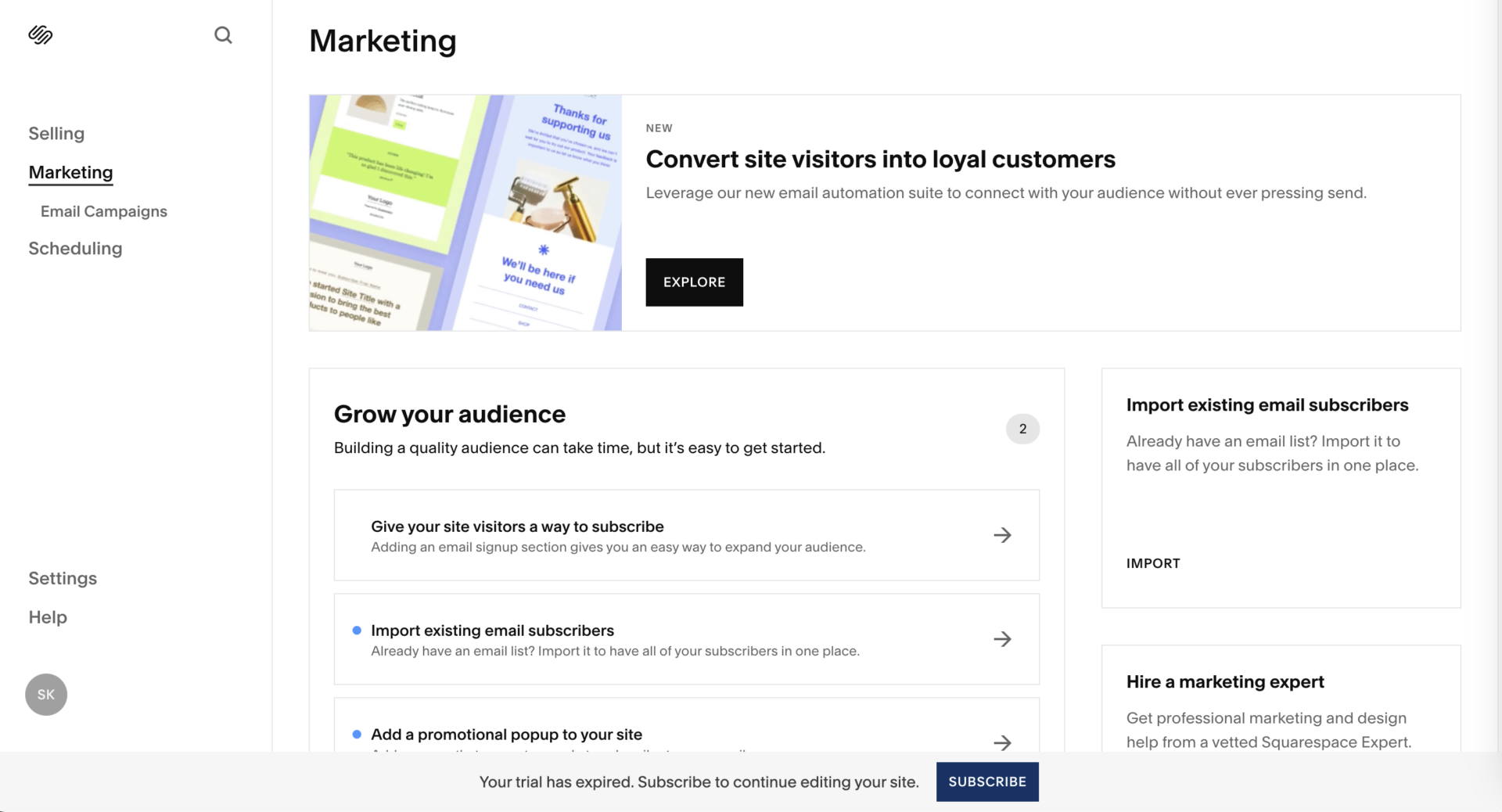
Like Wix, Squarespace’s email marketing provides analytics, AI email copies, and everything else. However, its third-party marketing extensions aren’t as impressive, as you only get about 17. You can use Mailchimp, SEOSpace, Progressier, and a few others, but don’t expect anything miraculous.
Better for Marketing: Wix 🥇
Wix’s built-in and third-party marketing apps make it a more compelling option for marketing overall. Squarespace does the job, but you have to pay more for its email marketing, plus you get fewer third-party plugins to work with.
Which Option Is Better for Website SEO?
In our Squarespace test, we mentioned its helpful SEO tools and praised their function. But when we compared it to Wix, we noticed a few major differences.
Let’s first address their similarities. Both offer basic SEO functions, allowing you to edit your page titles, meta titles, and descriptions, and get some basic analytics. Their AI tools also come to mind here, as they allow you to automatically generate meta titles and alt text for more convenience.
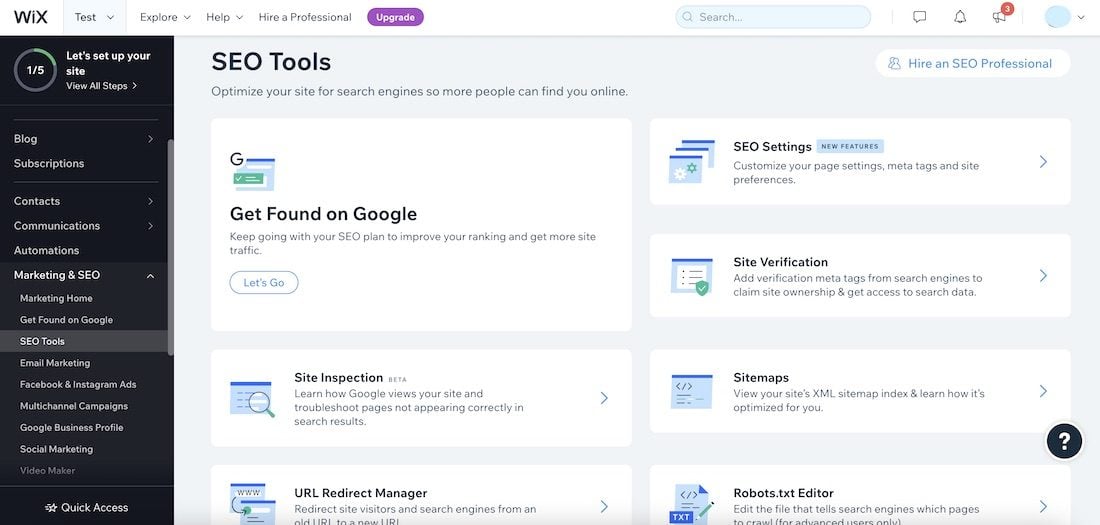
Another plus is an SEO Checklist in both providers, which explains the next steps you must take to improve your website’s SEO. Again, Wix punches Squarespace’s belly by offering more third-party apps for SEO, keyword research, and in-depth analytics. The most popular add-on, Semrush, lets you explore keywords.
Its comprehensive keyword research lets you fetch high-ranking options for your content. On the flip side, Squarespace lets you integrate Google Search Console, but so does Wix. We also noticed that both providers automatically update your sitemap, so whenever you make a change on the site, it’s automatically reflected.
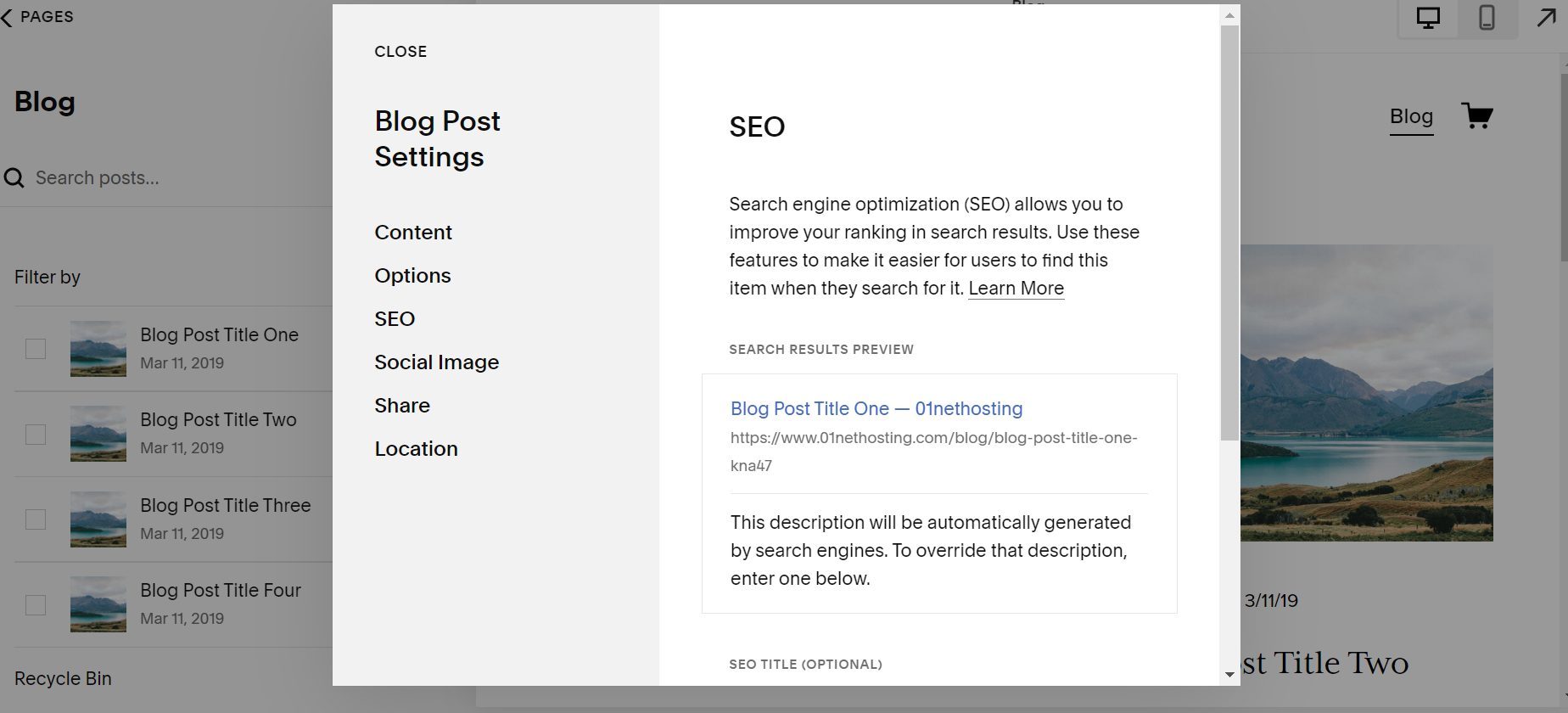
Still, we can’t help but praise Wix for its App Market and countless SEO tools that even go as far as backlink optimization, AI blog generation, and more. Squarespace offers only a few, and while they’re great, they can’t compete with Wix. Whichever website builder you pick, we suggest using a dedicated SEO tool.
You can’t go wrong with added SEO. In fact, you can only benefit greatly.
Better for SEO: Wix 🥇
The overall SEO performance goes to Wix, but Squarespace isn’t far off. Still, if you want to maximize your SEO and enjoy more in-depth customization, Wix provides far more than Squarespace in 2026.
Third-Party Integrations & Apps
Both providers have third-party apps.
In Wix, you get the App Market with hundreds of apps in different categories. They range from SEO and marketing to sales, social media, design, blogging, and more. Wix’s apps are state-of-the-art, and pretty much all have a free trial. However, we found that most apps are paid, but very well worth the money.
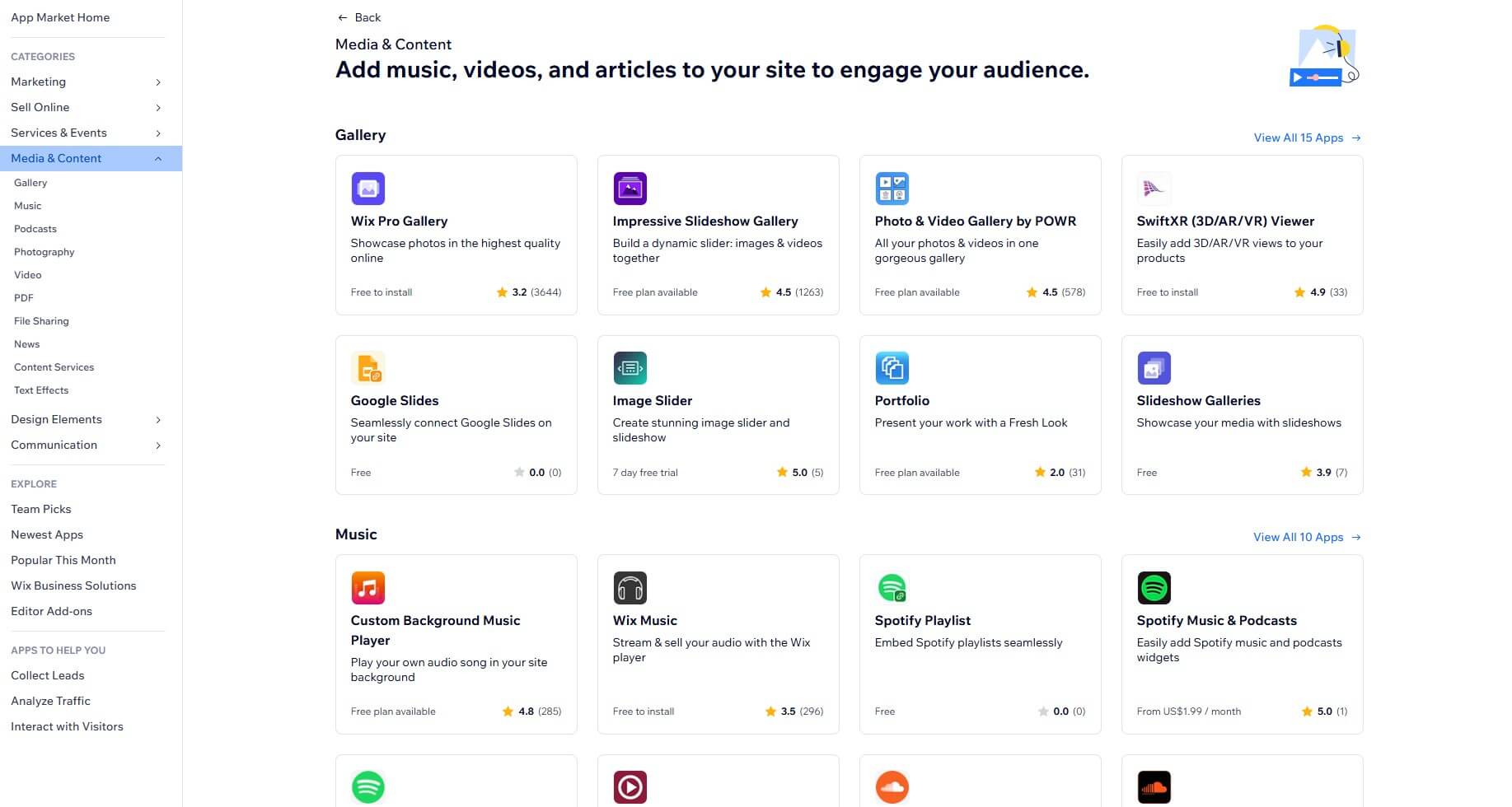
Squarespace has its plugin market, which houses around a few dozen apps, but only in a few categories, such as sales, finance, inventory management, and marketing. We explored this plugin store and found that Squarespace lacks compared to Wix. For instance, Wix has many website translation apps.
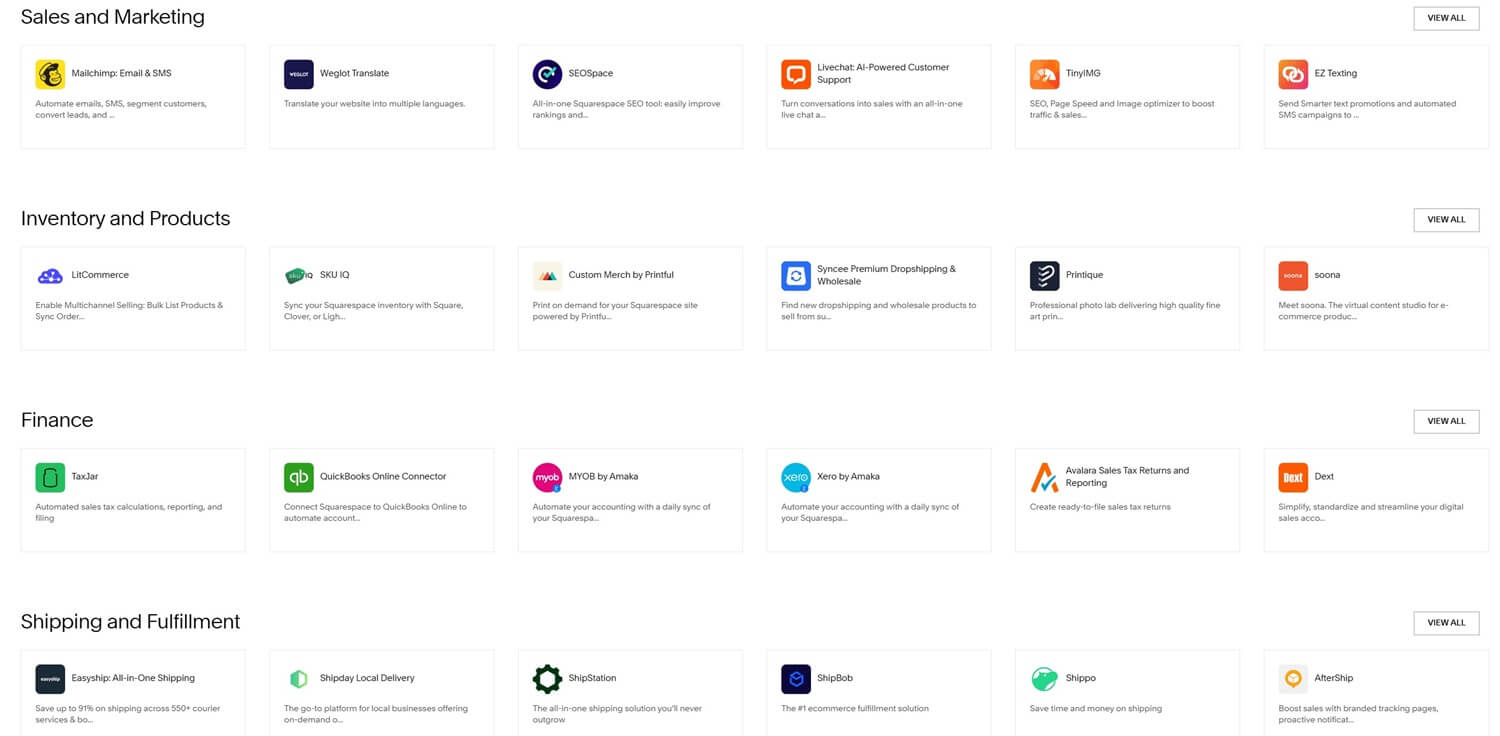
They allow you to translate an entire website or online store, helping you reach a worldwide audience. Squarespace offers this option through Weglot, but it’s a paid add-on. You don’t have to be a rocket scientist to notice the difference. A few dozen vs a few hundred apps: who do you think will win?
Better for Third-Party Apps: Wix 🥇
Pick Wix for more third-party integrations that greatly expand your capabilities. You’ll enjoy a wide selection of apps from multiple categories, including SEO, sales, design, marketing, and more.
Squarespace vs Wix Pricing Comparison
Which website builder is cheaper in 2026? That title goes to Squarespace, and here’s why.

The site builder starts at $16 monthly, but to sell online, you must spend $23 monthly. Either way, this isn’t a high price considering the free domain for a year, advanced shipping, a small, 3% transaction fee, and comprehensive analytics. You can drop the fees to 0% by opting for the Commerce Basic plan at $28 monthly.
Interestingly, Squarespace tops out at $52 monthly, where it allows you to sell subscriptions and get abandoned cart recovery. These features are otherwise unavailable in other plans. So, let’s now discuss Wix, which starts at $1 more, or $17 monthly for the Light plan. To sell online, you’ll spend $29 on the Core plan.
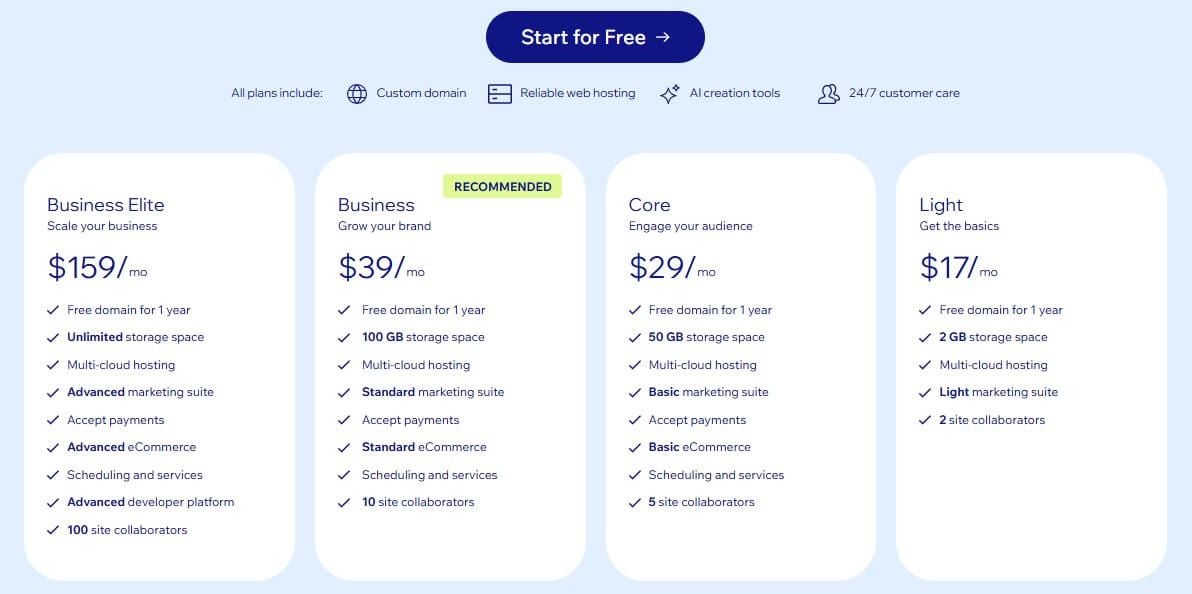
You can see where this is going. The Business plan is $39, while the Elite variant of that plan is $159 monthly. Wix limits your storage, but includes a free domain. It also limits your site collaborators, while Squarespace offers both unlimited storage and collaborators. Wix has a small advantage, though: a free plan.
It’s quite limited, with 500 MB of storage and bandwidth. Squarespace doesn’t offer anything similar, but you do get a 14-day free trial, which Wix also has. The latter also has a free domain for the first year.
Better Value for Money: Squarespace 🥇
Squarespace’s pricing is cheaper across the board, and the site builder is a better pick for users on a tighter budget. We advise its Commerce Basic plan with 0% transaction fees and robust ecommerce tools. Wix’s best plan is Business, but it’s considerably pricier and doesn’t necessarily offer more.
Customer Support
It’s hard to complain about customer support in Wix or Squarespace.
We tested both options and found that Wix was slightly ahead. Wix offers:
- 24/7 phone support
- Live chat support (Monday to Friday)
- Knowledge center
- Community forum
In comparison, Squarespace offers:
- Email support
- 24/7 live chat support
- Help center
- Community forum
We’re looking at roughly the same support means. However, Squarespace lacks support via phone, and its email support is slightly less responsive. On the other hand, we have Wix and its callback phone support, which works surprisingly well. Live chat support, despite not being 24/7, works like a Swiss clock.
During business days, it responds instantly, while weekends are usually tackled by diligent email support. Both providers have community forums with plenty of threads and topics to figure out the solution easily. Plus, their knowledge centers hold many articles, guides, and FAQs to help you along the way.
Better Support: Wix 🥇
In the end, Wix is a bit more responsive and offers both live chat and phone support that you can easily reach whenever you need. For this reason, we give the final round of this comparison to Wix.
Wix vs Squarespace: The Final Verdict for 2026
After our exhaustive Squarespace vs Wix comparison for 2026, it’s time for a coveted verdict.
Wix is a better, more capable platform overall. Our tests imply that Wix beats Squarespace in many aspects, including design freedom, the number of templates, ecommerce prowess, and SEO and marketing tools. With a robust App Market, Wix can extend its already impressive capabilities and become more powerful.
Squarespace is more about stylish designs, ease of use, effortless website building, and value for money. If you speck it up with all the optional extras, Squarespace comes pretty close to Wix, but then, it costs just as much, if not more. Without the extras, such as email marketing, Acuity Scheduling, and other tools, it’s more affordable.
Thus, our verdict is that you should pick Wix if you don’t mind spending a bit extra for the ultimate site-building experience. Conversely, Squarespace is a more beginner-friendly pick with lower prices, less customization, but still impressive features. Now, we leave the fate of your website in your capable hands.
Wix