Choosing the right platform for selling online is highly important. If you wonder if Shopify, Wix, and WordPress are great, they surely are! However, not every platform will meet your demands. This is why we made this in-depth Shopify vs Wix vs WordPress comparison for 2026.
To highlight their strengths and weaknesses, as well as help you decide on the right choice. While Shopify is a clear-cut eCommerce platform, Wix and WordPress emphasize general website building, but also include a comprehensive eCommerce toolkit. So, which one wins?
We’ll answer this question in the following three-way comparison of Wix, Shopify, and WordPress. We analyzed their templates, site editors, ease of use, eCommerce features, SEO and marketing tools, and more. Answers lie ahead, so scroll down and discover them.
Shopify vs Wix vs WordPress: Main Differences
Okay, so let’s immediately make a distinction between the three.
Shopify is, at its core, a website builder; however, it’s sales-oriented. This means the majority of Shopify’s features are aimed at online shops that require in-depth SEO and marketing tools, inventory management, customizable shipping, and so on.
Wix is an all-around site builder that can also be an eCommerce platform if you spend more on a plan other than Light. Being a more versatile option overall, Wix is also fantastic for blogging or even photography sites, portfolios, etc. But what about WordPress?
WordPress is a CMS, or Content Management System. Most sites are built with it, and it’s an even more powerful solution than Shopify and Wix. However, this comes at a price, as WordPress primarily relies on third-party and first-party plugins for almost all features.
A popular WordPress plugin is WooCommerce, which allows online sales and is actually pretty good for both small and large businesses. Enterprises, for example, rely on Magento, and they pick an adequate Magento hosting service to go with it.
Wix vs WordPress vs Shopify: eCommerce Prowess
You’ve come to this WordPress vs Shopify vs Wix comparison for eCommerce, have you?
We’ll cut to the chase right away and see which platform offers the best experience.
Wix
Wix provides ample eCommerce tools that’ll help you get started immediately.
You have to spend a bit more on the Core or Business plan to get everything. We have been using Wix Business for years and are extremely satisfied. Some of our favorite eCommerce functions include:
- Comprehensive inventory management
- AI tools for product descriptions and image generation
- Built-in app store that extends functionalities
- 100+ payment vendors
- Wix Payments
- Customizable shipping and more.
Wix also provides access to POS, which allows for in-store pick-ups. Furthermore, the provider is extremely simple to set up, as you can add products, descriptions, and everything else before customizing your website. Wix allows you to sell up to 50,000 items, which is more than enough for most users.
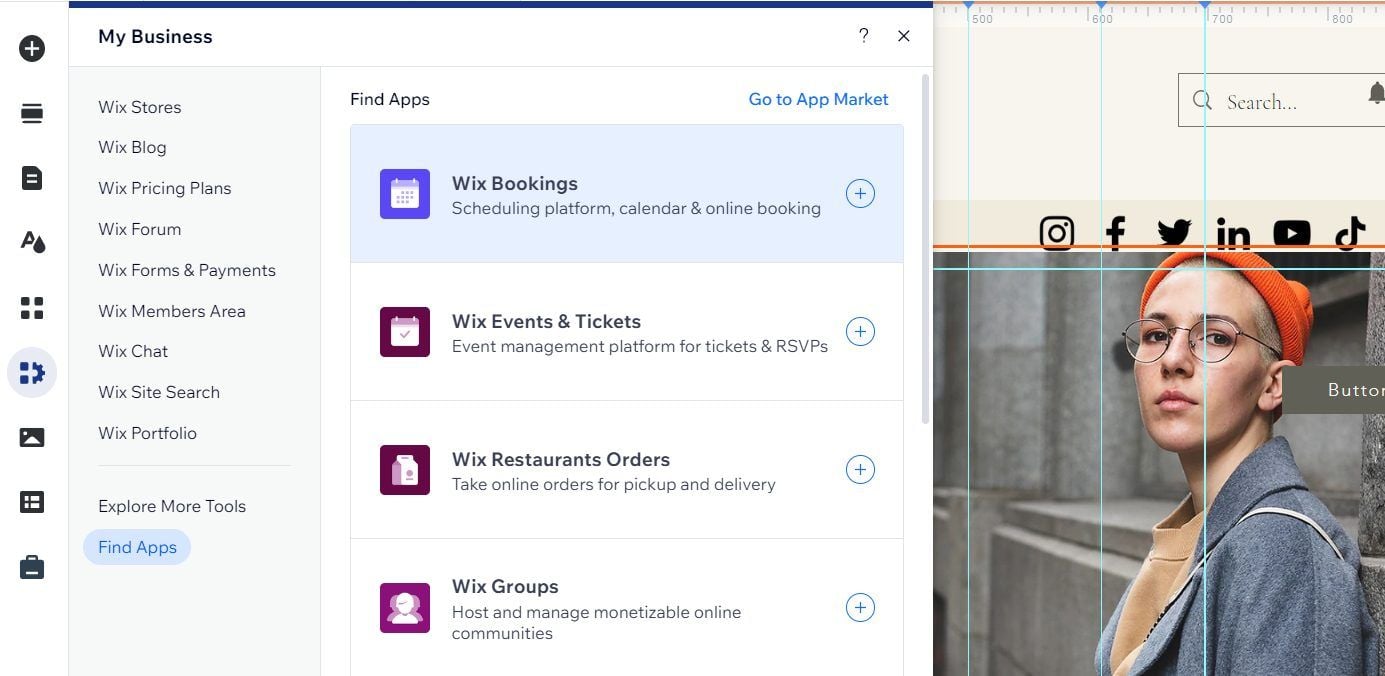
We also like that Wix allows you to sell digital and physical products and subscriptions without spending extra. Coupled with the scheduling function, you can even sell services and collaborate effectively with your customers. Bear in mind that Wix offers multi-user access, which is helpful.
As for transaction fees, Wix won’t break any records. They depend on the payment vendor; however, this eCommerce site builder takes 0%. Credit cards, PayPal, and other gateways may have a small 2% (more or less) fee. We recommend using the Wix Payments system, which encompasses all supported payment vendors.
WordPress
WordPress is a different beast, but a beast nonetheless. However, without its WooCommerce plugin, it’s naked as a gun. Luckily, WooCommerce is free to install, and if you’ve chosen appropriate WordPress hosting, you’ll get both pre-installed without moving your lovely finger.
So, what can you expect from WooCommerce? Here’s a brief overview:
- Excellent store customization
- Outstanding plugin availability (over 50,000)
- Easy product and inventory management
- 140+ Secure payment gateways
- Shipping and tax calculation, and more.
The list looks eerily similar to WordPress, and at its core, WooCommerce isn’t very different. However, as a free WordPress plugin, it doesn’t offer many built-in features. Some functionalities are paid. And, to make things worse, WooCommerce also has its own plugins.
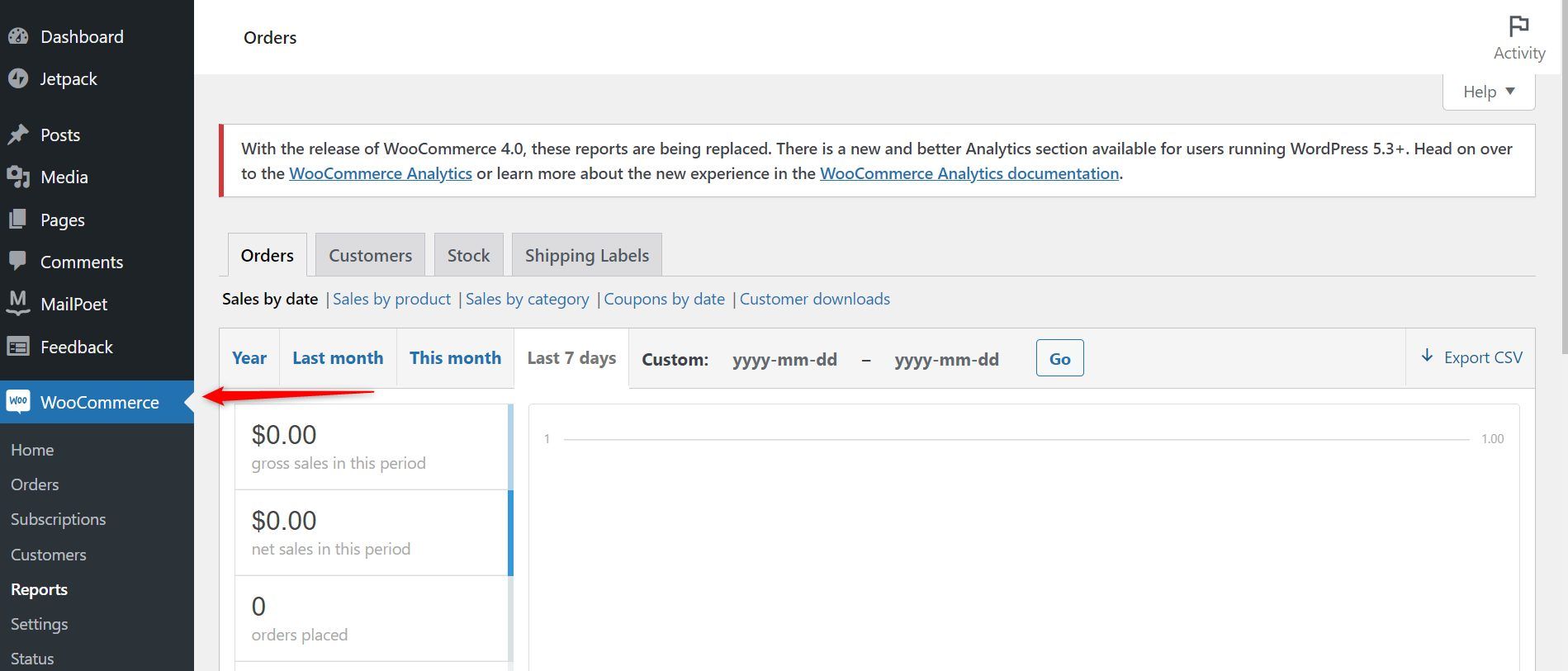
For example, the Product Add-ons plugin costs $79 annually and allows you to add special options to products, such as custom wrapping and a message. Some plugins are free but expect to splurge an extra on the best ones. Expect that for store themes, and although they’re one-time payments, they can cost a lot.
Selling online with WordPress depends on WooCommerce and the amount you’re willing to spend on plugins and extensions. It’s also great to know that its transaction fees are typically 2.9% + $0.3, but that depends on the payment vendor. Again, we recommend the in-house WooPayments solution for receiving payments.
It offers hundreds of worldwide vendors and makes payment management much simpler.
Shopify
We finally have Shopify, which we tested separately with excellent results.
I mean, this is the best overall option for eCommerce, especially since its Basic plan covers all your needs, and likely way more than that. The Basic package’s best features are:
- Selling unlimited items
- Sales of subscriptions, services, and physical and digital products
- Access to the POS and dropshipping market
- In-depth inventory management
- Extensive app store with helpful plugins
- Excellent storefront translation
- 100+ secure payment gateways, and more.
Shopify is marginally better than Wix for online sales. Price-wise, it’s pretty similar. The only “trick” is that Shopify is more suited to mid-sized and large businesses because the Basic plan’s transaction fees are notably higher. On the other hand, the sales tools you get are otherworldly.
Shopify is easy to set up and customize. You can control everything, from store design to shipping, payments, product descriptions, etc. Shopify even provides access to the dropshipping market, and you can sell in person, which makes Shopify highly versatile.
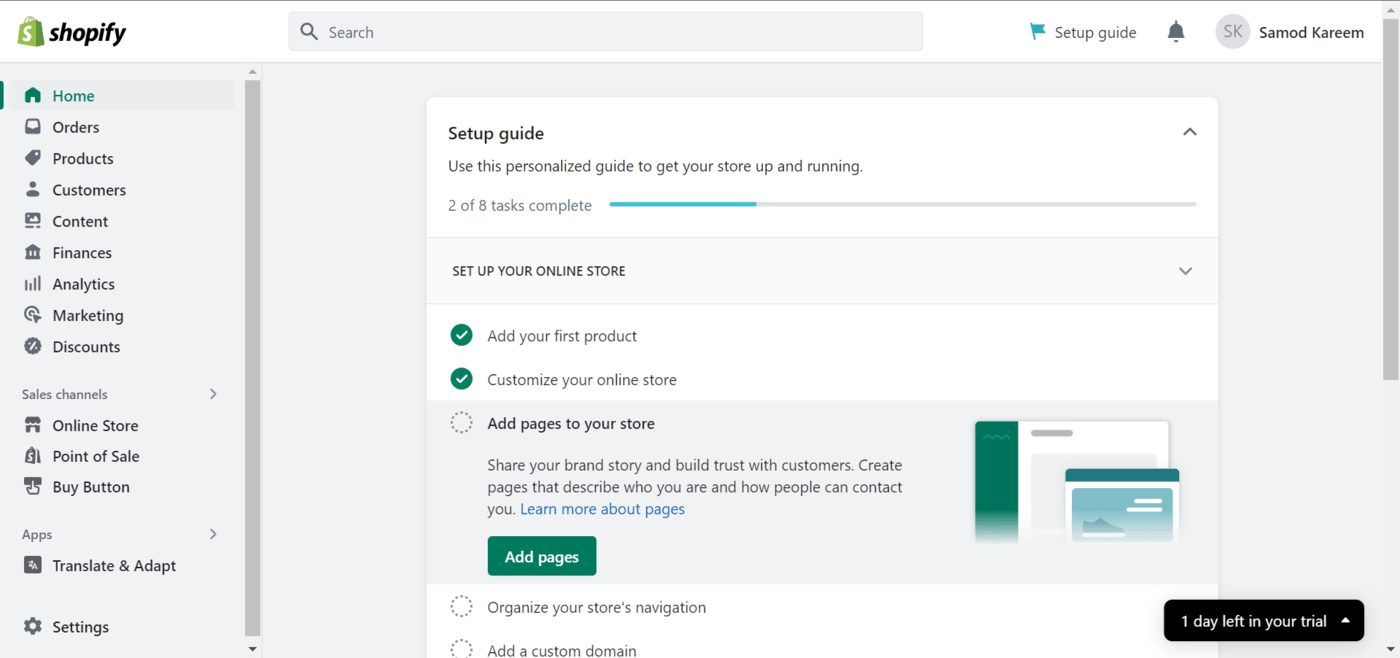
We like its storefront translation tool, which makes online shops accessible to people worldwide. Meanwhile, there’s Shopify Payments with over a hundred gateways, drastically simplifying payment management. We haven’t addressed its powerful and diverse plugins.
However, some can be pricey, further increasing the overall cost. On the flip side, Shopify includes many built-in features, one of which is free email marketing, which has vast possibilities. More about that later in this Wix vs Shopify vs WordPress battle.
Which Platform Wins?
Given their glaring differences, there’s no obvious winner; it’s all preference-based. So, here’s a summary:
Website Building: Which Option Is Best for You?
The best website builders excel in many aspects, and while eCommerce is one of them, they, above everything, offer hassle-free website building, even for hardcore beginners.
In this Wix vs Shopify vs WordPress test, we examined all three and found a few differences we’d like to share. Let’s spoil the fun a bit and admit that we liked Wix the most. Why? You’ll have to read on to find that out.
Wix & Shopify
We intentionally placed Wix and Shopify in the same basket because they’re traditional site builders. This means a drag-and-drop editor, templates, etc. Oh, while we’re there, Wix squanders Shopify’s efforts templates-wise, offering 900+ versus Shopify’s 230+. Wix’s templates are free.

Meanwhile, Shopify has roughly 30 free and over 200 paid templates, ranging from a few dozen to a few hundred dollars (one-time free). Once you choose the template, Wix allows you to edit every aspect of it. Compare it to section-based builders, and Wix will feel like you’re breathing fresh air for the first time.
You can drag, drop, delete, move, and replace items swiftly. You can also change fonts, colors, images, and more. Wix’s personalization is outstanding, allowing you to make unique websites, but also screw things up if you don’t know what you’re doing. There’s also Wix ADI, which makes a website based on your answered questions.
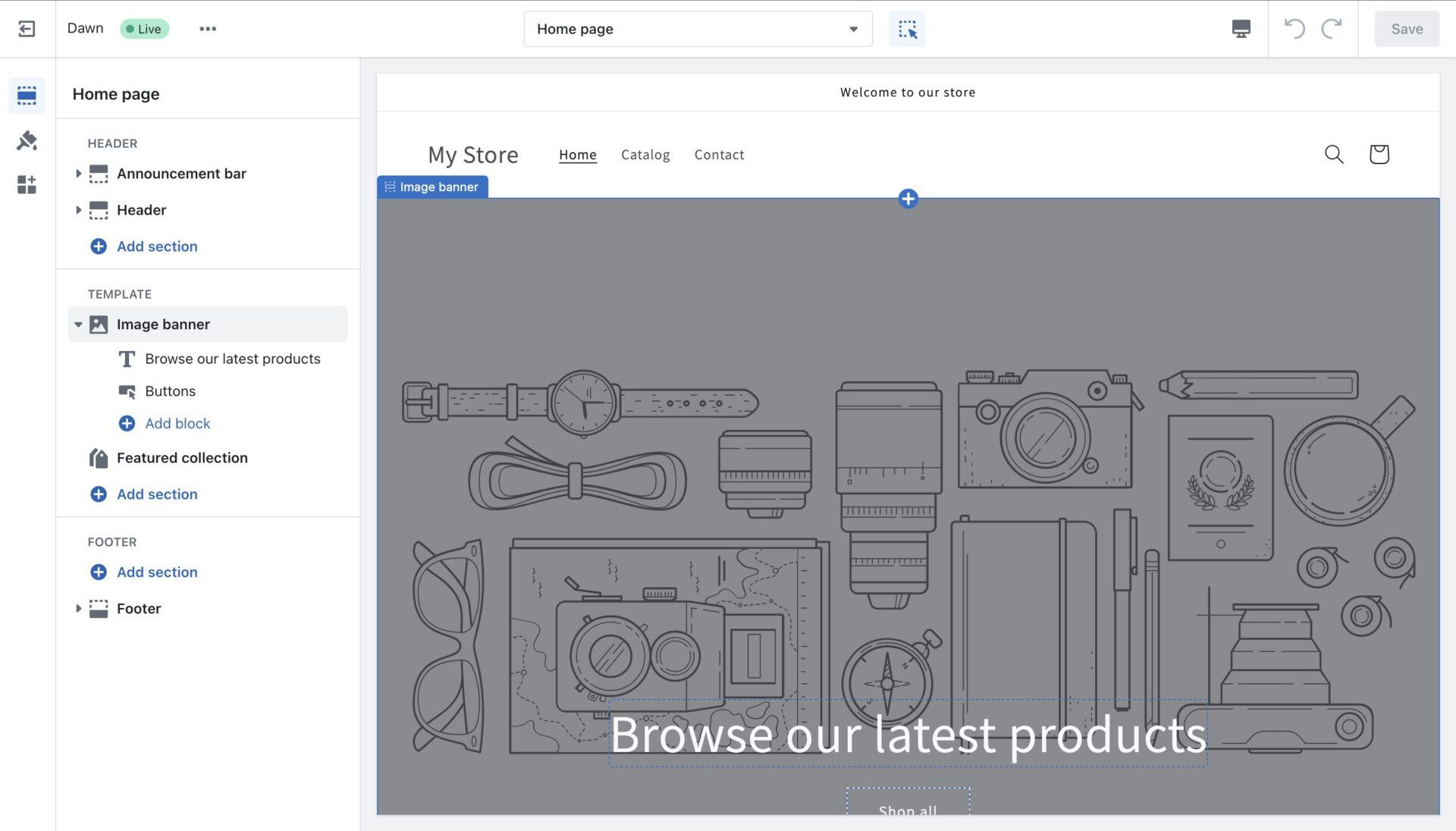
Shopify doesn’t offer many fancy AI tools, and its editor is more constricted, albeit simpler for beginners. Since it’s primarily about selling, it’s all about functionality and store design, so it lacks Wix’s freedom. That’s not to say you can’t build a fantastic store. Look at Gymshark – does it look boring?
WordPress
WordPress isn’t a drag-and-drop builder. It’s section-based, although you can enable drag-and-drop functionalities with Elementor. WordPress is straightforward and more customizable than Wix and Shopify because of:
- Thousands of free and paid themes (over 13,000 and growing)
- WordPress plugins for added flexibility
- Source code access
You can see that WordPress means business. It offers over 13,000 free and paid themes, all of which can be tweaked in the editor or through the source code. Granted, the editor is very limited, so don’t expect a high customization level until you get your hands on the source code, provided that you know what you’re doing.

Again, WordPress doubles down on its plugins, adding more design flexibility and options. We recently compared WordPress to Squarespace, another famous site builder, and on the design front, WordPress mowed it down. However, Squarespace was more beginner-friendly; the same goes for Wix and Shopify.
Which Platform Wins?
WordPress is the clear winner of this comparison, with more themes and better customization, albeit only for experienced users. Wix and Shopify are by no means bad, but they’re far less flexible, although they’re fantastic for beginners and, as a result, still popular and relevant.
SEO and Marketing Features: Which One Wins?
SEO and marketing are fundamental aspects of your website. Without SEO, you’re doomed to be swallowed by your more diligent competitors. Meanwhile, the absence of marketing features means you can’t make waves in the industry and advertise your business.
In this Shopify vs Wix vs WordPress comparison, we noted the following things.
Shopify and Wix
We again grouped Shopify and Wix because of their similarities.
Both providers offer a vibrant spectrum of amazing SEO tools, both built-in and as third-party add-ons. While basic analytics are always welcome, Wix introduces helpful stuff like robots.txt editor, custom meta tags, XML sitemaps, bulk 301 redirects, Wix analytics, and the mighty SEO Setup Checklist.
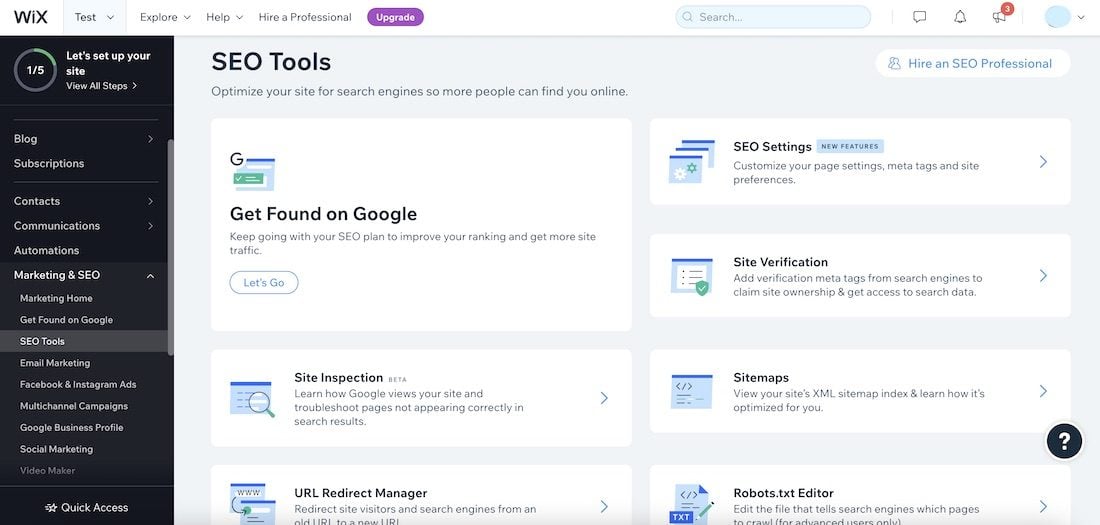
Wix’s email marketing is also free. You can create an email template, edit it, and send it to your subscribers. Remember Wix’s app store from before? Well, you can use it for more SEO and marketing tools if you find Wix’s in-house offers underwhelming. Don’t worry; you won’t.
Now, Shopify offers nearly identical SEO features, which consist of analytics and the ability to edit pages, meta titles, etc. Email marketing is realized through Shopify Email, which offers countless email templates and excellent email automation to send bulk emails to customers.
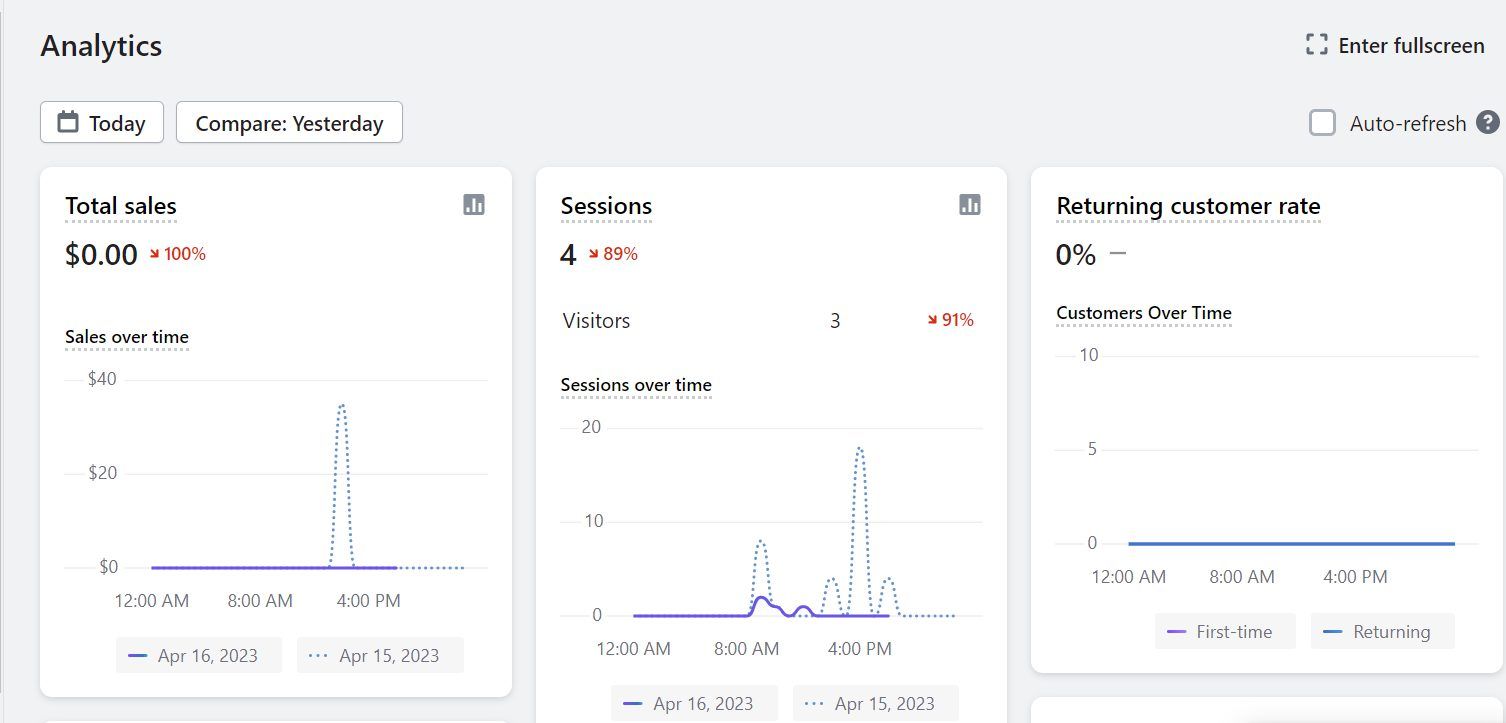
The free version lets you send up to 10,000 emails, and each 1,000 additional emails is only $1 monthly. This makes Shopify’s email marketing one of the best around. Plus, like Wix, it has countless SEO and marketing tools that will expand your horizons and provide more opportunities.
WordPress
WordPress includes nothing out of the box, so again, you have to resort to its plugins.
Is this a bad thing? Certainly now, provided that you can afford them.
Some of them, like MailPoet or Creative Mail, let you start for free. In fact, Creative Mail, which is likely the most popular option, includes beautiful email templates, automation, and other valuable features without spending a dime. WordPress doesn’t have many SEO tools.

Again, you have to use plugins like Yoast SEO, RankMath, and others.
Our favorite is Yoast SEO, which we use to analyze our content and ensure it meets the highest SEO standards. All things considered, WordPress can be just as powerful as Wix and Shopify, but only with plugins. However, plugins cost more, making WordPress an expensive toy to play around with.
Which Platform Wins?
This round goes to Wix and Shopify, which offer built-in SEO and marketing features. WordPress is highly powerful in both aspects, but only with plugins, which not everyone can afford. On the other hand, Wix and Shopify offer more than enough without charging you a premium.
Pricing & Ongoing Costs
Looking for a cheap website builder? Neither of them is considered affordable.
However, you know how much you’ll spend on Wix and Shopify, as they have distinct plans and features. Wix starts at $17 monthly, while the first eCommerce plan is Core, and costs $29 monthly. Meanwhile, Shopify’s Basic plan is $29 monthly, and for us, it’s more than sufficient.
How much is WordPress? It’s free, but only on paper.
To use WordPress, you need hosting, so add that to the final bill. If you want a nice theme, you’re looking at $100 or so; sometimes less, sometimes more. WordPress heavily relies on plugins, and since you’ll need at least a few, let’s add that to the final monthly or annual bill.
WordPress can become expensive quickly, so don’t let the “free ” label fool you.
Worse yet, you don’t know how much you’ll pay upfront because plugins vary in price, and you don’t know how many or which plugins you’ll use. All this makes WordPress incredibly difficult to compare to Wix and Shopify in 2026.
Which Platform Wins?
We’d say this:
- Wix is the most affordable of the three, offering the best value overall.
- Shopify costs more, but you still know how much you’ll spend.
- WordPress can cost even more with hosting, plugins, themes, etc.
People who have money to spend won’t mind WordPress’ “volatile” pricing. However, if you like to know your upfront cost and everything you’ll get for the money, Wix and Shopify embody the “traditional” pricing model, and website maintenance usually costs less than a feature-stacked WordPress website.
Hosting Performance & Speed: Which One Is the Fastest?
Our Shopify vs Wix vs WordPress comparison takes us to the speed round.
However, it would be unfair to compare them because of their obvious differences. In most cases, if the website is made correctly, WordPress would sweep the floor with them, especially if it’s hosted with a reliable hosting provider, like SiteGround, which works well.
SiteGround or even Hostinger is faster than Shopify and Wix because they are primarily website builders, not web hosts. While Shopify and Wix are by no means slow, their load times are drastically longer.
Website speed and performance also depend on your design prowess. If you don’t audit your website and dig out errors, nothing will happen. Do your job properly, and with adequate optimization, you can decrease load time and bounce rate. Pretty cool.
Which One Is the Fastest?
We’ll give this title to WordPress if it’s hosted on a fast server from Hostinger, SiteGround, InMotion Hosting, etc. Site builders excel on the design front, but realistically, they can’t match a WordPress + hosting combination.
Customer Support
While Shopify and Wix offer more structured support, WordPress believes that you can solve your problems on your own. The latter method is more barbaric, but it’s powerful for learning new stuff and improvising on the go. WordPress doesn’t have live chat or email support.
However, there’s a huge community online where you’ll find answers to your questions.
Shopify and Wix have well-organized live chat and email support. You won’t have to dig deep because you’ll get a response in a few seconds. Both providers are very helpful and offer their support 24/7, which is fundamental if you get stuck during your night’s work.
We ultimately prefer the customer support teams of Shopify and Wix. Again, WordPress isn’t beginner-friendly, especially because it lacks more “specific” and “centralized” customer support that would address many issues at a time.
Shopify vs Wix vs WordPress: Final Considerations
This isn’t a typical comparison, so it’s hard to define the winner, even after so many tests.
Instead of saying which one is best, we’ll simply point out their primary benefits.
- Wix is an all-purpose website builder excellent for beginners, online sales, SEO, and marketing. It’s easily the best-value option of the three.
- Shopify is primarily an eCommerce platform, which means it’s suited mostly to online stores. It’s also beginner-friendly, but potentially very costly.
- WordPress is likely the mightiest of the three, thanks to flexible themes, powerful plugins, and robust eCommerce tools. However, it heavily relies on paid plugins and can be very complex, making it the least beginner-friendly option.
So, there you go. By this point, you should know which one is right for you. If not, go back from the start and read the comparison again. Wix, Shopify, and WordPress are fantastic, but not for everyone. Decide on your course of action, take it bravely, and carve your path to success.
