Windows 8 : créer des boutons Redémarrer et Eteindre
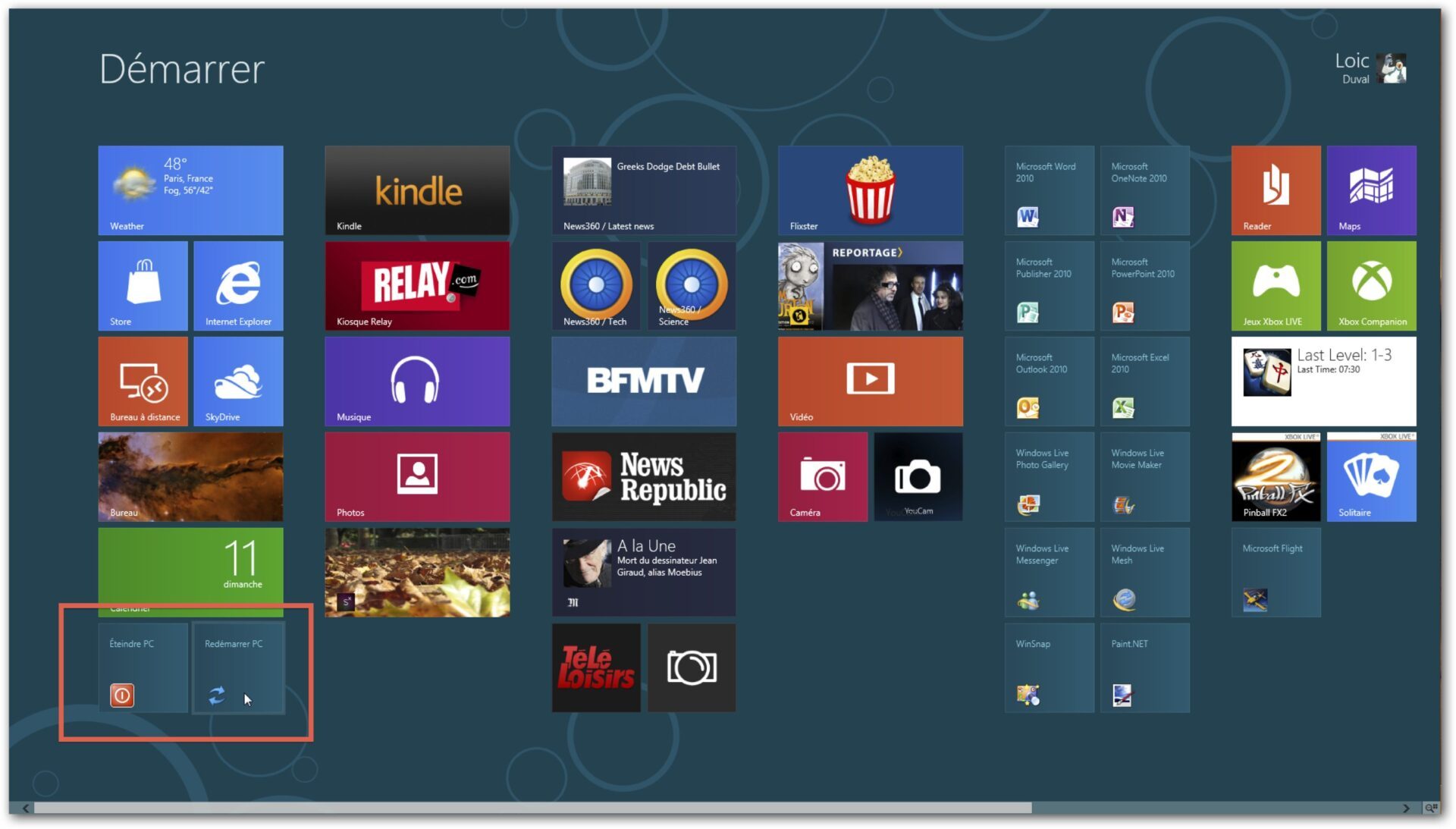
Avec Windows 8, pour redémarrer ou éteindre son PC, il faut passer par plusieurs menus. Pas simple. Voici une astuce qui va vous permettre d’aller plus vite.
agrandir la photo
Script d'ajout de deux boutons Redémarrer/Eteindre dans l'écran démarrer
r = MsgBox("Voulez-vous installer les boutons dans l'écran Démarrer",1,"Windows 8")
if r = 1 then
set WShell = WScript.CreateObject("WScript.Shell")
StartMenuPath = WShell.SpecialFolders("StartMenu")
set oLink = WShell.CreateShortcut(StartMenuPath & "\Redémarrer PC.lnk")
oLink.TargetPath = "%systemroot%\System32\shutdown.exe"
oLink.Arguments = "-r -t 0"
oLink.WindowStyle = 1
oLink.WorkingDirectory = "%systemroot%\System32\"
oLink.IconLocation = "%systemroot%\System32\shell32.dll,238"
oLink.Description = "Redémarrer PC"
oLink.Save
Set oLink = Nothing
set oLink = WShell.CreateShortcut(StartMenuPath & "\Éteindre PC.lnk")
oLink.TargetPath = "%systemroot%\System32\shutdown.exe"
oLink.Arguments = "-s -t 0"
oLink.WorkingDirectory = "%systemroot%\System32\"
oLink.IconLocation = "%systemroot%\System32\shell32.dll,27"
oLink.Description = "Eteindre PC"
oLink.WindowStyle = 1
oLink.Save
MsgBox "Les raccourcis ont été créés dans le répertoire..." + vbcrlf + StartMenuPath
Else
MsgBox "Les raccourcis n'ont pas été créés..."
End If


nos newsletters
Lisez 01net pour 2,25 € / n° seulement